

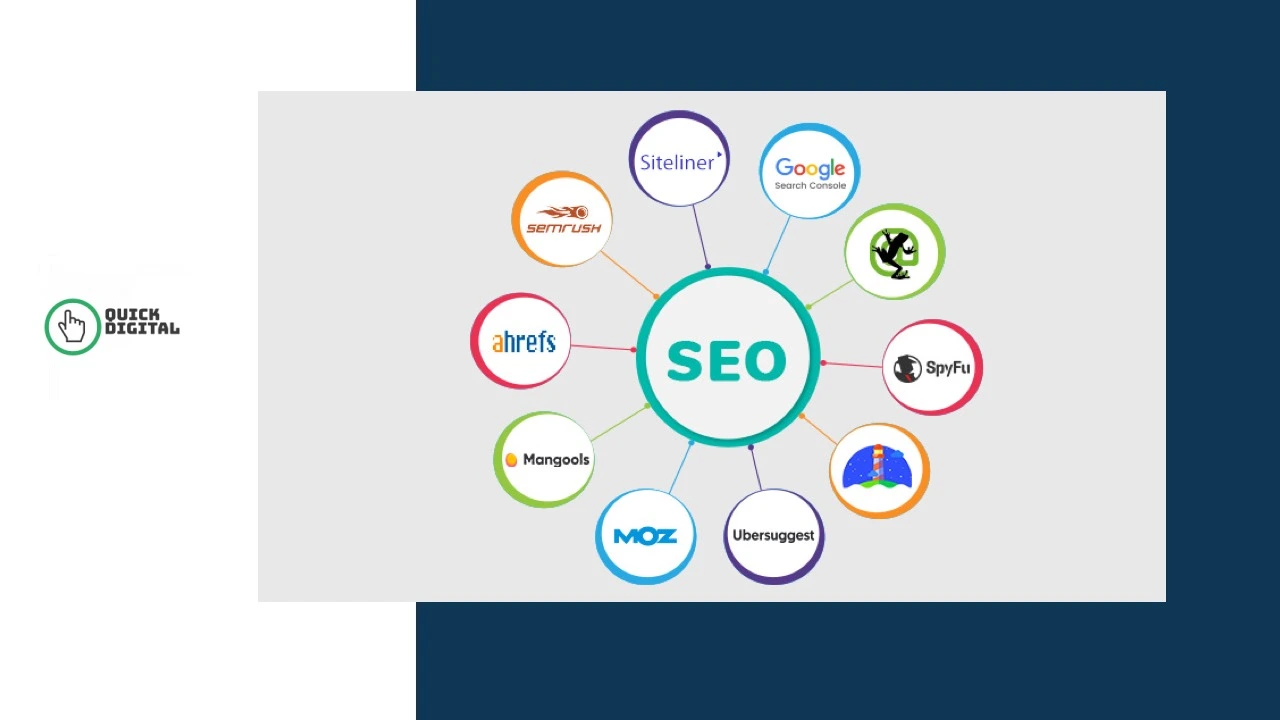
The best free SEO tools give you keyword data, technical audits, backlink reports, and rank tracking at zero cost, and four of them come directly from Google. After running search engine optimization campaigns since 2014, the team at QuickDigital still uses free tools for a large share of daily audit work. These are the free tools professionals use to do SEO for free, save money on SEO, and do SEO without paying for enterprise platforms. Whether you are new to SEO or an experienced marketer, this guide covers free SEO tools for beginners and seasoned practitioners alike. This guide covers every free tool worth your time, what each one does well, where each one stops, and the exact free plan limits so you can build a complete free SEO stack before spending a single dollar.
Start With These 5 Free SEO Tools Before Anything Else
Most free SEO tools articles list 20 or 30 options without telling you which 5 actually matter. These are the ones to install first. They have no expiry date, require no credit card, and together cover keyword research, technical health, backlinks, on-page scoring, and rank tracking in one free setup.
- Google Search Console — always free, first-party data from Google, no page limit
- Ahrefs Webmaster Tools — free for any domain you own, 1,000 backlinks and a 170-point technical audit
- Screaming Frog Free — crawls 500 URLs per run, finds broken links, duplicate content, and missing meta tags
- Rank Math Free Plugin — free WordPress plugin with more features than any paid competitor at the same price point
- Google Keyword Planner — always free, pulls search volume data directly from Google’s own database
Once these five are running, add Google PageSpeed Insights, Google Rich Results Test, and Bing Webmaster Tools. All three are always free with no usage limits and cover page speed, structured data validation, and Bing organic search data.
Free Keyword Research Tools
Free keyword research tools show you what people search for and how much demand exists, but most free tools cap daily searches, show volume ranges instead of exact numbers, or restrict how many queries you can run per month. These four tools cover most keyword research needs without hitting a daily wall.
Google Keyword Planner
Google Keyword Planner is always free with any Google Ads account, even one that has never run a campaign. It pulls monthly search volume ranges, seasonal trend data, and competition levels directly from Google’s database. Free accounts see ranges like “1K to 10K” rather than exact numbers. That limitation matters less than it sounds: for most content decisions, knowing a keyword pulls 1,000 to 10,000 monthly searches is enough to prioritize it.
The catch: If your Ads account has no active campaigns, Google eventually shows wider volume ranges. Run at least one small active campaign to keep exact data visible.
Google Trends
Google Trends is fully free with no daily search limit. It shows relative search interest over time rather than raw volume. Use it to confirm whether a keyword is seasonal before committing to content around it. Type two competing terms into Trends to see which one holds steadier demand across the full year. Trends data complements Keyword Planner because it shows trajectory, not just current volume.
AnswerThePublic Free Plan
AnswerThePublic gives free accounts 3 searches per day. Each search generates a full question map from Google and Bing autocomplete, organized by who, what, why, when, where, and how. These question clusters map directly onto People Also Ask boxes in Google search results. Use your 3 daily searches on your highest-priority topic and save every output immediately. The free limit is tight, so treat AnswerThePublic as a monthly question research session rather than a daily tool.
KeywordSurfer Free Chrome Extension
KeywordSurfer is a free Chrome extension that overlays search volume estimates directly on Google results pages, with no daily limit. Every Google search you run shows approximate monthly volumes alongside organic results. It also shows estimated organic traffic for the pages currently ranking on page 1. Install it once and it runs passively, giving you keyword data inside Google without opening a separate free SEO software platform.
Free Technical SEO Audit Tools
Technical audits find crawl errors, broken links, duplicate content, missing meta tags, and site speed failures that block Google from indexing a page correctly. These free technical SEO audit tools catch most issues before they cost you traffic.
Google Search Console
Google Search Console is the single most important free SEO tool available. It has no page limit, no daily cap, and no subscription cost. It reports index coverage status, click through rate by query, mobile usability errors, and Core Web Vitals LCP and CLS scores for every verified page on your site. The data comes directly from Google’s own crawl. No paid platform can match its accuracy for your own domain. Pair it with an SEO website architecture review to catch structural crawl issues that Search Console flags but does not explain.
The catch: Search Console shows data for pages Google has already crawled. It does not proactively crawl your new pages. Submit your sitemap and use URL Inspection to manually request crawling after every significant content update.
Screaming Frog SEO Spider Free Version
Screaming Frog’s free desktop version crawls up to 500 URLs per run. It finds broken links, missing title tags, duplicate content, redirect chains, thin content, and missing meta descriptions in one pass. For sites under 500 pages, the free version handles a complete free website audit. For larger sites, run it on specific subdirectories rather than the full domain.
The catch: The free version does not export to Google Analytics integrations or run scheduled crawls. Save crawl data as a spreadsheet immediately after each run. Screaming Frog does not store past crawls in the free version.
Bing Webmaster Tools
Bing Webmaster Tools is always free with no usage limits, and most sites ignore it. That is a consistent missed opportunity. It provides keyword data, backlink reports, a site audit, and full indexing status for Bing and Yahoo searches. Setup takes under 10 minutes by importing your Google Search Console verification. Bing holds around 6% of global search share, which means real traffic most competitors leave on the table by not setting it up.
Google PageSpeed Insights
Google PageSpeed Insights is free with no usage limit. It grades both mobile and desktop performance using real Chrome User Experience data plus a lab test. It reports Largest Contentful Paint (LCP), Cumulative Layout Shift (CLS), and Interaction to Next Paint (INP) scores. A slow page raises your bounce rate and suppresses rankings directly. For a plan to fix what this tool surfaces, the page speed guide covers every common fix in order of impact.
Google Rich Results Test
Google Rich Results Test is always free with no limit. Paste any URL or schema code block into it and it shows whether your structured data qualifies for rich results in Google search. It validates FAQ, How-To, recipe, product, and review schema. Run it every time you add or update schema markup to confirm correct parsing before the page gets recrawled.
Free Backlink Checker Tools
Free backlink checker tools show who links to your site and which links your competitors have earned, though most free plans restrict data volume or block competitor domain access entirely.
Ahrefs Webmaster Tools
Ahrefs Webmaster Tools stays free for life on any domain you verify. It opens Site Explorer, Site Audit, and Web Analytics for that domain. You see up to 1,000 backlinks per project, 5,000 monthly crawl credits, and a full technical audit covering 170 issue types. As a free backlink audit tool for your own domain, it delivers paid-tier quality at zero cost.
The catch: It only covers domains you verify. You cannot point it at a competitor’s domain without a paid plan. Use Neil Patel’s free backlink checker for competitor link research instead.
Neil Patel Backlink Checker
Neil Patel’s free backlink checker shows the top 100 backlinks for any URL without requiring registration or account ownership verification. Enter any competitor’s URL and see which domains link to them, the domain score of each linking site, and anchor text distribution. As a free competitor analysis tool for backlink research, it fills the gap that Ahrefs Webmaster Tools leaves open. The 100-link limit is a snapshot, not a full picture, but it reveals the key link sources driving a competitor’s authority.
Moz Free Account
A free Moz account gives 10 queries per month through Domain Analysis and Link Explorer. Each query shows Domain Authority, Page Authority, spam score, and a sample backlink list for any domain, including competitors. Save all 10 monthly queries for the most important competing domains in your niche. Track their Domain Authority month over month to spot when a competitor starts an active link-building campaign.
Google Search Console Links Report
The Links report inside Google Search Console lists every backlink Google has actually indexed for your domain, with no data limit. Export the full list at any time. For verifying your own backlink profile, this report is more accurate than any third-party tool because the data comes directly from Google’s crawl index.
Free On-Page SEO Tools
Free on-page SEO tools grade your content structure, meta tags, keyword placement, and readability before a page goes live, catching fixable issues before they suppress rankings after publishing.
Rank Math Free Plugin
Rank Math’s free WordPress plugin, and the best free SEO plugin available for WordPress, includes more features than Yoast’s free version at the same zero cost. It supports schema markup for over 15 content types, tracks up to 5 focus keywords per post, connects Google Search Console data directly inside the WordPress editor, and includes a built-in 404 error monitor. It also runs a real-time on-page SEO score for every post so you see exactly which elements need fixing before you hit publish.
Yoast SEO Free Plugin
Yoast SEO free is a WordPress plugin that scores keyword placement, readability, and meta tag length while you draft content. Its traffic light system flags missing image alt text, weak internal linking, and title tags exceeding the 60-character display limit. It functions as a free meta tag analyzer and readability checker in one tool built directly into the WordPress editor.
MozBar Free Chrome Extension
MozBar is a free Chrome extension and the most practical free domain authority checker available. It displays Domain Authority and Page Authority for every page you visit, overlaid directly on Google search results. No daily limit applies. It lets you judge the competitive difficulty of any keyword before you write a word of content, just by looking at what currently ranks.
SeoQuake Free Extension
SeoQuake is a free Chrome and Firefox extension. Its one-click SEO audit scans any open page and lists on-page issues immediately. It displays index status, incoming link counts, and page-level data for any site you visit. Unlike most free on-page SEO checker tools, it works on competitor pages and external sites, not just your own domain.
Free Rank Tracking Tools
Free rank tracking tools show where your pages appear in search results, though free options update weekly rather than daily and cap the number of keywords you can track at once.
Google Search Console Performance Report
Google Search Console pulls position data directly from Google’s own search index. The Performance Report shows average position, clicks, impressions, and CTR for every query your site ranks for, updated within 2 to 3 days. Filter by page, country, device, or date range at no extra cost. No third-party free rank tracker matches its accuracy for your own domain because none of them have access to Google’s first-party data.
Semrush Free Plan
Semrush’s free plan gives 10 searches per day across Keyword Overview, Domain Overview, and Position Tracking. It tracks up to 10 keywords in Position Tracking for one project. Use all 10 daily searches on competitor domains rather than your own site, since Google Search Console handles your own site’s ranking data more accurately. Pair it with the SEO checklist to keep daily searches focused on your highest-priority pages.
Free Local SEO Tools
Two always-free platforms cover Google and Bing local visibility at zero cost, and most local businesses only use one of them.
Google Business Profile
Google Business Profile is free with no usage limit. It manages your listing across Google Search and Google Maps and reports calls, direction requests, photo views, and the exact search queries that triggered your listing. For a step-by-step setup, see the Google Business Profile optimization guide.
Bing Places for Business
Bing Places for Business is free and syncs directly from your Google Business Profile in a few clicks. Since Bing Maps and Yahoo Local both pull from Bing Places, one free setup covers 3 local search platforms at once. Most local businesses ignore Bing Places, which is a consistent free advantage against every competitor focused only on Google.
Free Tools for AI Search Visibility
The same free tools that improve traditional search rankings also feed AI search visibility, because Google AI Overviews, ChatGPT, and Perplexity all cite pages that already perform well in structured, question-based search. Google Search Console shows which pages earn featured snippets, a strong signal for answer engine eligibility. Screaming Frog confirms schema markup is valid and crawlable. Google Rich Results Test confirms structured data that AI Overviews and large language model engines reference when pulling answers. AnswerThePublic surfaces the exact question formats that AI engines answer most often. Pages with topical authority built through consistent, structured content get cited more often by AI engines than thin single-topic pages. No separate free SEO software for AI search is needed when these four tools are properly stacked together.
Honest Comparison: Free SEO Tools vs Paid Tools
Doing SEO without a budget is fully achievable using the stack in this guide. Free SEO tools vs paid platforms is not a binary choice. Free tools cover most tasks for single-site owners. Paid tools add scale and competitive depth. Here is exactly where the line sits.
Data and Volume Limits
Every free plan caps at least one of three things: daily searches, pages crawled per run, or historical data depth. Semrush limits free users to 10 searches per day, which runs out fast during a real content sprint. Screaming Frog stops at 500 URLs per crawl, missing issues on larger sites. AnswerThePublic caps at 3 searches per day, limiting research to one topic at a time. These limits work well for a single small site with a slow publishing pace. They become a bottleneck the moment you manage more than one site or need to research more than one competitor per week.
Competitor Research Gap
Free tools almost universally block competitor research at depth, and that is where the most commercially valuable SEO data sits. Ahrefs Webmaster Tools only opens Site Explorer for verified domains. Moz limits free users to 10 competitor queries per month. Neil Patel’s backlink checker gives only the top 100 competitor backlinks. When a competitor outranks your brand name, free tools can show you it is happening but rarely tell you exactly why. To outrank competitors in competitive niches, most sites eventually need paid competitive research tools.
When Free Tools Are Enough
Free SEO tools are enough for a solo site owner, a local business, or a site publishing fewer than 4 pieces of content per month. Google Search Console, Rank Math, Screaming Frog, and Google Business Profile together cover keyword performance, on-page optimization, technical health, and local visibility at zero cost. A growing site with multiple competitors to monitor or one investigating why its own name does not rank typically hits the free tool ceiling within 60 days.
Free SEO Tool Comparison: Always Free vs Freemium
Always Free SEO Tools With No Usage Limit
| Tool | Best For |
|---|---|
| Google Search Console | Rankings, index coverage, Core Web Vitals, click through rate |
| Google Keyword Planner | Search volume data direct from Google, search intent signals |
| Google Trends | Seasonal keyword trends, organic search demand over time |
| Google PageSpeed Insights | LCP, CLS, INP, page speed score, site speed fixes |
| Google Rich Results Test | Schema markup validation, structured data testing |
| Google Business Profile | Google Maps ranking, local pack visibility |
| Google Analytics 4 | Organic traffic, sessions, conversions at no cost |
| Bing Webmaster Tools | Bing organic search data, keyword difficulty score, sitemap |
| Bing Places for Business | Bing Maps and Yahoo local listing, 3 platforms in one setup |
| Rank Math Free | On-page SEO for WordPress, schema, robots.txt, canonical tags |
| Yoast SEO Free | Readability scoring, meta tag analyzer, title tag length checker |
| MozBar Extension | Domain authority and page authority on any SERP |
| SeoQuake Extension | On-page SEO audit on any site, competitor page analysis |
| KeywordSurfer Extension | Search volume overlay on Google results, no daily limit |
Freemium SEO Tools With Usage Limits
| Tool | Free Limit | Where It Stops | Paid Plan |
|---|---|---|---|
| Ahrefs Webmaster Tools | 1,000 backlinks, own sites only | No competitor domain research | From $29 per month |
| Semrush | 10 searches per day, 10 tracked keywords | No historical data, limited reports | From $139.95 per month |
| Screaming Frog | 500 URLs per crawl | No scheduled crawls, no GA integration | Around $259 per year |
| Moz | 10 queries per month | Too low for regular competitor research | From $99 per month |
| Ubersuggest | 3 searches per day | Small data set, limited keyword history | From $12 per month |
| AnswerThePublic | 3 searches per day | No bulk export, no historical tracking | Paid plans available |
| Neil Patel Backlink Checker | Top 100 backlinks, any domain | Surface-level snapshot only | Via Ubersuggest plans |
How to Stack Free SEO Tools Into One Working Workflow
Week 1: Set Up the Foundation
- Verify your site in Google Search Console and submit your XML sitemap. Connect Google Analytics 4 to it so organic traffic, bounce rate, and conversion data appear alongside ranking data in one view.
- Verify the same domain in Ahrefs Webmaster Tools to activate free backlink monitoring and a 170-point technical audit covering canonical tags, redirect errors, and robots.txt issues.
- Set up Bing Webmaster Tools by importing your Search Console verification. One click adds your site to Bing’s free keyword and backlink reporting system.
- Install Rank Math on WordPress and connect it to Google Search Console inside the editor. Every post now gets a real-time on-page SEO score before publishing.
- Add MozBar and KeywordSurfer as Chrome extensions so domain authority scores and search volume data appear passively on every Google results page you visit.
Before You Write: Research Workflow
- Pull search volume ranges from Google Keyword Planner for your target terms. Cross-check with Google Trends to confirm the keyword holds consistent demand year-round rather than spiking seasonally.
- Use your 3 daily AnswerThePublic searches on your single most important topic. Save every question cluster as a content brief immediately.
- Run one Ubersuggest search on the same topic to check keyword difficulty and surface related long-tail search terms Keyword Planner may have missed.
Monthly: Monitor and Fix
- Review Google Search Console weekly for new index coverage errors, Core Web Vitals failures, and position drops on your top pages.
- Use your 10 daily Semrush searches on competitor domains during the first week of each month to spot new content or backlinks driving their ranking gains.
- Use your 10 monthly Moz queries to track Domain Authority changes on the 10 competitor domains most important to your niche.
- Run Screaming Frog on any site section that changed in the past month to catch broken links and redirect errors before they compound into crawl budget problems.
For a complete free SEO tools guide focused on smaller budgets, the best free SEO tools for small businesses guide covers the shortest path from zero tools to a working free SEO setup in one afternoon.
SEO Services Since 2014
When Free Tools Hit Their Ceiling, We Pick Up Where They Stop
QuickDigital combines paid-tier tools with strategy and execution to fill the competitor research, rank tracking, and content gaps every free plan leaves open. Get a free audit of exactly where your site stands right now.
No obligation. No sales call. Real data on your site.
Free SEO Tools: FAQs
Google Search Console. It is completely free, has no usage limit, and reports the exact keywords driving your traffic alongside every indexing error blocking new pages from ranking. Set it up and submit your XML sitemap before installing any other tool.
Yes for your own site. Google Search Console, Google PageSpeed Insights, and Google Trends pull data from Google directly, so their numbers match what actually affects your rankings. Third-party free tools like Moz and Ubersuggest estimate from smaller data sets. Treat their search volume figures as a directional range rather than an exact number.
Four tools cover most needs: Google Search Console for rank tracking, Screaming Frog for technical audits up to 500 URLs, Google Keyword Planner for search volume, and Rank Math for on-page scoring on WordPress. Add MozBar and KeywordSurfer as passive Chrome extensions to cover competitive research.
No. Free tools handle single-site audits and basic keyword research well but fall short on competitor research at depth and AI search visibility at scale. A managed SEO service pairs paid tools with strategy that free plans cannot replicate. Free tools work best for identifying and implementing known fixes.
No free tool shows same-day ranking data. Google Search Console updates within 2 to 3 days and is the most accurate free option for tracking real position changes. Semrush free tracks 10 keywords with daily updates for one project. Ubersuggest updates weekly. Moz limits free users to 10 monthly queries.