



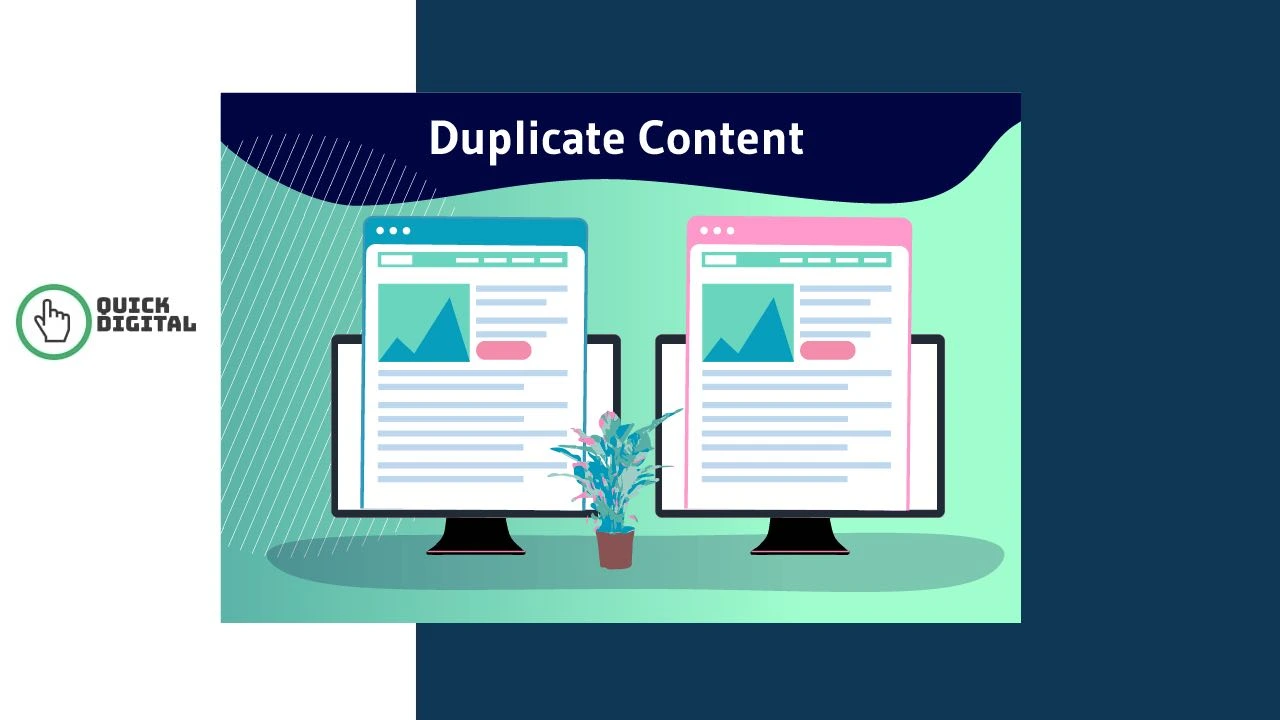
Duplicate content is identical or substantially similar text that appears on more than one URL, either within the same website or across different domains. Google’s own definition covers “substantive blocks of content within or across domains that either completely match other content or are appreciably similar.” When search engines find the same content at multiple URLs, they split ranking authority across all versions rather than concentrating it on one. That split is what damages your SEO performance, not a manual penalty.
At QuickDigital, we have audited duplicate content issues across hundreds of websites since 2014. This guide explains exactly what causes content duplication, how Google handles it, and the specific fixes that restore rankings fastest.
Internal Duplicate Content vs External Duplicate Content
Duplicate content splits into 2 categories based on where the matching content lives. Understanding which type you face determines which fix applies.
Internal Duplicate Content
Internal duplicate content occurs when the same page loads at 2 or more different URLs on your own website. This is the most common type and the one most directly under your control.
Common internal duplication scenarios include:
- The same page accessible at both
http://andhttps://versions - The same page loading with and without the
wwwprefix - URL parameters creating new URLs like
/shoes?color=blueand/shoes?color=redwith identical content - Faceted navigation on e-commerce sites generating hundreds of filter-based URLs
- Session IDs appended to URLs for individual user sessions
- Printer-friendly versions of pages indexed alongside the original
- Paginated archives where page 1 and the root URL show identical content
- Category pages in WordPress accessible at
/category/name/and/name/
External Duplicate Content
External duplicate content occurs when the same content appears on multiple different websites. This happens through content syndication, guest posting, press release distribution, and content scraping.
External duplication scenarios include:
- Content syndication where a full article republishes on platforms like Medium or LinkedIn without a canonical tag
- Guest posts that republish content already live on your own site
- Press releases distributed to multiple news outlets that index the identical release
- E-commerce product descriptions copied from manufacturer data sheets and used by multiple retailers
- Content scrapers copying your pages to their own domains without permission
External duplication through scraping is outside your direct control. But you can protect your content by following proper syndication practices and using self-referencing canonical tags on every page.
How Duplicate Content Actually Damages SEO
Duplicate content does not trigger an automatic Google penalty in most cases. The real damage works through 3 mechanisms that quietly erode your rankings over time.
Authority Dilution Across Competing URLs
Backlinks pointing to your content are your most valuable ranking signal. When 2 URLs contain the same content, inbound links split between both versions. Each URL gets a fraction of the authority it would receive if all links pointed to one definitive page.
Google picks one version to show in search results through a process called canonicalization. The version it chooses may not be the one you intended to rank. The other version gets suppressed but still bleeds away link equity that your chosen URL should be receiving in full.
Crawl Budget Waste
Google allocates a crawl budget to every website based on its size and authority. Large sites with thousands of duplicate parameter URLs force Googlebot to crawl the same content repeatedly across multiple URLs.
Every duplicate URL Google crawls consumes budget that could index your genuinely new and valuable pages instead. Improve your site architecture to eliminate unnecessary duplicate URLs and direct crawl budget toward pages that matter for ranking.
Keyword Cannibalization From Internal Duplication
Internal duplicate content makes your own pages compete against each other for the same keyword. Google cannot determine which version you want to rank. It frequently picks the wrong one and ranks it lower than a consolidated single page would achieve.
The practical result is that multiple thin duplicate pages each rank weakly instead of one strong, authoritative page ranking at the top of the results. Fixing this through content consolidation directly lifts the surviving page in the SERP.
The Duplicate Content Penalty Myth: What Google Actually Does
Google does not issue manual penalties for typical technical duplicate content such as URL parameter variations, CMS-generated duplicate pages, or printer-friendly versions. The damage is algorithmic, not punitive.
Google handles duplicate content algorithmically by clustering matching URLs and selecting one to show in results. The rest get filtered from the index. This filtering reduces visibility without triggering a manual action in your Google Search Console.
Deliberate, manipulative duplication is different. Websites that scrape and republish content to game rankings, use spun content to generate bulk pages, or copy competitor content verbatim do risk manual actions. Google’s Search Quality Evaluator Guidelines explicitly flag copied content, spun content, and thin content as quality violations that reviewers target.
8 Specific Causes of Duplicate Content on Most Websites
Most duplicate content problems come from technical configurations rather than intentional choices. These 8 causes account for the vast majority of duplication issues found in site audits.
| Cause | Example | SEO Impact | Fix Priority |
|---|---|---|---|
| HTTP vs HTTPS split | Both versions indexed without redirect | High: splits all link equity | Immediate |
| WWW vs non-WWW split | Both root domain versions indexed | High: splits all link equity | Immediate |
| URL parameters | /products?sort=price and /products?sort=az | High: mass duplication on large sites | Immediate |
| Faceted navigation | Filter combinations on e-commerce categories | High: hundreds of duplicate URLs | Immediate |
| Session ID URLs | /page?sessionid=abc123 for each user | Medium: crawl budget waste | High |
| Manufacturer product descriptions | Same description text across 50 retailers | Medium: no unique value signal | High |
| Content syndication without canonical | Full article on Medium without rel=canonical | Medium: authority split with syndication partner | High |
| Printer-friendly pages indexed | /print/article-name/ indexed alongside /article-name/ | Low: minor crawl budget waste | Moderate |
How Google Handles Duplicate Content Pages
Google groups matching URLs into a cluster and selects one canonical URL to represent the group in search results. The selection follows a specific logic that you can influence but not fully control.
Google picks its preferred canonical based on these signals, in rough order of influence:
- A rel=canonical tag pointing to the preferred URL from the duplicate pages
- The URL listed in your XML sitemap as the authoritative version
- Internal links across your site that consistently point to one URL version
- The URL receiving the most inbound backlinks from external sites
- The URL with HTTPS over HTTP when both exist without a redirect
- The URL format matching your sitemap and internal link patterns
Sites with properly configured canonical tags experience a 15 to 25% improvement in crawl efficiency according to data from Botify. Fixing canonical issues has led to 30% or more increases in organic traffic within 2 to 3 months in documented cases from ContentKing (now part of Conductor).
Google does not guarantee it follows canonical tags. If Google’s own analysis signals that the canonical tag points to a less authoritative URL, it overrides the tag and picks its own preference. This is why canonical tags must align consistently with your sitemap and internal linking, not just sit in your page code in isolation.
Tools That Find Duplicate Content on Your Site
Run a duplicate content audit with at least 2 tools because no single tool catches every type of duplication. Free tools cover the basics. Paid tools give you the detail needed to prioritise fixes on large sites.
| Tool | Best For | Cost | Key Duplicate Content Feature |
|---|---|---|---|
| Google Search Console | Indexing issues and coverage errors | Free | Coverage report shows pages excluded as duplicates |
| Screaming Frog SEO Spider | Full site crawl for technical issues | Free up to 500 URLs; paid beyond | Duplicate titles, descriptions, H1s, and content blocks |
| Siteliner | Internal duplicate content percentage | Free for up to 250 pages | Page-by-page duplicate content score |
| Copyscape | External content theft detection | Paid per search | Finds sites republishing your content without permission |
| Ahrefs Site Audit | Large site technical SEO analysis | Paid | Duplicate content detection with prioritised fix recommendations |
| SEMrush Site Audit | Comprehensive on-page and technical audit | Paid | Duplicate pages, duplicate meta tags, canonical conflicts |
Start with Google Search Console and Screaming Frog to get an accurate picture of your duplication problem before spending on paid tools. Use our list of free SEO tools and best free SEO tools for small businesses to audit your site without a budget.
5 Proven Methods to Fix Duplicate Content
Each duplicate content fix method suits a specific duplication scenario. Use the right fix for each situation rather than applying one method across all cases.
Fix 1: Canonical Tags (rel=canonical)
A canonical tag tells Google which URL is the definitive version when 2 or more pages share the same or very similar content. Add <link rel="canonical" href="https://yoursite.com/preferred-url/" /> inside the <head> section of every duplicate page, pointing to the URL you want ranked.
Use canonical tags for:
- Product pages with URL parameters for size, colour, or sorting variations
- Content syndicated to other websites, by adding a canonical on the syndicated copy pointing back to your original page
- Paginated content where later pages carry a canonical pointing to page 1 of a series
- All pages on your site as self-referencing canonicals to protect against scrapers
3 canonical tag errors that actively break SEO:
- Placing the tag in the
<body>instead of the<head>: Google ignores body-placed canonical tags completely - Creating canonical chains like A canonicals to B, and B canonicals to C: this wastes crawl budget and weakens the signal
- Setting all pages to canonical to the homepage: a common WordPress plugin misconfiguration that prevents all inner pages from indexing
If content similarity drops below roughly 85%, Google often ignores the canonical tag and indexes both pages anyway. Canonical tags work for near-identical pages, not for pages that are merely related by topic.
Fix 2: 301 Redirects
A 301 redirect permanently moves one URL to another and passes nearly 100% of link equity to the destination. Use 301 redirects instead of canonical tags when you want to eliminate the duplicate URL entirely and consolidate all traffic and authority to one page.
Apply 301 redirects to fix:
- HTTP pages redirected to HTTPS equivalents across your entire site
- Non-WWW URLs redirected to WWW (or the reverse, pick one and enforce it sitewide)
- Old URL structures after a site migration where the old URLs still receive inbound links
- Duplicate thin pages that add no unique value and should consolidate into one stronger page
A 301 redirect is more decisive than a canonical tag. Canonical tags are hints Google can choose to ignore. Redirects are instructions Google must follow. When you are certain a duplicate URL should never appear in search results, use a redirect rather than a canonical.
Fix 3: Noindex Meta Tag
Add <meta name=”robots” content=”noindex”> to pages you want removed from Google’s index without redirecting users away from them. This is useful for pages that need to stay accessible to users but should not appear in search results.
Use the noindex tag for:
- Internal search result pages that generate thousands of unique URLs with near-duplicate content
- Admin pages, login pages, and thank-you pages that should never rank
- Filter and faceted navigation pages that duplicate your main category page content
- Printer-friendly page versions that replicate your main article content
Fix 4: URL Parameter Handling in Google Search Console
Google Search Console’s URL Parameters tool tells Google how to treat specific parameter types when crawling your site. Use this setting to mark parameters like ?sort=, ?color=, and ?sessionid= as parameters that do not change page content significantly.
This fix prevents Google from crawling and indexing every URL variation generated by your site’s filter, sort, and session parameters. It is particularly effective for large e-commerce sites where faceted navigation generates thousands of duplicate category pages.
Fix 5: Content Consolidation
Content consolidation merges multiple thin or duplicate pages into one stronger, more authoritative page. This fix works when you have 2 to 5 blog posts or pages covering the same topic with slightly different angles, none of which rank well individually.
Steps to consolidate duplicate content:
- Identify all pages covering the same topic using Screaming Frog or Ahrefs
- Select the page with the most inbound links as the surviving URL
- Combine the unique information from all duplicate versions into one expanded page
- Set 301 redirects from all eliminated URLs to the surviving consolidated page
- Update your sitemap and internal links to reference only the surviving URL
Consolidation consistently produces strong ranking improvements because it concentrates all link equity, authority signals, and user engagement data onto one URL instead of spreading them thin across multiple weak pages.
Duplicate Content on E-Commerce Websites
E-commerce sites face the highest duplicate content risk of any website type. Three specific patterns create the most damage for online stores.
Manufacturer Product Description Duplication
Using the manufacturer’s product description across your product pages puts your content in direct competition with every other retailer selling the same product. 62% of e-commerce product pages lack a self-referencing canonical tag, leaving them exposed to duplicate content issues from both parameter URLs and scraper sites.
Write original product descriptions that include specifications, use cases, buyer questions, and comparison points that the manufacturer’s copy does not cover. Your original descriptions create a unique content signal that helps your pages rank above competitor retailers using identical manufacturer text.
Faceted Navigation URL Explosion
Faceted navigation on category pages lets users filter by size, colour, price, and other attributes. Each filter combination typically generates a new URL with content nearly identical to the base category page.
A category page with 5 filter types and 10 options each can generate over 100,000 unique parameter URLs, all carrying essentially the same products in a different order. Fix this by applying noindex tags to filter-generated URLs and using canonical tags pointing to the base category URL.
Product Variants Creating Separate Indexed Pages
Product variants like size XS, S, M, L, and XL often generate separate URLs when the page content differs only in the selected variant. Apply canonical tags on all variant pages pointing to the primary product page to consolidate authority onto one URL.
For product categories on WooCommerce and WordPress, configure your SEO plugin to canonicalize variation URLs automatically rather than managing them page by page.
How to Prevent Duplicate Content Going Forward
Prevention costs far less time than fixing mass duplication after it appears. Set these technical standards during website development and content creation to keep duplication from accumulating.
Technical Prevention Steps
- Set a single preferred domain (WWW or non-WWW) and enforce it with a sitewide 301 redirect from day one
- Force HTTPS across all pages with a server-level redirect and update your canonical tags to reference HTTPS URLs
- Add self-referencing canonical tags to every page on your site as a default in your CMS template
- Configure your CMS to avoid generating separate archive, tag, and category URLs for the same content
- Exclude session ID parameters from URL generation at the server level rather than handling them in Search Console
- Set up Google Search Console immediately after launch and monitor the Coverage report monthly
Content Creation Prevention Steps
- Write original product descriptions rather than copying manufacturer text for every product page
- Use rel=canonical on any content you syndicate to other platforms like Medium, LinkedIn Articles, or industry news sites
- Run new content through Copyscape before publishing to confirm it does not unintentionally mirror existing pages
- Conduct a duplicate content audit using Screaming Frog every quarter on sites with regular content growth
- Follow a structured SEO checklist that includes a canonicalization review at the page level for every new published URL
Pair your duplicate content prevention strategy with a strong search engine optimisation foundation. Duplicate content rarely exists in isolation. Sites with poor URL architecture, thin content, and no canonical tag standards typically struggle with duplication across dozens of issue types simultaneously.
If your site has lost traffic after a Google core update, duplicate content diluting your authority is frequently a contributing factor. Review our SEO fundamentals guide and E-E-A-T guide to address the content quality signals that duplicate content undermines.
Duplicate Content and AI Search Engines
AI engines like ChatGPT, Perplexity, and Google AI Overviews prioritise authoritative, original sources when generating answers. Sites with significant duplicate content signal lower authority to both traditional search engines and AI ranking systems.
When Google’s AI Overview pulls content to answer a query, it selects sources that demonstrate clear topical authority through original, well-structured content. Duplicate content dilutes the authority signals that AI engines use to evaluate citation-worthiness.
Fix your duplicate content issues before investing in Google AI Overviews optimisation, Answer Engine Optimisation, or Generative Engine Optimisation. A site with authority split across dozens of duplicate URLs cannot compete in AI-driven search results against sites with clean, consolidated, original content pages.
See our guide on semantic SEO and entity optimisation to build the topical authority that both Google and AI engines reward.
Frequently Asked Questions About Duplicate Content
Duplicate content hurts SEO rankings by splitting link authority across multiple URLs and wasting crawl budget on repeated versions of the same page. Google does not issue a manual penalty for most technical duplication. The damage is algorithmic: Google picks one version to rank and suppresses the rest, often choosing the wrong version. Pages consolidate their ranking potential only after you fix the duplication with canonical tags, 301 redirects, or content consolidation.
No definitive percentage threshold exists, but sites with more than 25 to 30% of pages containing duplicate content typically show measurable ranking suppression. Small amounts of boilerplate duplication such as legal disclaimers, site-wide footer text, and author bios do not cause problems because search engines understand and filter them automatically. The problem starts when full page content, product descriptions, or multiple blog posts repeat across different URLs.
A canonical tag is a hint that Google can choose to ignore; a 301 redirect is an instruction Google must follow. Use canonical tags when both URLs must remain accessible to users but you want one to carry ranking authority. Use 301 redirects when you want to eliminate the duplicate URL entirely and pass all link equity and authority to the surviving page. For most technical duplication scenarios where the duplicate URL serves no purpose, a 301 redirect is the stronger fix.
Content syndication causes duplicate content problems when the syndicated copy indexes without a canonical tag pointing back to your original page. If you publish your article on Medium, LinkedIn Articles, or a partner website without adding rel=canonical referencing your original URL, Google may rank the syndicated copy above your own site. Always require syndication partners to add a canonical tag to the republished version. If they cannot, ask them to add a noindex tag instead. See our guide on syndicated content SEO practices for the full setup process.
Run Google Search Console and Screaming Frog together to identify duplicate content on your website. In Google Search Console, open the Coverage report and filter for “Excluded” pages. URLs labelled “Duplicate without user-selected canonical” or “Duplicate, Google chose different canonical than user” confirm a duplicate content problem. In Screaming Frog, crawl your site and check the Content tab for pages flagged as Near Duplicate or Exact Duplicate. These 2 free tools give you enough data to identify and prioritise every duplicate content fix your site needs.