

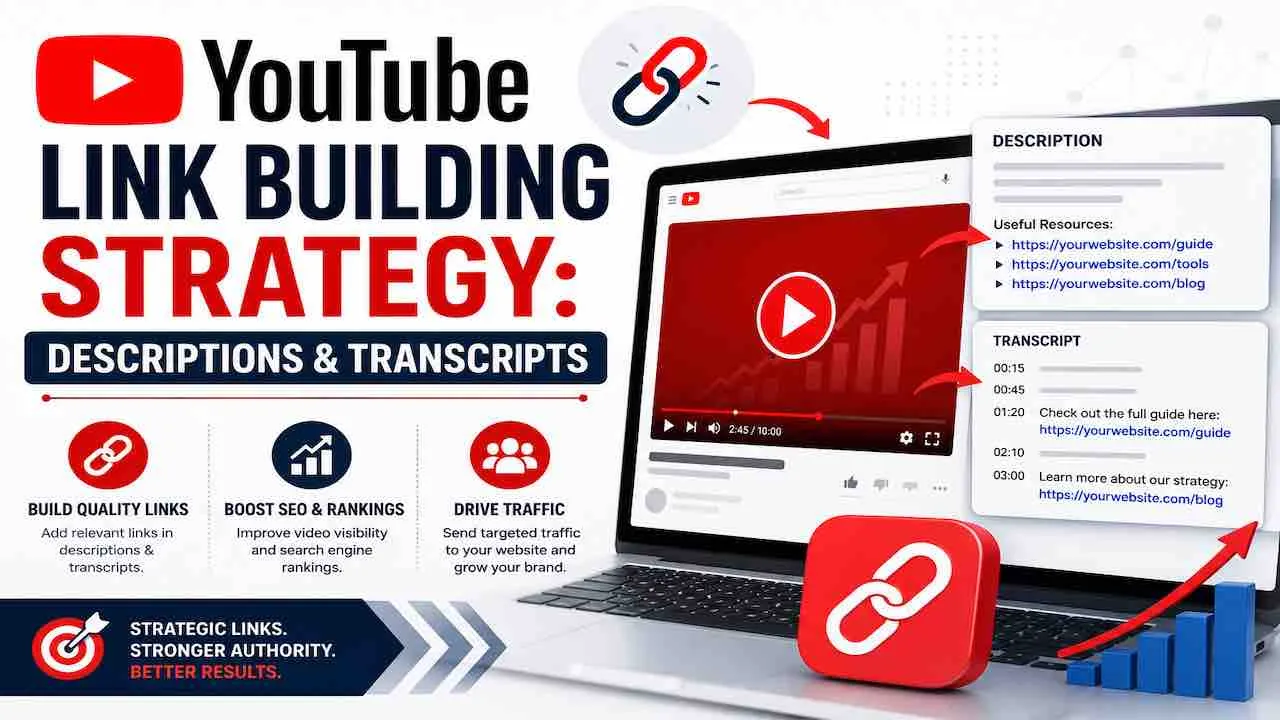
A YouTube link building strategy uses video descriptions, transcripts, channel authority signals, cards, pinned comments, and embeds. The goal is building off page authority, referral traffic, and AI search citations. YouTube has a Domain Authority Score of 100 according to Semrush. This makes it one of the highest authority link sources available. It is also the second largest search engine globally with over 2.7 billion monthly active users. A Google survey found 68% of YouTube users use the platform while deciding on a purchase. This guide covers every link type and placement option that drives off page SEO value from YouTube. It covers description structure, transcript optimization, embed outreach, and AI citation building.
Do YouTube Description Links Count as Backlinks?
All external YouTube links carry the nofollow or ugc attribute. They do not directly pass PageRank to your website. A recent technical investigation by 12AM Agency confirms all YouTube external links carry the nofollow attribute. Any claim that About section links are dofollow is outdated and incorrect.
But nofollow links still have measurable SEO value. Since 2019, Google treats nofollow as a hint, not a directive. Nofollow links from a platform as authoritative as YouTube contribute four indirect signals to your organic performance. YouTube also has a Domain Authority Score of 100. A nofollow link from a DA 100 domain carries entity signal weight. Lower authority nofollow sources cannot match this weight.
The Five Off Page Authority Signals YouTube Link Building Produces
YouTube link building produces five measurable off page authority signals. Traditional dofollow only metrics miss all five. Track all five, not just PageRank.
| Signal Type | How YouTube Produces It | SEO Impact |
|---|---|---|
| Referral traffic | Viewers click description links and pinned comment links to your site | User behavior signals Google tracks directly in its index |
| Brand entity signals | Named brand mentions and consistent channel presence across YouTube | Strengthens Google Knowledge Graph entity recognition for your brand |
| Backlink profile diversity | Nofollow links from a DA 100 authority platform | Natural link profiles include nofollow links from major platforms |
| AI citation authority | Transcripts, descriptions, and VideoObject schema indexing | AI engines like Perplexity and Gemini cite video content directly |
| Third party dofollow links | Other sites linking to your YouTube video or channel with dofollow backlinks | Direct PageRank transfer to your YouTube channel and brand entity |
The strongest YouTube link building signal comes from third party sites. These sites link to your videos with dofollow backlinks. A well researched YouTube video earns dofollow links from blogs. No outreach is required. This is the real off page authority opportunity in YouTube link building.
Video Level vs Channel Level Backlinks: Target Both
A complete YouTube link building strategy targets two distinct backlink types. Video level backlinks accelerate ranking for specific keywords. Channel level backlinks raise overall domain authority and help every future upload rank faster. Most brands focus only on one type and miss half the link building opportunity YouTube provides.
- Video level backlinks point to a specific YouTube video URL. They pass authority to that individual video. They help it rank for its target keyword in both YouTube and Google search. These come from blog posts, press articles, and resource pages that embed or link to the specific video.
- Channel level backlinks point to your YouTube channel URL (youtube.com/c/yourbrand). They raise the overall domain authority of your channel as an entity. They reduce the time every new upload takes to rank. These come from About pages, team pages, partner directories, and industry listings that reference your channel as an authority resource.
Every YouTube Link Placement: Complete Breakdown
YouTube provides nine distinct link placement locations. Each has different reach, authority signals, and eligibility requirements. Using all eligible placements consistently separates a systematic YouTube link building strategy from a casual one.
| Placement | Link Type | Requirement | Best Used For |
|---|---|---|---|
| Video description | External URL (nofollow) | Long form videos only. Not available on Shorts after a recent platform update | Primary page link, related content links, resource links |
| Pinned comment | External URL (nofollow) | Channel owner only. Appears at top of comment section | Second visible link; catches mobile viewers who skip descriptions |
| Channel About section | External URL (nofollow) | Open to all. Appears on channel page | Homepage, contact, primary service or product page |
| Channel banner links | External URL (nofollow) | Up to 14 links. Displayed on channel art banner | Social profiles, website, newsletter, key resource pages |
| YouTube Cards | External URL (nofollow) | YouTube Partner Program (YPP) membership required for external links | In video CTA at the moment most relevant to the link destination |
| End screens | External URL (nofollow) | YPP membership required for external links. Final 5 to 20 seconds | Conversion page, email signup, product page after viewer engages |
| Community posts | External URL (nofollow) | Channels with 500+ subscribers | Promoting new content, linking to related resources between uploads |
| Comments on other videos | External URL (nofollow) | Open to all. Moderation dependent. Use sparingly | Helpful, specific answers to viewer questions in your niche |
| Video transcript/description text | Crawlable text (no link equity) | Open to all | Keyword context, entity signals, AI citation building |
Video Description Link Building: Structure Every Description for SEO
YouTube video descriptions allow up to 5,000 characters and are fully crawlable by Googlebot. They are one of the most underused sources of keyword rich, indexable text in any campaign. Only the first 125 characters appear in YouTube search results before viewers click more. Place your most important website URL in the first 125 characters. Do not bury it in the middle of the description.
- First 125 characters: Primary website URL plus one sentence summary with the target keyword. This appears in YouTube search results before any expansion.
- Lines 1 to 3: Answer the video’s main question in 2 to 3 sentences. Use the primary keyword and 2 LSI terms naturally.
- Links section: Add 3 to 5 relevant page links. Each link gets one sentence explaining what the page covers. Use descriptive anchor phrases rather than raw URLs.
- Keyword context block (200 to 400 words): Write a natural language summary of the video topic. Include LSI keywords, related entities, and tool names that AI engines recognize. This text is crawlable and contributes to Google’s understanding of the video’s entity relevance.
- Timestamps section: Add chapter timestamps with keyword rich chapter names. Google uses timestamps to generate key moments in video search results.
In B2B contexts, a resources hub or pillar page often performs best long term. A landing page is appropriate when the intent is direct conversion. In most cases, one primary link plus one secondary supporting link is the right structure. Beyond two links, click through rate drops. Update descriptions when you publish new related content. Fresh descriptions signal content maintenance to Google’s crawl system. See how a strong content marketing strategy connects video description links with your broader content cluster structure.
Pinned Comments: The Second Description Layer
A pinned comment acts as a second video description. It is one of the most underused link placements in YouTube link building. It catches mobile viewers who scroll past the description entirely. The description sits behind a more button on mobile. A pinned comment appears immediately visible at the top of the comment section on every device.
- Pin a comment with one primary link and a clear call to action immediately after uploading every video.
- Update pinned comments without re editing the video itself. This makes them ideal for time sensitive promotions or updated resource links.
- Use the pinned comment to link to a different page than the one in the description. This doubles your visible link count without cluttering the description.
- Keep the comment genuinely useful. It must add value for the viewer, not just advertise your site. Useful pinned comments get upvotes that keep them pinned longer.
Channel Banner Links: The Evergreen Link Layer
YouTube allows up to 14 links in your channel banner area. These links are visible to every visitor who lands on your channel page. This makes them the most consistent evergreen link placement YouTube provides. Most brands use only 2 to 3 of the 14 available banner link slots. Filling all relevant slots increases your indexed, crawlable nofollow link count.
Use banner links for your homepage, service pages, newsletter signup, social profiles, and key resources. Keep these links consistent across all channels where your brand appears. Consistency across platforms strengthens the entity recognition Google and AI engines use to confirm your brand identity. See how E-E-A-T authority signals apply across platforms including YouTube channel pages.
YouTube Cards and End Screens for Off Page Authority
YouTube Cards and End Screens allow clickable in video links to external websites. External link access requires YouTube Partner Program (YPP) membership. YPP requires at least 1,000 subscribers and 4,000 watch hours in the past 12 months. Without YPP eligibility, Cards and End Screens can only link to other YouTube content.
- YouTube Cards appear as pop up notifications at any point during the video. They create in video link opportunities at the exact moment the content is most relevant to the destination page. A card placed at the moment you mention a specific tool or guide drives far higher click through than one placed randomly.
- End Screens appear in the final 5 to 20 seconds of the video. They work best for conversion pages, email signups, and product pages because the viewer has already consumed the full content and their intent is highest at the end. In YouTube Studio, go to Editor, select End Screen, and choose the Link option to paste your external URL.
How Video Transcripts Create Off Page Authority
Video transcripts create off page authority through two mechanisms. First, they give Google additional crawlable text to index the video’s topic. Second, they provide AI engines with extractable, citation worthy text that builds brand authority.
Search engine bots cannot watch videos. They rely on accompanying text to index video content accurately. A video with no transcript is indexed only by its title, description, and tags. A video with a full transcript is indexed by every term, entity, and data point spoken. This dramatically expands the keyword surface area for that video in Google Search.
| Transcript Type | How It Works | Off Page Authority Impact |
|---|---|---|
| YouTube auto captions | Machine generated, often inaccurate on technical terms | Low. Google indexes these but inaccuracies reduce quality signals. |
| Manually uploaded captions | Accurate, synced to video, uploaded as .srt or .vtt file | High. Google indexes accurate captions as high quality text signals. |
| Description embedded transcript | Full video transcript placed in the description field | Very high. Indexed as crawlable page text with full keyword coverage. |
| On site transcript page | Full transcript published on your website with embedded video | Highest. Creates a dual signal: YouTube video plus website content page. |
Transcript Optimization for AI Citation Authority
AI engines like Perplexity and Gemini prefer clean transcripts that answer full questions. They also require specific data points and recognizable entities. Content published as video plus transcript plus blog post is far more likely to earn AI citations. LLMs reference the text while citing the video as the original source.
- Start every video with a direct spoken answer to the primary query in the first 10 seconds. AI systems detect this structure and use it as a passage level citation target.
- Include full definitions and explanations rather than assuming viewer knowledge. LLMs cite content that reads as self contained and complete.
- Name specific tools, platforms, organizations, and statistics in the spoken content. Entities in transcripts become entity association signals in AI knowledge graphs.
- Add chapter markers to the transcript. Chapters improve AI citation accuracy by creating discrete, quotable answer units within the full video.
See how backlinks for AI search citations work alongside YouTube transcript strategy to maximize AI search visibility.
Embed Strategy: How Third Party Video Embeds Build Off Page Authority
When third party websites embed your YouTube video, they create a dofollow link signal to your channel. Google also measures watch time and session duration on the embedding site.
A YouTube video embedded on an authoritative industry blog creates three simultaneous signals. First, the embedding page links to your YouTube channel. Second, viewers increase your video’s watch time signals. Third, Google sees engagement on an authoritative third party page as a relevance confirmation. To earn embeds, create reference videos that bloggers want to illustrate their content with. Step by step tutorials, data explanation videos, and original research presentations work best.
How to Earn Dofollow Backlinks Through YouTube Content
The most powerful YouTube link building tactic is creating video content that other websites link to with dofollow backlinks. These pass real PageRank to your YouTube channel and brand entity.
- Publish original research as video. Statistics and unique data visualizations presented as YouTube videos become citable resources. Industry journalists and bloggers link to video sources when they cite data, especially when the video presents data more clearly than a blog post could.
- Create guest vlogs and collaboration videos. When you appear on another creator’s channel or host a guest expert, both parties typically link to the video. The collaboration earns a natural dofollow link from their channel description or website.
- Outreach to creators for link opportunities. Find YouTube channels in your niche using YouTube search. Check their video descriptions for link patterns. Email the creator with a specific collaboration pitch tied to shared audience value, not just link exchange requests. Respona and BuzzStream help automate finding creator contact information at scale.
- Build “definitive explainer” videos on niche topics. “Best of” and “complete guide” videos in underserved niches earn links when other creators reference them as authoritative sources over time.
VideoObject Schema: Making YouTube Videos Rank in Google Search
VideoObject schema markup on your website tells Google exactly what your YouTube video contains. It enables your video to appear in Google video carousels, featured snippet answers, and AI Overview citations. Without VideoObject schema, Google relies only on YouTube metadata. With schema, Google has a machine readable description of the video’s content, duration, and key moments.
Add VideoObject schema to every page that embeds a YouTube video. Include at minimum: name, description, thumbnailUrl, uploadDate, duration, embedUrl, contentUrl, and transcript. The transcript property is particularly important. It gives Google the full spoken text of the video as a structured data field, not just page copy. Google extracts meaning from four layers of a YouTube embedded page. These are: visible page content, metadata, VideoObject schema structured data, and authority signals from backlinks. Optimize all four layers on every video page. See the complete schema markup implementation guide for VideoObject JSON-LD patterns and validation steps.
Measuring YouTube Link Building Impact
Measure YouTube link building impact through four metrics: referral traffic from YouTube in Google Analytics 4, video ranking positions in Google Search Console, third party backlinks to your channel, and AI search citation frequency for your target queries.
- UTM tagged links in descriptions: Add UTM parameters to every description link (utm_source=youtube, utm_medium=video, utm_campaign=video name). This lets GA4 attribute referral traffic to the specific video that generated it. Without UTM tags, YouTube traffic appears as a single undifferentiated source with no video level attribution.
- Google Search Console for video impressions: Filter Search Console for video search type results. Track which videos appear in Google Search and for which queries. Rising video impressions confirm your VideoObject schema and transcript optimization is working.
- Ahrefs or Semrush for backlinks to your YouTube channel: Track how many third party domains link to your YouTube channel URL. Rising referring domains to youtube.com/c/yourbrand confirms your video content is earning organic dofollow links.
- Manual AI prompt testing: Search your target queries in Perplexity, Gemini, and ChatGPT monthly. Check whether your YouTube video or its transcript content appears as a citation. Rising AI citation frequency is a direct measure of your transcript and schema optimization quality.
Common YouTube Link Building Mistakes
These mistakes prevent YouTube video content from generating meaningful off page authority signals. They persist even when the videos perform well on YouTube itself.
- Expecting description links on Shorts to drive off page authority: A recent platform update removed clickable external links from Shorts descriptions entirely. Shorts still build channel authority through watch time and subscriber signals, but they cannot generate description link signals. Use Shorts to build channel authority, not as a direct description link building tool.
- Skipping pinned comments: Pinned comments are the second most visible link placement after the description. Skipping them means missing the primary link surface for mobile viewers who never expand the description.
- Using all 14 banner link slots for social profiles only: Channel banner links should include key service pages, resource hubs, and newsletter signups alongside social profiles. Filling only 2 to 3 slots wastes 11 to 12 additional indexed link opportunities.
- Not adding UTM parameters to description links: Raw links in video descriptions cannot tell you which specific video drove a conversion. UTM tagged links give you video level attribution in GA4 so you can scale the link placements that perform best.
- Ignoring YPP eligibility for Cards and End Screens: Brands that have not reached YPP eligibility often don’t know Cards and End Screens can only link externally after qualifying. Build toward YPP eligibility as a direct link building milestone, not just a monetization threshold.
- Skipping video transcripts: A video with no transcript gives Google and AI engines only the title, description, and tags to index. Transcripts multiply the keyword surface area and AI citation eligibility of every video.
- Publishing only promotional brand videos: Promotional videos earn almost no organic backlinks. Reference videos, tutorials, and data visualizations earn dofollow links from industry publications without outreach.
Frequently Asked Questions: YouTube Link Building Strategy
YouTube video description links are nofollow backlinks. They do not pass direct PageRank to your website. They generate measurable SEO value through referral traffic, brand entity signals, and AI citation authority. The strongest off page authority signal from YouTube comes from third party sites linking to your content with dofollow backlinks.
Video transcripts expand the keyword surface area Google and AI engines can index from your video, transforming a visual asset into a fully crawlable text document. Content published as video plus transcript plus blog post is far more likely to earn AI citations. LLMs reference the text while citing the video as the original source.
Original research videos, step by step tutorials, and guest vlog collaborations earn the most dofollow backlinks from third party sites. Bloggers and journalists link to YouTube videos when citing data or embedding tutorials. Create content that answers specific questions rather than promoting your brand.
YouTube Partner Program (YPP) membership is required to add external links via Cards and End Screens. YPP requires at least 1,000 subscribers and 4,000 watch hours in the past 12 months. Video descriptions, pinned comments, and channel banner links do not require YPP membership. Build toward YPP eligibility as a direct link building milestone.
YouTube link building produces measurable referral traffic within days of publishing optimized descriptions. Off page authority signals typically take 3 to 6 months to show in rankings. Dofollow links from third party sites linking to your YouTube content can influence rankings within 4 to 8 weeks.
Build Your YouTube Link Building Strategy with Quick Digital
Quick Digital • Digital Marketing Since 2014
Turn Your YouTube Channel into an Off Page Authority Machine
Quick Digital builds YouTube link building strategies that combine optimized video descriptions, pinned comments, transcript indexing, VideoObject schema, embed outreach, and AI citation building. 10+ years of digital marketing experience. Measurable results from day one.
Build Your YouTube Link Strategy →
Request a Free Quote
Video Descriptions • Pinned Comments • Transcript Optimization • VideoObject Schema • AI Citation Building