



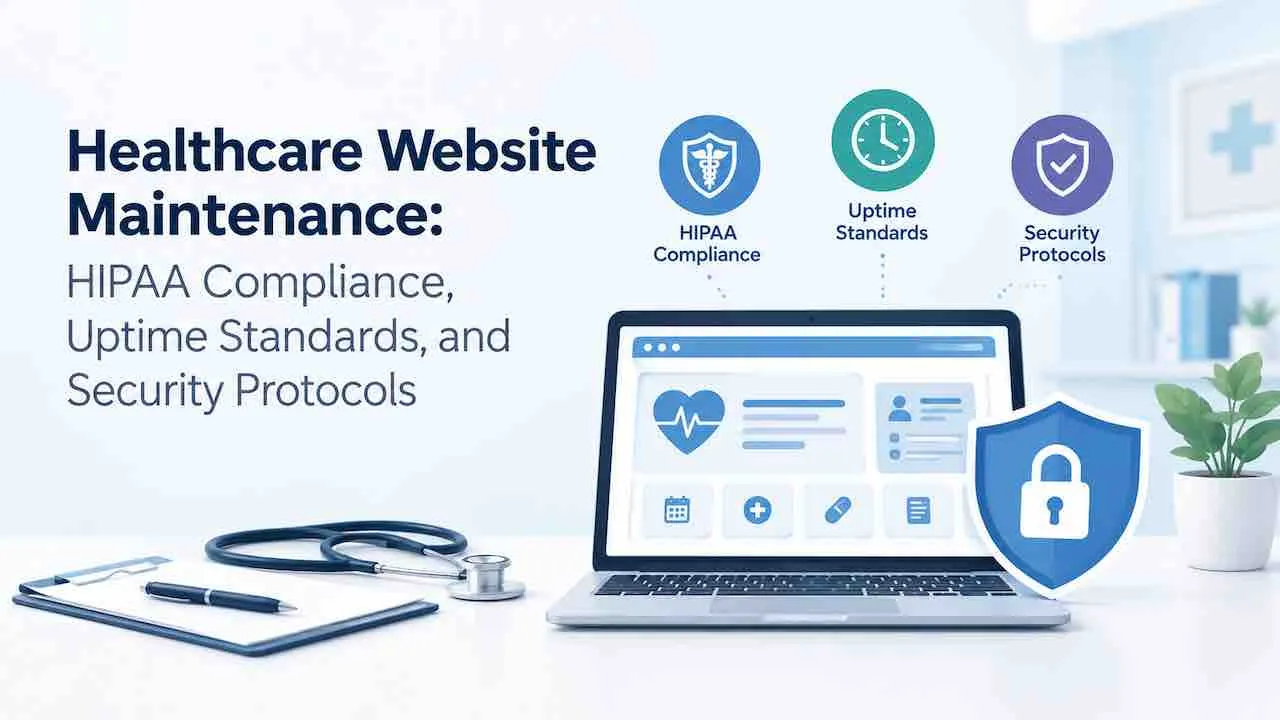
Healthcare website maintenance requires 4 systems: HIPAA-compliant forms, signed BAAs, weekly plugin updates, and monthly restore tests. Skip any one. A single tracking pixel or outdated plugin exposes Protected Health Information. HHS fines start at $100 per violation and reach $1.9 million for willful neglect.
A medical practice website handles appointment requests, patient intake forms, telehealth links, and insurance data. Each element carries PHI exposure risk when left unmonitored. The HHS Office for Civil Rights levied PHI-breach penalties above $1.9 million for web-based incidents. State attorneys general added settlements of $300,000 to $2.4 million on top of federal action.
Practices using professional website maintenance services with HIPAA controls avoid the scramble after a breach notification. This guide covers every maintenance layer a healthcare website requires to stay compliant, secure, and fast.
What Does Healthcare Website Maintenance Include?
Healthcare website maintenance covers 6 active disciplines that go beyond standard website upkeep. General maintenance stops at security and performance. Healthcare maintenance adds PHI risk controls, BAA vendor management, and WCAG 2.1 AA accessibility compliance.
- Security layer: Weekly plugin updates, WAF rules, malware scans, and login hardening.
- HIPAA compliance layer: Form audit, tracking pixel review, BAA documentation, and PHI data flow mapping.
- Performance layer: Core Web Vitals monitoring with LCP under 2.5s, INP under 200ms, and CLS under 0.1.
- Backup layer: Daily automated backups, offsite storage, and monthly restore tests.
- Accessibility layer: WCAG 2.1 AA audits with tools like axe DevTools or WAVE.
- Content layer: Provider bio accuracy, insurance list updates, and patient portal link verification.
Which HIPAA Rules Apply Directly to a Healthcare Website?
The HIPAA Security Rule applies to any healthcare website collecting, storing, or transmitting Protected Health Information electronically. Three specific rules create direct maintenance obligations for medical practice websites.
| HIPAA Rule | What It Requires for Your Website | Maintenance Action Required. |
|---|---|---|
| Security Rule (45 CFR 164.312) | Technical safeguards for ePHI access and transmission. | TLS/SSL enforcement, access controls, and encryption at rest. |
| Privacy Rule (45 CFR 164.502) | Limits on PHI use and disclosure without patient consent. | Quarterly form audit and third-party embed review. |
| Breach Notification Rule (45 CFR 164.400) | 72-hour HHS notification after a confirmed PHI breach. | Documented incident response plan and uptime monitoring. |
A missing SSL certificate alone constitutes a Security Rule violation. So does a contact form sending appointment details over unencrypted email. Both are maintenance failures, not design failures.
What Should a Monthly Healthcare Website Maintenance Checklist Include?
A monthly healthcare website maintenance checklist covers security updates, HIPAA compliance spot-checks, performance audits, and backup verification. Run these 12 tasks every month on every medical practice website.
| # | Monthly Maintenance Task | Category | Tool or Method. |
|---|---|---|---|
| 1 | Update WordPress core, plugins, and themes | Security | Staging environment first. |
| 2 | Run a full malware scan | Security | Wordfence, Sucuri, or MalCare. |
| 3 | Review WAF firewall logs for blocked threats | Security | Cloudflare or Wordfence Premium. |
| 4 | Verify SSL certificate validity and expiry date | HIPAA | SSL Shopper or hosting panel. |
| 5 | Test appointment form submission and routing | HIPAA | Manual test on staging. |
| 6 | Run a full site backup and verify the restore | Backup | UpdraftPlus or BlogVault. |
| 7 | Audit PageSpeed Insights on homepage and booking page | Performance | Google PageSpeed Insights. |
| 8 | Compress new images added during the month | Performance | ShortPixel or Imagify. |
| 9 | Clean the database of transients and post revisions | Performance | WP-Optimize or WP Rocket. |
| 10 | Review Google Search Console for crawl errors | SEO | Search Console. |
| 11 | Verify Google Business Profile information is accurate | SEO | Google Business Profile. |
| 12 | Rotate admin passwords and review user account list | Security | WordPress Users panel. |
A quarterly audit adds WCAG accessibility scans and a full HIPAA compliance review. It also includes a Screaming Frog site crawl for broken links and duplicate metadata. Run all 12 monthly tasks before attempting the quarterly review.
Does a Healthcare Website Require HIPAA-Compliant Hosting?
Yes. Shared hosting cannot meet HIPAA Technical Safeguards. It places multiple sites on one server with shared resources and no data isolation. A healthcare website requires HIPAA compliant hosting. Use managed WordPress hosting with a signed BAA or a dedicated VPS with audit logging.
What HIPAA-compliant hosting must provide.
- A signed Business Associate Agreement (BAA) from the hosting provider before go-live.
- Data encryption at rest and in transit using TLS 1.2 or 1.3.
- Access controls that limit server-level access to authorized personnel only.
- Audit logging of all server access events with tamper-proof logs.
- Automated daily backups with offsite storage to Amazon S3 or Backblaze B2.
- A guaranteed 99.9% uptime SLA in writing.
Managed WordPress hosting providers that supply BAAs include WP Engine, Kinsta, and Flywheel for Growth plans. GoDaddy, Bluehost, and HostGator do not provide a BAA. Standard shared hosting from these providers is never HIPAA compliant. Migrating to HIPAA-compliant hosting costs $50 to $200 per month, depending on traffic and storage needs.
Does Every Third-Party Tool on a Healthcare Website Need a BAA?
Yes. Any vendor handling PHI requires a signed Business Associate Agreement (BAA). Deploy their tool only after the BAA is active. This covers form builders, live chat, booking systems, CRMs, email marketing tools, and analytics platforms.
Common BAA failures that quarterly compliance reviews catch.
- Google Analytics without Consent Mode v2. GA4 collects IP and session data that can constitute PHI on healthcare sites without proper consent configuration.
- Meta Pixel on appointment pages. Meta’s pixel fires on form submissions and sends data to Meta servers. No BAA covers standard Meta Pixel deployments.
- Typeform or JotForm on free or standard plans. Only their paid HIPAA-compliant tiers include BAA coverage. The free tiers do not.
- Chat widgets without healthcare plans. Standard Intercom and Drift plans capture message content without BAA protection or encryption at rest.
- Booking plugins storing data in the WordPress database. Local database storage without encryption violates the Security Rule’s Technical Safeguards.
A quarterly BAA audit verifies active agreements for every embedded tool. Unverified tools get removed or replaced with HIPAA-compliant alternatives before the next patient visit.
How Do Tracking Pixels Create HIPAA Liability on Healthcare Websites?
Tracking pixels transmit user behavior data to third parties. On a healthcare website, that behavior covers page visits to condition-specific content, form completions, and telehealth initiations. HHS confirmed in its 2022 bulletin that this data constitutes PHI when combined with IP addresses.
Several healthcare pixel enforcement settlements followed that bulletin. Advocate Aurora Health disclosed a pixel-related PHI breach affecting 3 million patients. State attorneys general issued fines above $300,000 for hospital systems using pixels without HIPAA authorization. Feroot Security found pixel-related PHI exposure at over 96% of audited U.S. healthcare websites.
Monthly pixel maintenance protocol.
- Audit all pixels using browser network tab inspection or tools like Feroot or Blacklight.
- Block pixels from firing on any page containing a form, appointment tool, or condition-specific content.
- Deploy Google Consent Mode v2 before any GA4 or Google Ads pixel is active on patient-facing pages.
- Document every pixel decision in a data flow map as part of the HIPAA audit trail.
What Are the Critical Security Threats to Healthcare Websites?
Healthcare websites face 4 targeted attack vectors that general sites rarely encounter. Patient data carries 10 times the black-market value of financial data. Medical sites become high-value targets for ransomware and credential theft.
- Plugin exploits. Roughly 60% of WordPress breaches trace to outdated plugins. Most healthcare sites run 22 to 35 active plugins.
- Credential stuffing. Attackers use leaked password lists against wp-admin and patient portal login pages.
- Form injection. Malicious scripts inject into unprotected forms to harvest PHI in transit.
- Supply chain attacks. Compromised third-party scripts execute malicious code silently on every page load.
A 7-layer security stack addresses every vector.
- Web Application Firewall (WAF): blocks malicious traffic before it reaches WordPress.
- Two-factor authentication (2FA) on all admin and editor accounts.
- Login attempt limits: block IPs after 5 failed attempts.
- File integrity monitoring: alerts on unauthorized file changes within minutes.
- Database prefix randomization: prevents SQL injection targeting default table names.
- TLS 1.2/1.3 enforcement: rejects older, vulnerable SSL handshakes.
- Weekly malware scans using Wordfence, Sucuri, or MalCare.
Plugins that are unmaintained for 12 months must be replaced regardless of current status. An abandoned plugin creates an unpatched exposure within the next major WordPress release cycle.
How Often Should a Healthcare Website Receive Updates?
Healthcare websites need a weekly cycle for security items and a monthly cycle for performance and compliance. The table below sets the minimum standard for a HIPAA-covered entity.
| Maintenance Task | Frequency | Owner | HIPAA Risk If Skipped. |
|---|---|---|---|
| WordPress core updates | Weekly | Maintenance team | Critical vulnerability exposure. |
| Plugin and theme updates | Within 7 days of security release. | Maintenance team | PHI breach via plugin exploit. |
| Malware scan | Weekly | Automated and reviewed | Undetected data exfiltration. |
| SSL certificate status | Monthly | Maintenance team | Security Rule violation. |
| Backup restore test | Monthly | Maintenance team | Unrecoverable data after breach. |
| Pixel and form audit | Quarterly | Compliance lead | BAA violation and PHI disclosure. |
| WCAG accessibility audit | Quarterly | Accessibility specialist | ADA Title III litigation exposure. |
| Full content accuracy review | Quarterly | Clinical or admin lead | Clinical misinformation liability. |
Which Core Web Vitals Standards Apply to Healthcare Websites?
Google’s Core Web Vitals directly affect healthcare website rankings and patient acquisition. Three metrics define pass or fail across all device types.
| Metric | Target | Common Failure Cause on Healthcare Sites. |
|---|---|---|
| Largest Contentful Paint (LCP) | Under 2.5 seconds. | Uncompressed hero images above 200KB. |
| Interaction to Next Paint (INP) | Under 200 milliseconds. | Heavy booking widget JavaScript blocking the main thread. |
| Cumulative Layout Shift (CLS) | Under 0.1. | Ad slots or late-loading fonts shifting page content. |
Mobile PageSpeed below 50 correlates with ranking drops on competitive healthcare queries. Monthly PageSpeed Insights audits on the homepage, top service pages, and the booking page catch regressions early. Consistent Core Web Vitals maintenance targets green scores on all three metrics across mobile and desktop.
What Uptime Standard Should a Healthcare Website Meet?
A healthcare website with appointment booking or patient portal access should target 99.9% uptime. That allows under 9 hours of downtime per year. Multi-location practices with 24/7 telehealth should target 99.95%, allowing under 4.4 hours annually.
A practice averaging 8 bookings per day at $2,000 each loses approximately $1,000 per hour of outage. A 6-hour outage costs $6,000 to $16,000 in direct lost bookings. Reputation damage and delayed patient care add more to that total.
Uptime monitoring requirements for healthcare sites.
- Real-time monitoring with alerts firing within 3 minutes of detection.
- Monitoring from at least 3 geographic locations to eliminate false positives.
- Separate monitors for the homepage, booking page, and patient portal login URL.
- A documented incident response plan with a 30-minute maximum response SLA.
Does a Healthcare Website Need a Staging Environment?
Yes. Every plugin update, theme change, or code deployment must pass through a staging environment first. A staging failure during business hours disrupts booking workflows. It can trigger PHI errors if form routing breaks.
Staging workflow for healthcare websites.
- Clone the live site to a password-protected staging URL.
- Apply all pending updates on staging and run functional tests.
- Test the appointment form submission flow end to end.
- Verify the telehealth page and any EHR widget loads correctly.
- Run a Lighthouse audit on staging before deploying to live.
- Deploy during off-peak hours, typically between 10 PM and 6 AM.
A broken update exposing a form’s backend endpoint constitutes a reportable breach before the practice notices it.
How Should a Healthcare Website Handle Backups?
Healthcare backups require a daily automated schedule, offsite storage, and a monthly restore test confirming actual recovery. Form logs, booking records, and CRM integration data all belong in every backup scope.
Retention schedule aligned with HIPAA documentation standards.
- Daily backups: retain for 30 days.
- Weekly backups: retain for 90 days.
- Monthly backups: retain for 12 months.
A documented backup and recovery schedule for healthcare sites sets RTO and RPO targets explicitly. For medical practice sites, the standard is an RTO under 4 hours and RPO under 24 hours. Tools like UpdraftPlus Premium, BlogVault, and Amazon S3 handle automated offsite storage for WordPress-based healthcare sites.
What Happens When a Healthcare Website Gets Hacked?
A confirmed PHI breach triggers mandatory HHS notification within 72 hours under the Breach Notification Rule. Affected patients receive individual notification within 60 days. Breaches affecting 500 or more patients require media notification to outlets in the affected state.
Immediate response steps after a confirmed breach.
- Take the site offline or block external access to stop ongoing data exposure.
- Preserve server logs and database snapshots as legal evidence immediately.
- Identify the entry point: plugin exploit, compromised credential, or injected script.
- Restore from the last clean, pre-compromise backup.
- Run a full malware scan and file integrity audit on the restored site.
- Notify HHS and affected patients within the mandated timeframes.
Without an incident response plan, practices face $10,000 to $50,000 in remediation costs plus HHS penalties. Emergency costs consistently exceed the annual maintenance cost by a factor of 10 to 20.
How Does WCAG Accessibility Apply to Healthcare Website Maintenance?
WCAG 2.1 AA is the accessibility standard for healthcare websites under ADA Title III. U.S. courts consistently rule that healthcare websites are places of public accommodation. ADA compliance is a legal requirement, and patient trust depends on accessible, usable pages.
Quarterly WCAG maintenance tasks for healthcare sites.
- Run automated accessibility scans with axe DevTools or WAVE on all primary pages.
- Test keyboard navigation on appointment forms and the provider directory.
- Verify all images carry descriptive alt text, including staff headshots and facility photos.
- Confirm color contrast ratios meet the 4.5:1 minimum for all body text elements.
- Test screen reader compatibility on form labels, error messages, and modal dialogs.
ADA litigation targeting healthcare websites rose 63% between 2019 and 2023. Quarterly accessibility audits cost a fraction of a demand letter. Strong healthcare SEO depends on accessible, fast pages that serve every patient equally.
Which Tools Handle Healthcare Website Maintenance Effectively?
The right tools reduce manual maintenance time by 40 to 60%. They produce audit-ready logs for HIPAA documentation. The table below maps each maintenance category to tools with their HIPAA status.
| Category | Tool | HIPAA BAA Available | Starting Price. |
|---|---|---|---|
| Security and malware | Wordfence Premium | No BAA. Security layer only, no PHI stored. | $119/year. |
| Security and malware | Sucuri Website Security | No BAA. Perimeter security only. | $199/year. |
| Backup and restore | BlogVault | No BAA. Backup storage on BlogVault servers. | $89/year. |
| Backup and restore | UpdraftPlus Premium | No BAA. Use with Amazon S3 or Backblaze B2. | $70/year. |
| HIPAA-compliant forms | Formstack Healthcare | Yes. BAA included on healthcare plan. | $79/user/month. |
| HIPAA-compliant forms | Gravity Forms with encryption add-on | Partial. No BAA. Use with HIPAA compliant hosting. | $59/year. |
| Accessibility audit | axe DevTools Pro | Not applicable. | $1,200/year. |
| Performance audit | Cloudflare Pro | No BAA. CDN and WAF only. | $20/month. |
Pair UpdraftPlus with Amazon S3 or Backblaze B2 for offsite storage. Costs stay under $10 per month. Form storage is the highest-risk category. Use only BAA-covered form platforms for any field that can capture patient-identifiable data.
Should a Healthcare Practice Hire an Agency or Maintain the Website In-House?
In-house WordPress maintenance for a healthcare site costs $1,750 to $2,700 per month. That figure reflects 25% of a developer salary at $85,000 to $130,000 annually. That figure excludes tool costs, training time, and HIPAA compliance expertise that most in-house developers lack.
Agency healthcare website maintenance costs $199 to $999 per month. It includes a signed BAA, documented protocols, and coverage during staff turnover.
| Factor | In-House Developer | Maintenance Agency. |
|---|---|---|
| Monthly cost | $1,750 to $2,700 | $199 to $999. |
| HIPAA expertise | Requires dedicated training | Built into the service protocol. |
| BAA documentation | Practice must manage independently | Provided and maintained by agency. |
| After-hours coverage | Limited to employee availability | 24/7 monitoring with alerting. |
| Breach response | Incident plan must be built internally | Pre-documented incident response plan. |
For solo practices and groups under 10 providers, an agency retainer costs less than in-house. It also delivers stronger HIPAA compliance documentation.
What Quarterly Tasks Are Unique to Healthcare Website Maintenance?
Four quarterly tasks set healthcare maintenance apart from standard website care. Each addresses a risk category specific to the healthcare regulatory environment.
- HIPAA compliance drift audit. Review all third-party embeds, forms, and analytics against current BAA status. Vendors change BAA terms without notice.
- Provider and service content accuracy review. Outdated insurance lists, incorrect credentials, or removed services create clinical misinformation liability.
- Staging backup restore test. A full restore to staging confirms the backup chain works before an emergency requires it.
- Telehealth and EHR integration test. Verify that booking flows, portal links, and EHR widgets return correct data after updates.
Which Maintenance Mistakes Create the Most HIPAA Risk?
Five maintenance failures cause most PHI exposure incidents on healthcare websites. Each one is preventable with a documented maintenance protocol.
- Google Analytics without Consent Mode v2. GA4 fires PHI-adjacent data to Google without patient consent, violating the Privacy Rule in most healthcare contexts.
- Contact forms without BAA-covered providers. Standard Contact Form 7 and WPForms free tier store submissions without encryption or BAA coverage.
- Plugin updates delayed beyond 14 days. 60% of WordPress compromises exploit vulnerabilities with an available patch for over 2 weeks.
- Patient data stored on shared hosting. Shared hosting cannot meet HIPAA Technical Safeguards for access control, audit logging, or data isolation.
- No staging environment before updates. A broken update disrupting form routing can expose PHI before the break is detected.
Get HIPAA-Compliant Healthcare Website Maintenance
QuickDigital has managed healthcare websites since 2014. Our maintenance protocol covers HIPAA compliance monitoring, weekly security updates, and Core Web Vitals optimization. Every plan includes monthly backup restore testing, a signed BAA, and a documented incident response plan.
Get a Free Healthcare Maintenance Quote
Free site audit included with every new plan.
Frequently Asked Questions
Healthcare website maintenance costs $199 to $999 per month. Solo practice sites pay $199 to $299. Practices with 2 to 6 providers pay $299 to $499. Multi-location systems with EHR integrations pay $499 to $999.
A HIPAA-compliant website needs TLS encryption, BAA-covered forms, no unapproved pixels on patient pages, and access-controlled hosting. All four must be active and documented simultaneously.
A medical website needs a monthly security audit and a full HIPAA compliance audit quarterly. Any change to third-party tools triggers an immediate compliance review.
Yes. A WordPress site meets HIPAA requirements with BAA-covered hosting, compliant plugins, and Consent Mode v2. Document the full security and maintenance protocol as required by the Security Rule.
HHS requires notification within 72 hours of confirming a breach. Affected patients receive written notice within 60 days. Breaches affecting 500 or more individuals in one state need media notification within 60 days.