


Choosing a website maintenance company starts with 3 non-negotiables. You need a written SLA, daily off-site backups, and staging-based updates before any live site change. Any provider who cannot confirm all three in writing is a direct risk to your site.
This guide covers 12 diagnostic questions, a 15-point evaluation checklist, a reputation-verification process, and the red flags that eliminate bad providers fast.
What a Website Maintenance Company Actually Does
A website maintenance company manages the ongoing technical work that keeps your site secure, fast, and functional. Strong website maintenance services go well beyond occasional plugin updates.
Standard monthly website maintenance includes:
- CMS core, plugin, and theme updates tested on a staging environment first
- Daily automated backups stored off-site with tested restore procedures
- Real-time uptime monitoring with immediate alert escalation
- Security scanning, malware removal, and firewall rule updates
- Core Web Vitals monitoring and website speed optimization
- SSL certificate renewal and technical SEO maintenance
- Monthly website maintenance reporting with task logs and site health metrics
A managed website maintenance provider also runs a website audit during onboarding. A complete breakdown of what professional website maintenance includes helps set the right expectations. Read it before you evaluate any provider.
What to Look for in a Website Maintenance Company
Knowing how to evaluate website maintenance services starts with 4 factors. These narrow your shortlist before formal questions begin.
Active Client Roster and Platform Depth
A provider maintaining 50 active WordPress sites knows plugin conflict patterns well. One maintaining 10 sites across mixed platforms does not. Ask how many active clients they serve. Ask which CMS platforms they specialise in.
Third-Party Reviews and Live Portfolio
Website maintenance company reviews on Google, Clutch, or G2 reveal patterns a sales page cannot. A repeating complaint about slow response times or broken updates is disqualifying. Ask for 3 live client URLs. Run them through PageSpeed Insights. A slow website from a provider claiming speed expertise is a clear mismatch.
Team Depth and Coverage Model
A solo developer is a single point of failure. When they are sick or overloaded, your site waits. A team-based provider with a support ticket system is a trusted provider for business-critical sites. Ask whether your account has a dedicated point of contact.
Proactive Communication Standards
Good providers send monthly reports without being asked. They alert you before pushing a risky update. They give you peace of mind through regular, specific communication, not silence. Ask to see a real sample of what they send current clients monthly.
How to Verify a Website Maintenance Company’s Reputation
Independent verification matters as much as the answers a provider gives you directly.
- Google and Clutch reviews: Read feedback spanning 12 or more months. Note how the company responds to complaints. A professional response to a negative review shows accountability.
- Live client URLs: Run 3 current client sites through PageSpeed Insights. Look for errors, broken layouts, or slow load times. Poor-performing sites from a quality-claiming provider are a direct contradiction.
- LinkedIn team profiles: Verify that named developers have real profiles with platform-specific experience histories.
- Reference calls: Ask for a 10-minute call with one current client in your industry. A provider confident in their work agrees without hesitation.
- Case studies: Named case studies with verifiable client URLs show real problem-solving, not just described processes.
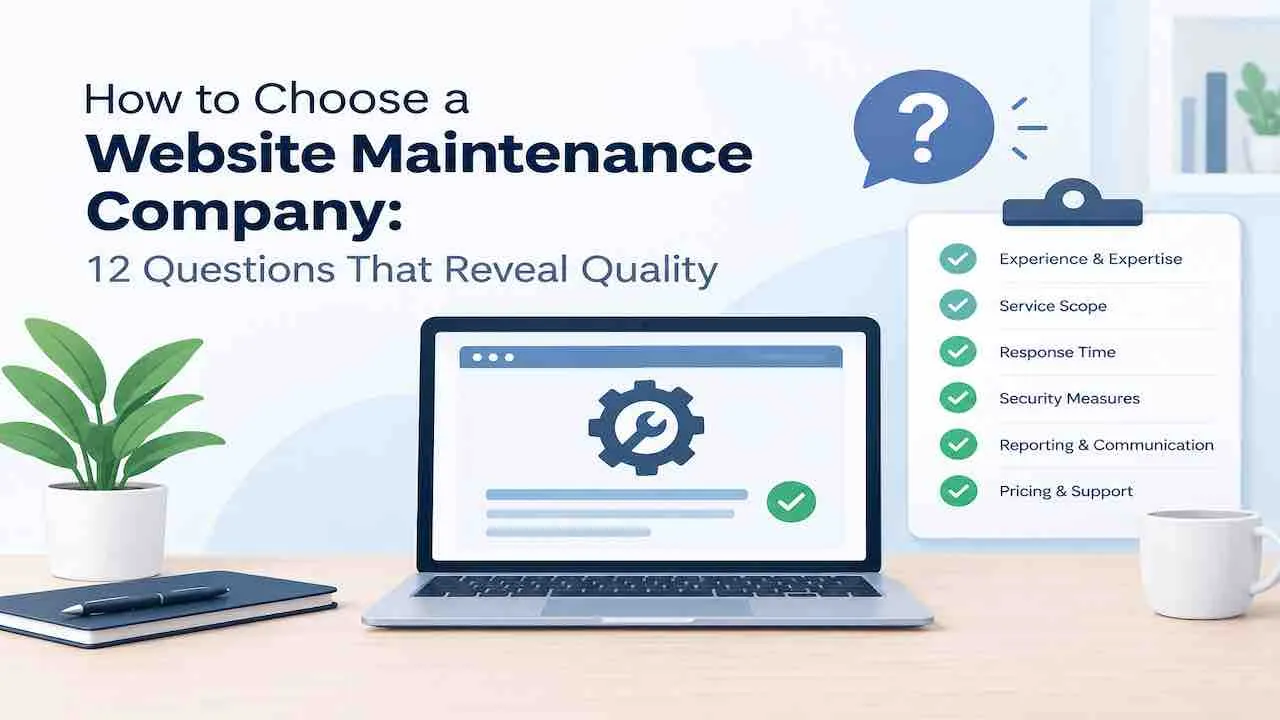
The 12 Questions to Ask Before Hiring a Website Maintenance Company
These are the exact questions to ask a website maintenance company before signing. Strong answers include specifics, timelines, and documentation. Vague answers at this stage become expensive problems later.
1. What Does Your Monthly Plan Include and Exclude?
Ask the provider to name every included task and every task billed as extra. Most website care plans include plugin updates, backups, and uptime monitoring. Many exclude custom development, content edits, emergency recovery, and disaster recovery work. Get the scope of work in writing before signing. A provider who cannot produce a written scope is not ready to manage your site.
2. What Is Your Emergency Response Time and Written SLA?
Website downtime directly risks losing customers and revenue. Ask for a written service level agreement specifying response time for critical failures. Four hours is the maximum acceptable window for a business-critical site. Confirm whether the SLA applies 24/7 or only during business hours. Verbal commitments mean nothing during a live outage.
3. How Often Do You Back Up the Site and Where Are Backups Stored?
Daily off-site backup storage is the minimum standard. Ask whether backups cover the database, media library, and all site files. Ask specifically how often the restore process is tested. A backup never tested is not a reliable backup. A provider storing backups only on your hosting server faces a key risk. If that server fails, they cannot restore your site.
4. Do You Use a Staging Environment for All Updates?
Ask whether every update runs on a staging environment first. This applies to plugins, themes, and core CMS updates without exception. Providers who skip staging break live sites regularly through plugin conflicts. Ask who reviews staging test results. Ask what steps they take when a security patch causes a compatibility conflict after testing.
5. Can I See a Sample Maintenance Report Before Signing?
A professional website maintenance report includes completed tasks, backup status, uptime percentage, security scan results, and Core Web Vitals scores. Request a real sample before committing. A provider who cannot produce one cannot demonstrate accountability for completed work. A one-paragraph email is not a maintenance report.
6. How Do You Handle Communication and Support Requests?
Ask about the support channel used, such as email, support ticket system, phone, or Slack. Ask the response time for non-emergency requests. Ask whether a dedicated contact is assigned to your account. A provider using only a shared email inbox loses requests regularly. Confirm whether technical support for standard fixes is included in the plan. Or ask if it is billed at an hourly rate.
7. Do You Monitor Uptime and How Are Alerts Handled?
Website uptime monitoring should use real-time sub-minute interval scans. Ask who receives the alert when your site goes down. Ask what their first action is and how quickly you are notified. Providers running scans every 5 to 10 minutes miss short outages entirely. Ask for the specific tool they use and the exact monitoring interval.
8. What Does Your Security Maintenance Cover?
Website security maintenance must cover prevention, detection, and recovery. Ask about malware scanning frequency, firewall management, brute-force login protection, and security patches at the server level. Ask what happens in a website hacked scenario and whether malware removal is included. Any provider charging extra for a breach they could have prevented is passing their failure cost to you.
9. How Do You Handle Website Performance and Core Web Vitals?
Website performance and speed optimization are ongoing tasks, not one-time fixes. Ask whether Core Web Vitals monitoring runs monthly and what actions the provider takes when scores drop. Ask about image compression, caching, and database cleanup as routine tasks. A slow website after any update should trigger an immediate performance review.
10. What Is Your Incident Response Workflow?
Ask for the documented process the provider follows when a site goes offline or breaks after an update. A clear incident response workflow covers 5 steps. They detect the issue, identify the cause, and restore from backup or roll back the update. They test the fix and communicate status to you throughout. Providers without a written workflow improvise under pressure. That costs hours in every recovery.
11. Can You Show Live Client Examples in My Industry?
Ask for 3 current client URLs in your industry or at similar traffic levels. Run them through PageSpeed Insights and review them for obvious errors. A provider maintaining fast, error-free sites has direct experience with the conflicts your site will face. No verifiable portfolio means no track record.
12. What Are the Contract Terms, Data Ownership, and Exit Process?
Read every clause before signing. Confirm your hosting credentials, site files, and database remain yours at all times. Ask about the cancellation notice period and any lock-in terms. Some providers retain credentials or charge a handover fee at exit. A fair contract gives you full data ownership. It allows 30 days to cancel with no financial penalty.
Signs of a Good Website Maintenance Company
The signs of a good website maintenance company show up in daily operations, not just their sales process.
- Structured onboarding with a written audit: They run a full website health audit within 7 days of signing. The website audit covers plugin health, security vulnerabilities, and Core Web Vitals baseline. You receive a written report. This becomes your benchmark for every future monthly comparison.
- Staging before every update: Every update runs on a staging environment first. No exceptions apply, even for minor plugin version bumps.
- Proactive monthly reporting: You receive a full maintenance report before you ask. It includes task logs, uptime data, and security scan results.
- Fast, specific incident communication: When something breaks, they contact you within the SLA window. They give you the cause and resolution steps, not just a status update.
- Reference-ready client list: They maintain a list of clients willing to take reference calls. This is the strongest quality signal available when choosing a website maintenance company.
- Clear scope at all times: They notify you before any out-of-scope work is performed. You never receive an unexpected invoice.
Website Maintenance Company Red Flags
Walk away from any provider showing these warning signs before you sign a contract.
- No written scope of work or service agreement before requesting payment
- Cannot produce a sample maintenance report when asked
- Applies updates directly to the live site without staging-environment testing
- Stores backups only on your hosting server with no off-site copy
- Charges extra for malware removal after a preventable security breach
- Cannot name the developer assigned to your account
- No written emergency response time in the service agreement
- Contract retains your credentials, files, or data after you exit
A bad provider costs far more than the right one. Read the comparison of managing maintenance yourself versus hiring a professional to see the full cost picture.
Website Maintenance Company vs Freelancer vs In-House
| Factor | Maintenance Company | Freelancer | In-House |
|---|---|---|---|
| Emergency response | Written SLA, 24/7 option | No SLA in most cases | Depends on staffing |
| Backup reliability | Team-backed, no single failure point | Gaps when unavailable | Depends on internal process |
| Monthly cost | $50 to $1,000 per month | $20 to $75 per hour | Full salary plus benefits |
| Platform expertise | Broad across CMS types | Usually 1 to 2 platforms | Varies by hire |
| Reporting | Monthly reports standard | Rarely provided | Internal visibility only |
| Scalability | Multi-site capable | Limited capacity | Requires additional hires |
For most businesses, a maintenance company reduces website downtime costs. It handles this without a full-time internal hire. See exactly how much website downtime costs per hour to calibrate your SLA requirements.
What a Website Maintenance Agreement Must Include
Before signing, confirm your contract covers these 8 clauses. A complete website maintenance agreement protects you when something goes wrong.
- Scope of work: Every included and excluded task listed explicitly
- Emergency and standard SLAs: Separate response times for critical and routine requests
- Backup terms: Backup frequency, off-site storage location, and restore process in writing
- Data ownership clause: Files, database, and credentials remain yours throughout and after the contract
- Security responsibility: States clearly whether malware removal is included or billed separately
- Reporting schedule: Monthly report delivery date, format, and metrics covered
- Cancellation terms: Notice period, data handover process, and any applicable exit fee
- Out-of-scope billing rate: Hourly or project rate for work outside the website maintenance plan
How Much Does a Website Maintenance Company Cost?
Understanding website maintenance cost helps you compare providers fairly. Price varies by site complexity, included tasks, and support level.
| Plan Tier | Monthly Cost | Typically Included | Best For |
|---|---|---|---|
| Basic | $50 to $100 | Plugin updates, weekly backup, uptime monitoring | Simple brochure sites |
| Standard | $100 to $250 | Daily backups, security scanning, performance reviews, monthly report | Business sites and blogs |
| Advanced | $250 to $500 | Staging environment, Core Web Vitals monitoring, priority support | High-traffic lead generation sites |
| E-Commerce | $400 to $1,000+ | Checkout testing, payment monitoring, malware removal included, 24/7 SLA | Online stores with active transactions |
Website maintenance for small business typically falls in the $100 to $250 range. The best website maintenance company for your site is not the cheapest option. It is the one whose scope, SLA, and platform experience match your site’s requirements. Always compare what the monthly retainer actually includes, not just the price.
Website Maintenance Company Evaluation Checklist
Run every provider through this list before making a final decision. A strong candidate passes at least 13 of 15 items. After onboarding, use this alongside the full website maintenance checklist to verify ongoing work quality each month.
| # | Evaluation Criterion | Pass / Fail |
|---|---|---|
| 1 | Provided written scope with inclusions and exclusions | |
| 2 | Stated emergency response time in writing | |
| 3 | Confirmed daily off-site backups with tested restore process | |
| 4 | Uses staging environment for all updates before going live | |
| 5 | Shared a real sample maintenance report | |
| 6 | Defined support channel with stated non-emergency response time | |
| 7 | Confirmed real-time uptime monitoring with sub-minute intervals | |
| 8 | Security plan includes malware removal at no extra charge | |
| 9 | Monitors Core Web Vitals and acts on performance drops | |
| 10 | Has a documented incident response workflow | |
| 11 | Showed live client examples from your industry or site type | |
| 12 | Agreed to a client reference call | |
| 13 | Contract confirms full data ownership with no exit fee | |
| 14 | Described structured onboarding process with a clear timeline | |
| 15 | Positive review pattern on Google Business Profile or Clutch |
Choosing for WordPress vs E-Commerce Sites
Platform type shapes which capabilities matter most. Website updates and maintenance requirements differ by platform type and site complexity.
WordPress Website Maintenance
WordPress website maintenance requires a provider with deep active WordPress experience. WordPress receives frequent core, plugin, and theme updates. A provider maintaining 20 or more active WordPress sites understands rollback procedures well. They also handle child theme preservation and plugin conflict resolution at a platform level.
E-Commerce Website Maintenance
For ecommerce website maintenance, dedicated e-commerce support requires testing the full purchase path after every update cycle. Checkout flows, payment gateway integrations, and inventory systems are revenue-critical. Any provider who applies updates without testing transactions is a direct business risk. Ask specifically how they verify the checkout process after each update.
Professional Website Maintenance Since 2014
QuickDigital has maintained client sites since 2014.
Every plan includes daily backups, staging-based updates, and real-time uptime monitoring.
Core Web Vitals tracking and full monthly reports are standard on every plan.
Get a Free QuoteAsk about backup frequency, off-site storage, and emergency response time with a written SLA. Also ask whether updates run on a staging environment first. Confirm what tasks are excluded from the monthly plan. Always request a sample maintenance report before signing any contract.
Basic plans for simple sites cost $50 to $100 per month. Standard business site plans run $100 to $250. Advanced plans with staging, Core Web Vitals monitoring, and priority support cost $250 to $500. E-commerce maintenance with 24/7 support starts at $400 per month.
The main red flags are pushing updates to the live site without staging. Other red flags include storing backups only on the hosting server and charging separately for malware removal. Also watch for providers with no written emergency SLA and no sample report to show you.
Ask for 3 live client URLs and run them through PageSpeed Insights. Review their Google Business Profile and Clutch listings for consistent patterns. Verify the team on LinkedIn. Request a brief reference call with a current client. A reliable provider agrees to all of this without hesitation.
A maintenance company is the better choice for business-critical sites. They provide written SLAs, team-based coverage, and structured monthly reporting. Freelancers cost less but carry real availability risk. They rarely provide written SLAs or monthly reports as a standard service.