

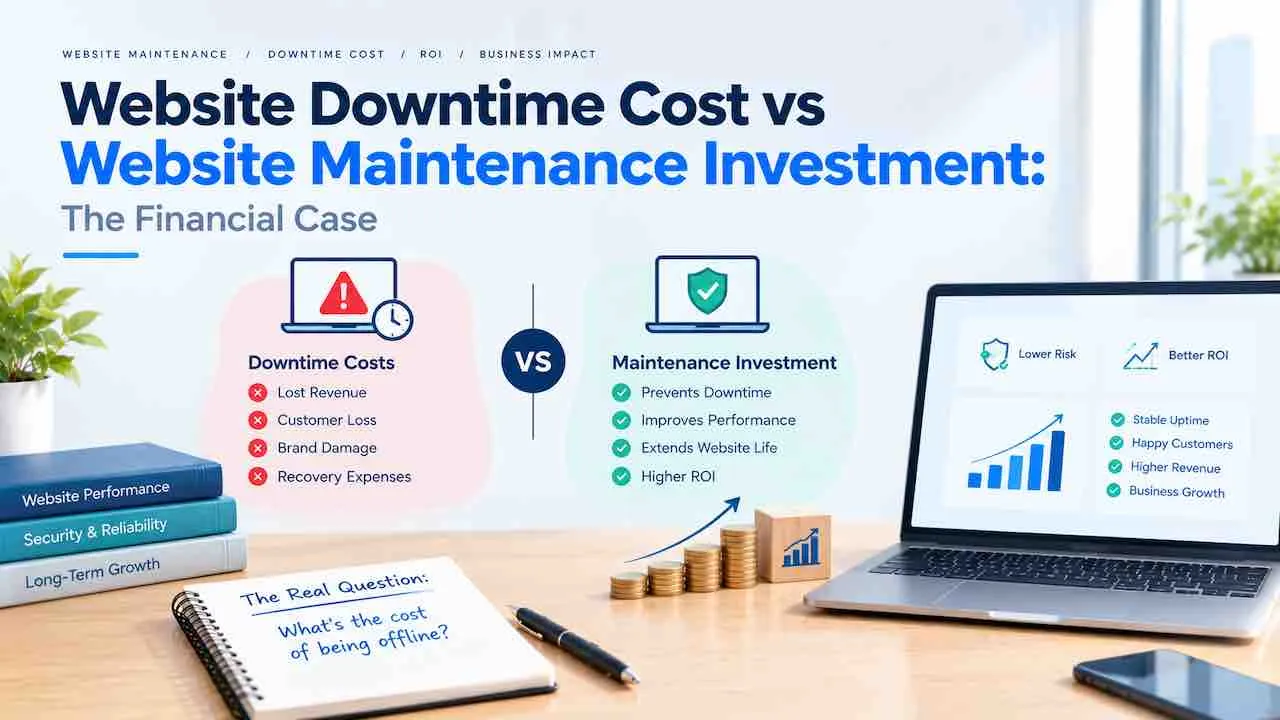
Website downtime costs businesses between $300 and $5,600 per minute depending on size and industry, according to Gartner research. Every minute offline, revenue stops and SEO rankings weaken. Website downtime losses and revenue bleeding from outage events cannot be recovered after the site returns. Proactive maintenance prevents these losses at a fraction of the cost of a single outage.
Most businesses find out the true cost of website downtime only after experiencing it. A three-hour outage generates a support queue, wipes a day’s transactions, and starts a weeks-long SEO recovery. Understanding the full financial picture before an outage happens separates businesses that treat maintenance as optional from those that treat it as insurance. Revenue bleeding from outage events is permanent. What the site failed to earn during downtime is never recovered.
This page covers what website downtime actually costs by business size and industry, how to calculate your specific exposure using the downtime cost formula, what the hidden costs are beyond lost revenue, and why website maintenance investment consistently costs less than unmanaged downtime risk.
What Causes Website Downtime
Understanding what causes website downtime is the foundation of preventing it. Downtime does not happen randomly. It follows predictable patterns, and most causes are preventable with routine maintenance.
Plugin Conflicts and CMS Failures
Outdated or conflicting plugins are the most common cause of WordPress downtime. A plugin update that conflicts with the active theme or another plugin can take a site offline instantly. WPScan vulnerability data shows outdated plugins account for over 50% of WordPress site compromises. Testing updates in a staging environment before applying them to the live site eliminates this category of downtime almost entirely.
Security Breaches and Malware
Security incidents cause two distinct types of downtime. Hosting providers suspend accounts when they detect malicious code on a server. Google Safe Browsing adds browser-level warnings that block users from reaching the site. Both remove the site from user access instantly. Recovery from a malware incident requires cleaning the infection, requesting host review, and submitting a Google Safe Browsing review. That process averages 72 hours. Proactive website security maintenance catches infections before they trigger suspension.
Hosting and Server Failures
Shared hosting environments are vulnerable to neighbour-site overloads. When another site on the same shared server experiences a traffic spike, all sites on that server can slow or fail. Database corruption, server hardware failure, and data centre power events also fall into this category. A verified daily backup is the fastest recovery path when server-level failures occur. Website backup strategy determines how quickly a site recovers after host-side incidents.
Traffic Spikes and Resource Exhaustion
A viral post, a product launch, or a media mention can send more traffic than the server can handle. Pages that load in 4 seconds under normal conditions time out entirely at three times the load. Resource exhaustion causes the web server to return 500 or 503 errors. Every visitor receives that error until resources are freed. Improving page load speed and setting up caching reduces resource consumption and raises the traffic threshold a site can handle before performance fails.
The Real Cost of Website Downtime
Gartner downtime research puts the average server downtime cost at $5,600 per minute for enterprise-level organisations. That is $336,000 per hour. The cost per minute of downtime and the cost per hour of downtime scale with revenue, so smaller businesses face lower absolute numbers but equivalent proportional damage. A business generating $500,000 annually loses roughly $57 per minute of downtime during business hours. Every minute costs money, and those minutes accumulate before most businesses even know the site is offline.
Website Downtime Cost by Business Size
| Business Size | Annual Revenue | Cost Per Hour | Cost Per Minute |
|---|---|---|---|
| Micro business | Up to $100K | $50 to $200 | $1 to $3 |
| Small business | $100K to $1M | $300 to $2,000 | $5 to $33 |
| Mid-market | $1M to $50M | $2,000 to $40,000 | $33 to $667 |
| Enterprise | $50M+ | $100,000 to $336,000 | $1,667 to $5,600 |
Website Downtime Cost by Industry
Ecommerce website downtime revenue loss is the highest of any sector because every minute offline maps directly to missed transactions. Ecommerce downtime cost is acute and immediate. SaaS businesses face subscription churn when users experience recurring outages. Financial services businesses face regulatory exposure on top of revenue loss. The website outage cost per hour varies by sector. The downstream consequences, including lost customers, compliance risk, and SLA penalties, differ between industries.
| Industry | Primary Cost Driver | Secondary Cost Driver | Downtime Risk Level |
|---|---|---|---|
| Ecommerce and retail | Direct transaction loss | Cart abandonment, lost remarketing data | Very high |
| SaaS and technology | Subscription churn, SLA penalties | Support ticket surge, reputation damage | Very high |
| Financial services | Transaction failure, regulatory exposure | Brand trust erosion | High |
| Healthcare | Booking and referral loss | Patient trust, compliance risk | High |
| Professional services | Lead capture failure during outage | Active prospect confidence loss | Medium |
| Media and publishing | Ad revenue loss, audience deflection | SEO ranking decline | Medium |
How to Calculate Your Website Downtime Cost
How much does an hour of downtime cost? How to calculate website downtime cost accurately? The downtime cost formula combines four variables into a single figure that represents the true cost of each outage event. Businesses asking how much does website downtime cost per hour need this formula rather than averages. The actual cost depends on revenue, team size, and recovery complexity.
Downtime Cost Formula
Total Cost = Revenue Loss + Productivity Loss + Recovery Cost + Brand Damage
- Revenue Loss = (Annual Revenue / 8,760) x Hours Down
- Productivity Loss = Affected Staff x Hourly Rate x Hours Down
- Recovery Cost = Emergency developer fees + Infrastructure fixes
- Brand Damage = Estimated churned customers x Average lifetime value
Worked Examples by Business Size
These three calculations show website downtime cost for small business, mid-market, and enterprise scenarios using the same 3-hour outage. They illustrate why the average cost of website downtime per minute matters less than the full incident cost.
| Variable | Small Business ($500K/yr) | Mid-Market ($5M/yr) | Enterprise ($50M/yr) |
|---|---|---|---|
| Revenue Loss (3 hrs) | $171 | $1,712 | $17,123 |
| Productivity Loss (4 staff, $25/hr) | $300 | $600 (8 staff) | $2,400 (40 staff) |
| Emergency Recovery Cost | $500 | $1,500 | $8,000 |
| Brand Damage (2% churn) | $400 | $4,000 | $40,000 |
| Total 3-Hour Incident Cost | $1,371 | $7,812 | $67,523 |
For the small business example, one 3-hour incident at $1,371 equals approximately 4.5 months of a $300 per month maintenance retainer. That comparison illustrates the downtime vs maintenance cost argument more concretely than any industry average.
Hidden Costs of Website Downtime Beyond Lost Revenue
The website downtime business impact that businesses most underestimate appears in the days and weeks after the outage. Revenue loss is immediate and visible. These four costs accumulate quietly and persist long after the site comes back online.
Website Downtime SEO Impact
Website downtime impact on SEO is real and measurable. When Googlebot crawls a site and finds a 503 or 500 error, it records the failure. Each recorded error reduces trust signals for that URL. A brief outage under four hours rarely causes ranking loss. An outage lasting over 24 hours risks pages being removed from the index. Frequent or repeated downtime signals low reliability to Google’s crawl systems. Google crawl budget gets spent on error pages rather than new content. How does downtime affect SEO rankings over time? Sites with repeated outages see indexed page counts fall and recovery timelines that stretch weeks beyond the outage itself.
SaaS Subscription Churn
SaaS downtime cost includes a churn component that other business types do not face in the same way. When a SaaS platform goes down during a user’s working session, frustration builds immediately. The user begins questioning whether the platform is reliable enough to keep paying for. A single visible outage rarely triggers cancellation. Subscription churn from downtime becomes a pattern after two or three incidents in a short period. Two or three in a short period consistently drive churn. For a SaaS business with 500 subscribers at $50 per month, a 2% churn event triggered by downtime represents $500 in monthly recurring revenue lost permanently.
Brand Trust and Customer Loss
Trust damage from website downtime follows a clear pattern. Research by Clutch found that 28% of users who encounter a website outage will not return to that site. Losing customers during website downtime is not a temporary setback. It permanently reduces the returning audience available to the business. For a site with 10,000 monthly visitors, a significant outage removes 2,800 potential returning visitors. That is brand damage that no recovery effort can reverse.
Customer Support Surge
Every hour of downtime generates a support queue. Customers who cannot access a site contact the business directly. For an ecommerce business with 500 daily transactions, a three-hour outage generates hundreds of status queries. Staff time redirected to handling outage inquiries cannot be spent on normal operations. This internal disruption adds to the total incident cost but never appears in a standard downtime cost calculator.
Website Maintenance Investment vs Downtime Cost
The website maintenance cost vs downtime cost comparison is what makes the ROI of website maintenance clear. Proactive vs reactive maintenance placed side by side tells the full story. This is not a quality debate. It is a financial one. The numbers consistently favour prevention over emergency response.
| Cost Category | Small Business | Mid-Market | Enterprise |
|---|---|---|---|
| Annual maintenance retainer | $1,800 to $4,800 | $6,000 to $18,000 | $24,000 to $60,000 |
| One 3-hour outage (full cost) | $1,000 to $2,500 | $5,000 to $15,000 | $50,000 to $100,000 |
| One 24-hour outage (full cost) | $8,000 to $20,000 | $40,000 to $120,000 | $400,000 to $1M+ |
| Emergency recovery fee | $500 to $2,500 | $2,500 to $15,000 | $10,000 to $50,000 |
| Break-even (maintenance vs outage) | Less than 2 prevented hours per year | Less than 2 prevented hours per year | Less than 1 prevented hour per year |
Managed website maintenance services from QuickDigital cover updates, backups, security scanning, uptime monitoring, and performance checks on a fixed monthly schedule. Most incidents in this table are preventable website outages. Stop losing money to downtime by fixing the risk before it triggers a recovery bill. The maintenance cost is predictable. The downtime risk is not.
How Long Does Recovery Take After Downtime?
Recovery time varies by the type of damage the outage caused. Technical recovery (getting the site back online) is only the first step. The downstream damage takes longer to resolve.
SEO Recovery Timeline
A single outage under 4 hours typically causes no lasting SEO damage. Google’s crawl systems treat brief errors as temporary. An outage lasting 12 to 24 hours can cause indexed pages to drop from the index. Re-indexing takes 1 to 2 weeks after recovery. A site with repeated outages over a month faces reduced crawl frequency. Ranking instability can persist for 4 to 8 weeks after the last incident. Revenue lost during website downtime through SEO continues accumulating after the site returns.
Brand Trust Recovery Timeline
Customer trust recovery follows a slower timeline than technical recovery. Users who encountered the site during downtime carry that negative experience into their next visit. Research shows that repeated outage experiences permanently alter purchase intent for 28% of affected users. Brand damage from a single major outage can take 3 to 6 months to work through in retention metrics.
What a 99.9% Uptime SLA Actually Means
A 99.9% uptime SLA sounds strong but permits 8.76 hours of downtime per year. Server availability and server monitoring commitments are what back up that SLA number. That is 8.76 hours of website unavailability that the hosting provider considers acceptable under the contract. For a business earning $1 million annually, those 8.76 hours represent roughly $1,000 in direct revenue loss. Recovery and brand damage costs add to that figure. The uptime SLA is the most financially significant number in any hosting or maintenance contract.
| Uptime SLA | Downtime Per Year | Downtime Per Month | Suitable For |
|---|---|---|---|
| 99% uptime | 87.6 hours | 7.3 hours | Development or staging sites only |
| 99.9% uptime | 8.76 hours | 43.8 minutes | Low-traffic informational sites |
| 99.99% uptime | 52.6 minutes | 4.4 minutes | Ecommerce, SaaS, mid-market |
| 99.999% uptime | 5.26 minutes | 26.3 seconds | Enterprise and financial services |
Mean time between failures (MTBF) and mean time to recovery (MTTR) are two key operational metrics. Both sit alongside uptime percentage in any serious hosting evaluation. MTBF measures how long a system typically runs before failing. MTTR measures how quickly the system recovers after a failure. Reducing MTTR through automated monitoring is the fastest way to cut revenue loss from downtime per incident. Website uptime monitoring with instant alerts is the primary tool for keeping MTTR low.
How Regular Maintenance Prevents Downtime
Preventive website maintenance eliminates the most common downtime causes before they escalate. Downtime prevention comes down to five recurring actions. Here is how to prevent website downtime.
Five scheduled maintenance actions that prevent the most common causes of website downtime, in priority order.
- Monthly Plugin and CMS Updates in Staging
Test all plugin, theme, and CMS updates in a staging environment before deploying to the live site. A staging test catches conflicts before they take the site offline. Schedule updates monthly so they are consistent and logged for technical debt tracking.
- Daily Off-Site Backups with Verified Restoration
A verified daily backup changes a database corruption from a multi-day rebuild into a one-hour restoration. The word verified matters. Backups that have never been tested frequently fail during actual recovery. Website backup services that store copies off-site protect against host-level failures that on-site backups cannot survive.
- Uptime Monitoring with Instant Alerts
Uptime monitoring tools check website availability every 1 to 5 minutes and alert site owners immediately when a failure occurs. Without monitoring, businesses learn about outages from customers rather than automated alerts. That adds 30 to 60 minutes to MTTR. UptimeRobot, Pingdom, and StatusCake offer monitoring starting from free.
- Weekly Security Scanning
Weekly security scans catch malware before it triggers hosting suspension or Google Safe Browsing warnings. A clean scan each week identifies any infection within 7 days. Wordfence, Sucuri, and iThemes Security all provide scheduled scanning with email alerts.
- Quarterly Performance and Load Testing
Run a website performance monitoring audit every quarter. It identifies pages approaching resource limits under normal load. A page timing out at three times normal traffic is detectable in advance. GTmetrix, WebPageTest, and Google PageSpeed Insights all report resource usage that predicts failure under load.
Frequently Asked Questions About Website Downtime Cost
The average cost of website downtime per hour ranges from $300 for small businesses to $336,000 for enterprises, per Gartner. A business with $500,000 annual revenue loses $57 per minute during business hours. Productivity loss, recovery fees, and brand damage from losing customers push the total incident cost above the direct revenue loss.
Website downtime impacts SEO when Googlebot crawls a site and encounters repeated server errors. A brief outage under 4 hours rarely causes lasting ranking loss. An outage lasting over 24 hours risks pages being removed from the index. Repeated downtime reduces crawl frequency, wastes Google crawl budget on error pages, and signals low website reliability. How long does downtime affect SEO rankings? Sites with repeated outages typically face 4 to 8 weeks of ranking instability after the last incident.
Website maintenance is worth the cost because a single 3-hour outage costs more than several months of a standard maintenance retainer. A business spending $300 per month avoids $1,000 to $2,500 per incident. The website maintenance ROI turns positive after preventing less than two hours of downtime per year.
Downtime cost formula: Total Cost equals Revenue Loss plus Productivity Loss plus Recovery Cost plus Brand Damage. Revenue Loss equals annual revenue divided by 8,760 multiplied by hours offline. Recovery Cost covers emergency developer fees. Brand Damage estimates churned customers multiplied by lifetime value.
Require at least 99.9% uptime from any hosting provider, and 99.99% for ecommerce or SaaS sites. A 99.9% uptime SLA permits 8.76 hours of downtime per year. A 99.99% SLA permits only 52.6 minutes. Check whether the SLA includes compensation clauses for breaches.
Website Maintenance Since 2014
Stop Paying for Downtime. Start Paying for Prevention.
QuickDigital’s managed maintenance plans cover plugin updates, daily backups, uptime monitoring, security scanning, and performance testing, supporting your business continuity at a predictable monthly cost. One predictable monthly fee. No surprise recovery bills.
A single prevented 3-hour outage pays for months of maintenance. Every month without an incident is money that stays in your business.