

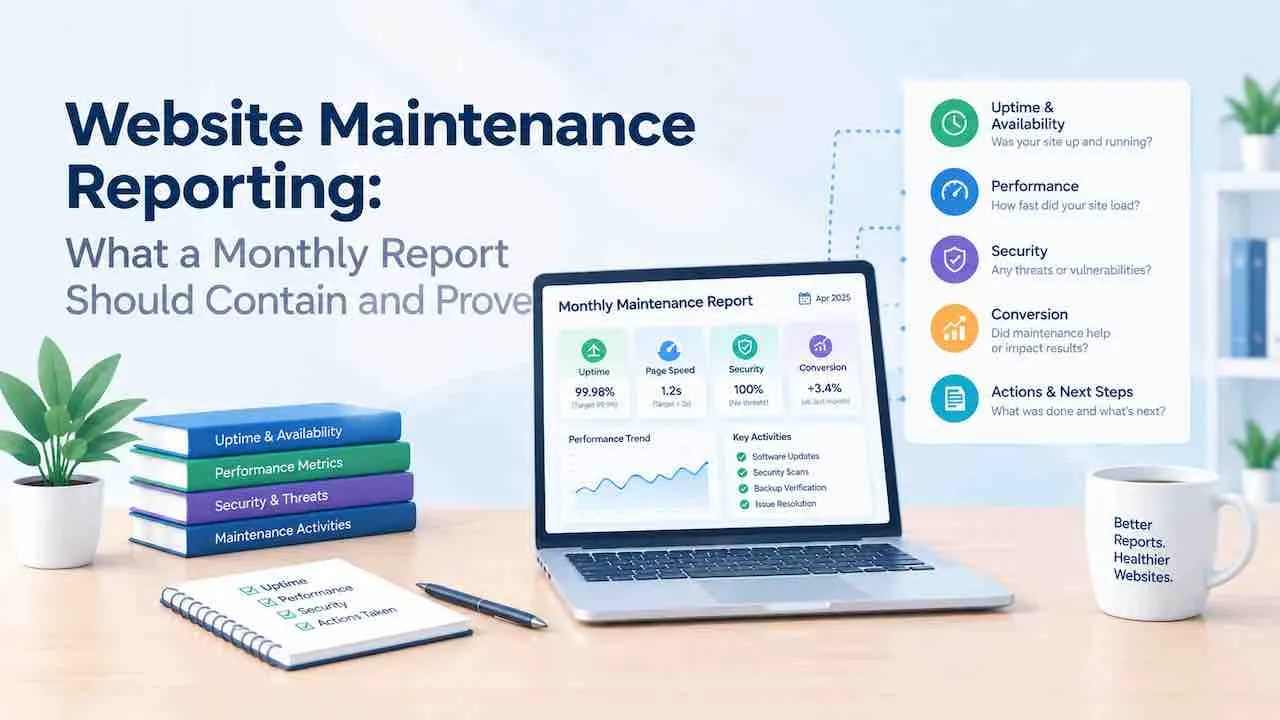
A monthly website maintenance report must prove every task with timestamped data. Listing a task as done is not proof. Good website maintenance reporting includes eight sections. They are uptime data, a software update log, security scan results, backup confirmation, performance metrics, an SEO and Search Console summary, broken links and errors, and next steps. If a report only names tasks without showing outcomes, it is not proving work. It is describing intent. This guide covers each section and what data belongs in it. It also covers the red flags that signal a provider is not performing the tasks they invoice. Both parts matter equally.
Our website maintenance services deliver every section below in a written report each month.
What Monthly Website Maintenance Reporting Proves
Monthly website maintenance reporting proves two things. First, the tasks ran on schedule. Also, the site is healthier for it. Without a written website maintenance accountability report, a client has no website maintenance proof of work. So reporting is the primary form of website maintenance accountability a provider can demonstrate. Without reporting, a client cannot separate a provider doing the work from one billing without doing it. Also, reporting catches recurring issues before they become failures. For example, three consecutive months of backup warnings tells you the backup system needs replacement. Without that signal, data loss comes without warning.
Also, good website maintenance documentation and website maintenance tracking create an audit trail. Together they show every action taken. Together, the monthly reports form a website maintenance log. When something goes wrong, that log shows what changed. It also shows when. So each report is also a record of completed website maintenance deliverables. When something goes wrong, a complete maintenance log tells you exactly what changed and when. Because of that, reporting is not a luxury for large sites. Every maintained site needs it.
The 8 Sections Every Monthly Report Must Include
Understanding what to include in a maintenance report comes down to one rule. So does knowing how to document website maintenance tasks. Each section should contain a timestamp, an outcome, and a specific number. Instead, narrative summaries without data are not maintenance reports. So they become opinion letters.
Section 1: Website Uptime Report
Uptime data is the first section. It shows whether the site was available to customers during the reporting period. When a site goes down, it loses revenue and ranking. So uptime reporting must include more than just a percentage.
- Uptime percentage for the calendar month
- Total downtime in minutes or hours
- Date and time of each downtime event
- Duration and cause of each event
- Resolution action and time taken to restore
For example, 99.8% uptime sounds strong. But two events during business hours carry real business impact. Because of that, context matters as much as the number itself. Read our full guide on website uptime monitoring to understand what good monitoring looks like before reviewing this section of your report.
Section 2: Software Update Log
Also, the update log lists every plugin, theme, and CMS version changed during the month. Each entry shows the name and version number. When a report says “updates applied,” it proves nothing. Instead, it should say: WooCommerce updated from 8.2.1 to 8.4.0 on the fourteenth after a staging test. That entry proves the task ran and when it ran. It also proves a safety process was followed.
- CMS core version before and after
- Each plugin name, old version, new version, and update date
- Theme versions updated
- Note of any plugin removed because it was abandoned
- Staging test confirmation before live deployment
Section 3: Website Security Report Section
Security scan results show what the scanner found, not just that it ran. A clean result is still worth documenting because it creates a baseline for comparison in future months. Our website security maintenance guide covers what a thorough scan should review.
- Scan date and tool name
- Total issues found, by severity level
- Issues resolved during this cycle
- SSL certificate status and expiry date
- Failed login attempts flagged as suspicious
- Any modified core files and action taken
Because security threats evolve, the tool version and definition date should appear in the report. An outdated scanner gives false confidence.
Section 4: Website Backup Report Confirmation
Backup confirmation must show that backups completed, where they are stored, and that restoration works. A report that says “backups running” without a timestamp is not confirmation. It is a claim. Read our guide on website backup strategy to understand what a safe backup plan looks like before reviewing this section.
- Date and time of last successful backup
- Storage location and whether it is off site
- File size of the backup archive
- Whether a restoration test ran this quarter
- Restoration test result and notes
If the report only confirms that backups are “scheduled,” that does not mean they completed. Both the schedule and the completion record belong in the report.
Section 5: Website Performance Report Data
Performance metrics show whether the site improved, stayed stable, or got slower during the reporting period. Because speed affects rankings and conversions, this section belongs in every monthly report. Our website performance monitoring guide explains what good performance tracking involves.
- PageSpeed Insights scores for the homepage and key landing pages
- Largest Contentful Paint, Interaction to Next Paint, and Cumulative Layout Shift scores
- Month over month comparison for each metric
- Any optimisation action taken and its measured result
For example, if LCP improved from 4.2 to 2.8 seconds after image compression, that result belongs in the report. So a number without a before-and-after comparison shows nothing about the effect of the work.
Section 6: SEO and Search Console Summary
The SEO summary shows whether indexing, crawlability, and rankings remained stable during the month. Maintenance actions can unintentionally affect SEO. So this section protects against silent ranking drops. For example, a broken sitemap after an update can remove pages from Google. No front-end symptom appears.
- Total pages indexed versus excluded
- New coverage errors found and resolved
- Any manual action or security issue flagged in Search Console
- Sitemap status
- Notable ranking movements on tracked keywords
Section 7: Broken Links and Error Log
The error log lists every broken internal link, 404 error, and crawl issue found during the scan. It also records the action taken for each. When a report lists broken links without recording what happened next, it logs a problem. It does not prove a fix.
- Total internal broken links found
- Total external broken links found
- Pages affected by each error
- Redirect or fix applied and the date
- Errors still open and the reason
Section 8: Recommendations and Next Steps
A monthly website maintenance report should end with at least two future oriented actions. One is for the provider to handle next cycle. The other needs a client decision. Without this section, a report only logs the past. Instead, it becomes a tool for the future only when it looks ahead. Instead, it should flag upcoming risks and suggest improvements. It should also request approval for anything that needs budget or input.
- Tasks scheduled for next month
- Anything found this month that requires a budget decision
- Upcoming renewals, such as domain or SSL
- A recommended improvement based on the data
Maintenance Report vs Analytics Report
A maintenance report covers whether the site is technically healthy. An analytics report covers how visitors behave on it. Both serve different purposes and both should arrive monthly. Some providers combine them into one monthly website health report, also called a website health report. In that maintenance report format, each section carries a clear label. When a provider sends only one type, the client has half the picture.
| Area | Monthly Maintenance Report | Monthly Analytics Report |
|---|---|---|
| Goal | Prove the site is secure, updated, and fast | Show how visitors find and use the site |
| Primary data | Uptime, scan results, update log, backups | Sessions, bounce rate, conversions, traffic sources |
| Who reads it | Business owner and developer | Business owner and marketing team |
| Frequency | Monthly | Monthly |
| Red flag if missing | Provider may not be doing the work | Provider may not track business results |
Website Maintenance Report Red Flags to Review
A report with red flags does not always mean poor work. But it does mean you cannot verify the work from the report alone. Because verification protects both parties, a good provider welcomes scrutiny. If yours does not, that itself is a signal.
- Tasks listed without outcomes. “Security scan completed” is not a result. A result includes what the scan found, whether it was clean, and what tool ran it.
- No version numbers in the update log. Without before and after version numbers, you cannot confirm updates happened. Also, you cannot review them against release notes.
- Backup confirmation with no timestamp. A confirmation without a completion date could refer to a backup from weeks ago.
- No month over month comparison. A single month of data shows nothing. Performance reporting is only useful when compared against the previous month.
- No open issues or recommendations. A site with no outstanding items in every monthly report is unusual. Either the provider is not finding issues or not reporting them.
- No uptime record. If a provider does not include uptime data, they may not be monitoring it at all.
If two or more of these appear in your report, read our guide on how to choose a website maintenance company before renewing.
Website Maintenance Reporting Best Practices for Business Owners
Website maintenance reporting for agencies and in-house providers follows the same standard. Both must prove the work happened. A website maintenance progress report should show movement. Without movement, activity is not progress. Also, you do not need to understand every technical term to verify whether a maintenance report is credible. Instead, focus on five areas.
- Dates and timestamps. Every section should show when the task ran. If dates are missing, the report cannot prove the schedule was kept.
- Before and after values. Performance and ranking data need a comparison point. A single number tells you nothing about change.
- Open items and decisions requested. A provider who asks for decisions is doing real work. One who never flags anything may not be investigating.
- Backup restoration test results. Also, ask quarterly whether a test ran. A provider who cannot confirm this does not know if their backups work.
- Scan tool and version. Also, security scans are only as good as the tool and its threat definitions. So both should appear in the report. Both should appear in the report.
Website Maintenance Reporting Format, Templates, and Tools
When agencies ask how to create a website maintenance report, they often start with a website maintenance report template. For clients, website maintenance report examples for clients show what data belongs in each section. A website maintenance report for clients should use plain language in the summary. It should also link to full data for readers who want more. A monthly website maintenance report can be delivered as a PDF, a shared dashboard, or an email. Each includes a summary and a link to the full data. Still, PDF gives the most permanent record. Still, the format matters less than the consistency and completeness of the data. However, some formats work better than others for specific audiences.
- PDF report: Best for formal client relationships. Because it does not update after sending, each PDF represents a fixed point in time.
- Live dashboard: Best for clients who want access between reporting cycles. Tools like ManageWP, MainWP, WP Umbrella, and InstaWP generate a website maintenance dashboard. It shows live plugin, uptime, and performance data. Also, it updates continuously.
- Website maintenance email to clients: Best as a companion to the full report. A well-written website maintenance summary translates technical findings into two or three plain-language sentences a business owner can act on. It translates the key findings into plain language and flags the one or two actions that need a response. Without a full report attached, an email summary is not enough on its own.
Website Maintenance Reporting Frequency: How Often Reports Should Arrive
Monthly reporting is the standard cadence for professional website maintenance services. A monthly cycle matches the task schedule. Updates run monthly. So do scans, backups, and link reviews. So a monthly report documents each cycle as it closes.
Some providers send weekly reports for high traffic and ecommerce sites. Because those sites have more frequent uptime and security events, weekly reporting suits them better. So quarterly reporting is not enough for active sites. Security threats can appear at any time. Performance also drifts between cycles. Because of that, a quarterly cycle misses too much.
Quick Digital • Website Maintenance Since 2014
Every Section. Every Month. In Writing.
Quick Digital delivers all eight sections above in a written report each month. You see timestamps, version numbers, scan results, uptime data, and open items. No vague summaries. No guessing.
See Our Website Maintenance Services
Get a Free Maintenance Quote
Frequently Asked Questions About Website Maintenance Reporting
A monthly website maintenance report should include uptime data, a software update log with version numbers, security scan results, backup confirmation with timestamps, performance metrics, a Search Console summary, a broken link log, and next steps. Every section needs specific data. A description that work was done is not enough.
Monthly reporting is the standard because it matches the maintenance task schedule. Quarterly reports miss three months of data between each cycle. High traffic and ecommerce sites often benefit from weekly uptime summaries alongside the full monthly report.
A maintenance report proves the site is secure, updated, and fast. An analytics report shows how visitors find and use the site. Both arrive monthly. When a provider sends only a maintenance report, you cannot see the business result. When they send only an analytics report, you cannot verify technical health.
Red flags include tasks listed without outcomes, update logs with no version numbers, backup confirmation with no timestamp, no month over month comparison, and no uptime record. Two or more together suggest the provider is not performing or not tracking the work.
Review dates and timestamps, before and after values for performance, open items requesting a decision, and quarterly backup restoration test results. Also, you do not need technical expertise to do this. If a report has none of these, ask the provider to add them. If they refuse, they are not delivering accountable maintenance.