


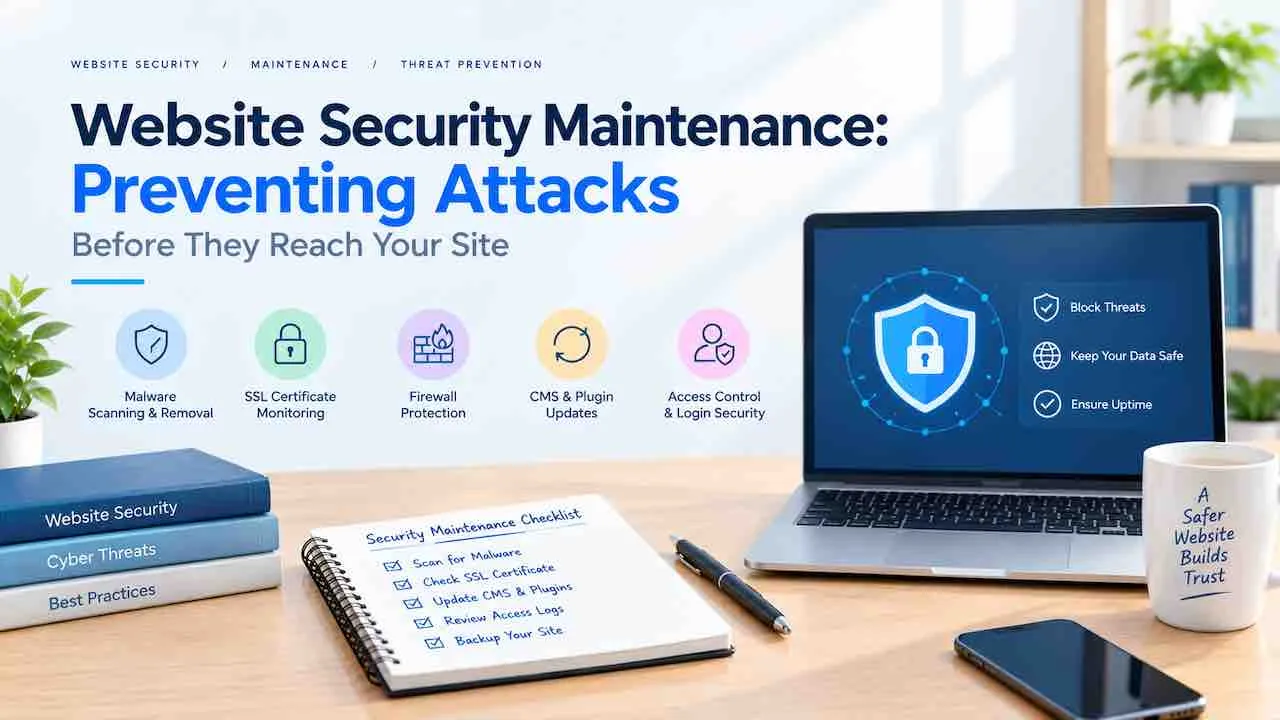
Website security maintenance is the ongoing process of patching vulnerabilities, monitoring threats, and hardening every layer of your site before attackers find a way in. Sites face automated scans around 2,200 times every day on average. Without active site security management, a successful breach is not a matter of if. It is a matter of when.
This guide covers SSL, firewalls, malware scanning, access controls, backups, and incident response. Follow it and your site stays protected, indexed, and trusted by users and search engines.
Why Website Security Maintenance Is an Ongoing Process
New vulnerabilities appear every week, which means security cannot be a single task done at launch that gets checked once and forgotten. Every plugin update, new staff member, or third party integration changes your site’s attack surface.
- Attackers do not stop scanning. Automated bots probe millions of sites daily for known vulnerabilities, outdated plugins, and weak login credentials.
- Compliance laws require ongoing controls. GDPR, HIPAA, and PCI DSS mandate active, documented security measures for sites handling personal or payment data.
- A breach costs far more than prevention. IBM’s research shows data breaches cost businesses an average of $4.45 million globally. Proactive site security maintenance costs a fraction of that each year.
- Over 60% of small businesses close within 6 months of a serious cyberattack, per the NCSA.
- Google removes hacked pages from results within 24 hours of detection, directly cutting organic traffic and revenue.
Ongoing website maintenance and security services prevent all of these outcomes. They keep your defenses ahead of evolving threats.
Proactive vs. Reactive Website Security: The Real Cost Difference
Proactive security maintenance costs between $50 and $500 per month. Reactive breach recovery costs between $10,000 and $100,000 or more per incident. The math is straightforward, yet most sites still skip active maintenance until something breaks.
| Approach | Average Monthly Cost | Average Incident Cost | Recovery Time |
|---|---|---|---|
| Proactive maintenance | $50 to $500 | Near zero | Under 4 hours with backups |
| Reactive breach recovery | $0 until breach | $10,000 to $100,000+ | 22 to 72 hours average |
Beyond direct costs, reactive recovery also triggers Google blacklist removal (which takes an average of 6 weeks), brand reputation damage, and customer churn that a maintenance budget never causes.
Build a Security Asset Inventory First
Before implementing any security maintenance task, map what your site actually uses. You cannot protect what you have not documented. This inventory becomes the foundation of your entire vulnerability management process.
What Your Security Inventory Should Cover
- Data collected: Form submissions, payment details, user accounts, email addresses, and session data.
- Business functions: Ecommerce transactions, login portals, booking systems, and API integrations.
- Connected services: Third party plugins, payment gateways, CRM platforms, analytics tools, and CDNs.
- People with access: All admin accounts, agency logins, contractor credentials, and developer SSH keys.
- Authentication methods: Passwords, API keys, OAuth tokens, and SSL certificate owners for each asset.
Risk scales directly with business function. A brochure site has a small attack surface. An ecommerce store processing card payments has a large one. Your security maintenance intensity should match your risk level.
SSL Certificate Maintenance: Your Non Negotiable First Layer
An SSL certificate encrypts data in transit between your server and visitors. Without it, browsers show security warnings that immediately drive users away. Google confirmed HTTPS as a ranking signal. Sites still running HTTP lose trust and search visibility.
SSL Maintenance Checklist
- Install an SSL certificate covering the full site, including all subdomains.
- Confirm the certificate uses SHA 256 encryption. SHA 1 is compromised and must be reissued immediately.
- Enable HTTP Strict Transport Security (HSTS) to force HTTPS only browser connections.
- Set renewal reminders at 30 days and 7 days before expiry to avoid accidental lapses.
- Run a monthly certificate validity check as part of your routine site security audit.
- Use secure, HTTP only cookies to encrypt session data. This blocks client side scripts from reading them.
Web Application Firewall: Stop Threats Before They Touch Your Code
A Web Application Firewall (WAF) filters malicious traffic at the network edge before requests ever reach your server. It is the single highest impact security layer you can add after SSL.
Attack Types a WAF Blocks
| Attack Type | What It Does | WAF Defense |
|---|---|---|
| SQL Injection | Injects malicious queries into database inputs | Blocks malformed input patterns at entry |
| XSS (Cross Site Scripting) | Injects scripts into pages viewed by other users | Strips unauthorized script tags from requests |
| DDoS | Floods server with traffic to force downtime | Rate limits and filters bot traffic by IP |
| CSRF (Cross Site Request Forgery) | Tricks users into submitting unintended requests | Validates request origin tokens before processing |
| Clickjacking | Hides malicious UI over your legitimate pages | Enforces X-Frame-Options headers |
| Brute Force Login | Tries thousands of password combinations rapidly | Limits login attempts per IP per hour |
| File Inclusion Attacks | Forces your server to execute attacker supplied files | Blocks unauthorized file path inputs |
Reputable WAF providers include Cloudflare, Sucuri, and Wordfence. Choose one with a managed ruleset updated in real time. Avoid static rulesets configured once and never reviewed.
Software Updates: The Highest Impact Security Task
Unpatched CMS software, plugins, and themes are the root cause of most website compromises. Attackers actively scan for known version numbers. Applying a security patch within 48 hours closes the window attackers rely on.
Update Priority Order
- Core CMS (WordPress, Drupal, Joomla): Apply security releases the same day they publish.
- Plugins and extensions: Run updates weekly. Remove any plugin unused for over 30 days.
- Themes: Update active and parent themes. Delete all unused themes from the server.
- PHP and server OS: Run only supported PHP versions. Unsupported PHP receives zero security patches.
- Third party scripts and APIs: Audit embedded scripts quarterly for version and support status.
- Dependencies and libraries: Use Composer or npm audit to scan for known CVEs in your code dependencies.
Always test updates on a staging environment before pushing to production. A failed update on a live site creates a security gap and a downtime event simultaneously.
Pairing updates with technical SEO maintenance keeps your site secure, crawlable, and performant after every change cycle.
Access Control and Login Security
Stolen credentials cause over 80% of data breaches. Login hardening is the most direct security improvement most sites still have not made. Weak passwords and no two step authentication remain the norm, not the exception.
Login Security Steps
- Enforce passwords of at least 16 characters with mixed complexity requirements.
- Enable two factor authentication (2FA) for every admin and editor account.
- Limit login attempts to 3 to 5 per hour per IP address.
- Move the default admin login URL away from /wp-admin to a custom path.
- Add CAPTCHA to all login, registration, and password reset forms.
- Set admin sessions to expire after 30 minutes of inactivity.
- Apply least privilege access: assign each role only the permissions it needs to function.
Staff Offboarding as a Security Task
Removing access for departing staff is one of the most commonly skipped security tasks. Every former employee or contractor with active admin credentials is an open door. Run a full access audit when anyone leaves. Revoke credentials, rotate API keys, and change shared passwords the same day.
User Role Audit Schedule
Run a user role audit every 90 days. Delete dormant accounts immediately. A stale admin account with a reused password is among the easiest attack vectors on any site.
Email Authentication: The Overlooked Security Layer
Email authentication records protect your domain from spoofing. Attackers send phishing emails that appear to come from your business. Most sites set these records once at launch and never review them again.
Three Records Every Site Needs
- SPF (Sender Policy Framework): Specifies which mail servers are authorized to send email from your domain. Block all others.
- DKIM (DomainKeys Identified Mail): Adds a cryptographic signature to outgoing emails. This confirms they were not altered in transit.
- DMARC (Domain Based Message Authentication): Tells receiving mail servers what to do with unauthenticated messages. Options: quarantine or reject them entirely.
Without DMARC set to p=reject, attackers spoof your domain freely. This damages your brand reputation and triggers spam filters that block your legitimate messages.
Malware Scanning and Vulnerability Management
Automated malware scanning detects injected code, backdoors, and file changes before they trigger a Google blacklist or browser warning. Manual inspection alone misses obfuscated injections that only a dedicated scanner catches.
Malware and Vulnerability Scanning Schedule
| Frequency | Task | Tools |
|---|---|---|
| Daily | Automated malware scan and file integrity check | MalCare, Sucuri, Wordfence |
| Weekly | Vulnerability scan for known CVEs | Qualys, WPScan, Nessus |
| Monthly | Full server level file integrity audit | OSSEC, Tripwire |
| Quarterly | Penetration test | Ethical hacker, Burp Suite, OWASP ZAP |
| Annually | Full security audit and compliance review | GDPR, PCI DSS, HIPAA frameworks |
When a scan detects suspicious file changes, quarantine the affected files immediately. Restore from a clean backup. Identify the entry point before bringing the site back online to stop reinfection.
Backup Strategy and Disaster Recovery
A backup is only useful if it restores completely, cleanly, and fast enough to protect revenue. Backups stored on the same server fail alongside the site during a server breach.
Backup Best Practices
- Run automated daily backups covering all database, file, media, and configuration content.
- Store backups offsite, away from your hosting server. Use AWS S3, Azure Blob, or a dedicated backup service.
- Keep at least 30 days of backup history. This lets you restore to a point before a slow moving infection took hold.
- Keep 3 backup copies: 1 on the server, 1 offsite, 1 on cold storage.
- Encrypt all backup files at rest and in transit.
- Test restoration quarterly. An untested backup provides no real protection.
- Set a restoration time objective. Recovery taking over 4 hours means the process needs improvement.
A site recovering in under 2 hours retains far more ranking stability than one offline for days. Pair your recovery plan with a documented website backup strategy that names the restore steps clearly.
File Permissions and Server Hardening
Incorrect file permissions give attackers write access to core files, turning a read only vulnerability into full site control. Setting strict permissions is a one time task with permanent security value.
File Permission Reference
| File Type | Permission | What It Allows |
|---|---|---|
| wp-config.php and config files | 400 or 440 | Owner read only, no write or execute |
| Core CMS files | 644 | Owner read and write, others read only |
| Directories | 755 | Owner full access, others read and execute |
| Upload directories | 755 with PHP execution disabled | Blocks scripts from running in uploads folder |
On WordPress, add define('DISALLOW_FILE_EDIT', true); to wp-config.php. This blocks an attacker who gains admin access from editing core files through the dashboard. Disable directory browsing in .htaccess to prevent file tree exposure.
Security Headers: Browser Level Defense
HTTP security headers tell browsers how to handle your site’s content, blocking injection and hijacking attacks before they execute. Most sites skip them entirely, leaving a layer of protection unused.
Security Headers to Implement
- Content Security Policy (CSP): Defines trusted sources for scripts, styles, and images. Blocks unauthorized script injection at the browser level.
- X-Frame-Options: DENY: Prevents your pages from loading inside iframes on other sites. Stops clickjacking attacks.
- X Content Type Options: nosniff: Blocks browsers from guessing file types. Prevents MIME sniffing attacks.
- Referrer Policy: Controls how much referrer data browsers send with outbound requests. Protects session data and user privacy.
- Permissions Policy: Restricts browser APIs (camera, microphone, geolocation) to pages that genuinely need them.
- Strict-Transport-Security (HSTS): Forces HTTPS connections at the browser level, even if a user types http:// manually.
Test your security headers at SecurityHeaders.com after implementation. A grade of A or B confirms correct setup. Retest after any major site change or plugin update.
Uptime Monitoring and Real Time Threat Detection
You cannot respond to an attack you have not detected. Real time uptime monitoring and intrusion detection are the operational foundation of any web security maintenance plan.
What to Monitor
- Server uptime with alerts triggered by any downtime over 1 minute.
- Unusual traffic spikes that signal a DDoS attempt or coordinated bot flood.
- Failed login attempts exceeding your hourly threshold per IP address.
- File changes in core directories outside of planned maintenance windows.
- DNS record changes, which attackers use to silently redirect traffic to fake sites.
- SSL certificate expiry, with alerts at 30 days and 7 days before the date.
- Server response time increases, which often signal injected malware consuming server resources.
Tools like Pingdom, Datadog, and UptimeRobot send instant alerts. Pair uptime monitoring with log analysis tools like Splunk or ELK Stack. This traces exactly how an incident started.
Active website uptime monitoring turns a 3 hour breach response into a 10 minute one.
Incident Response Plan: What to Do When a Breach Happens
An incident response plan defines exactly who does what the moment a breach is detected. Sites without a plan make reactive decisions under pressure. This leads to evidence deletion, delayed containment, and longer downtime.
Incident Response Sequence
- Contain immediately: Take the site offline or into maintenance mode to stop the spread.
- Preserve evidence first: Do not delete logs, modified files, or attacker traces before forensic review. Logs show exactly how access happened.
- Run a full malware scan: Identify all infected files, backdoors, and unauthorized accounts.
- Restore from a pre infection backup. Confirm the restore date predates the compromise using your logs.
- Identify the entry point: Close the specific vulnerability before going live again. Skipping this step causes reinfection.
- Notify affected parties: GDPR requires breach notification to supervisory authorities within 72 hours.
- Post incident review: Document what happened, what was missed, and what the plan needs to change.
A professional website hacked recovery service handles all 7 steps under a structured, documented timeline.
WordPress and WooCommerce Security Maintenance
WordPress powers over 43% of all websites, making it the primary target for automated vulnerability scanners. WooCommerce sites face added risk. They handle payment data and customer records under PCI DSS scope.
WordPress Security Tasks
- Keep WordPress core at the latest stable version at all times.
- Audit plugins every month. Delete any plugin not updated by its developer within 6 months.
- Replace nulled or pirated themes immediately. They contain pre installed backdoors by design.
- Move the database table prefix away from the default wp_ to a custom string.
- Block xmlrpc.php access unless actively needed for remote publishing.
- Disable directory browsing in .htaccess to hide your file structure from visitors.
- Use a security plugin with real time firewall rules such as Wordfence, Sucuri, or Solid Security.
WooCommerce PCI DSS Security Requirements
- Never store raw card numbers on your server. Use a PCI compliant gateway (Stripe, Braintree).
- Run quarterly vulnerability scans as required under PCI DSS SAQ-A standards.
- Keep all customer and order data encrypted at rest.
- Log all admin access to customer records and order data.
- Audit all third party integrations annually for compliance status changes.
Dedicated WooCommerce website maintenance covers all PCI DSS touchpoints alongside standard site security tasks.
Security Maintenance Frequency Schedule
A structured schedule converts reactive security into a repeatable, auditable process. Every task runs at the frequency that matches the speed at which its threat type evolves.
Daily Tasks
- Run automated malware and file integrity scans.
- Confirm backup completion reports show success.
- Review uptime and server performance alerts.
Weekly Tasks
- Apply all available plugin, theme, and CMS updates after staging tests.
- Run vulnerability scans for newly published CVEs.
- Review failed login attempt logs for patterns.
Monthly Tasks
- Run a full file integrity audit across core directories.
- Test backup restoration on a staging environment.
- Audit all user accounts. Remove inactive or unrecognized access.
- Review SSL certificate validity, HTTPS configuration, and security headers.
- Check email authentication records (SPF, DKIM, DMARC) for changes.
Quarterly Tasks
- Conduct a penetration test or hire an ethical hacker for a full vulnerability assessment.
- Rotate API keys, admin passwords, and database credentials.
- Run a restore drill and time the end to end recovery process.
- Review access logs for credential stuffing, scraping, or reconnaissance patterns.
- Update your incident response runbook with current contact details and account information.
Combine this schedule with a full website maintenance checklist. Every task stays trackable and accountable across your team.
How Website Security Maintenance Affects SEO and Core Web Vitals
A hacked site loses organic rankings within hours of Google detecting the compromise. Recovering from a Google blacklist takes an average of 6 weeks after malware removal. Security maintenance protects your SEO investment directly.
- HTTPS is a confirmed Google ranking signal. Active SSL maintenance keeps this signal working.
- Malware injections add hidden outbound links that dilute PageRank and trigger manual penalties.
- Spam content injected into pages activates Google’s spam policies and removes those pages from the index.
- Abandoned security plugins bloat page weight and damage Core Web Vitals scores over time.
- A site flagged by Google Safe Browsing shows browser warnings that block visitors from loading your page.
Well maintained sites also score better on Core Web Vitals. They carry less bloat from outdated scripts and abandoned plugins.
DIY vs. Outsourced Website Security Maintenance
DIY security maintenance works for small sites with a technically capable owner and limited attack surface. Most business sites benefit from outsourcing to a specialist, especially those running ecommerce or storing user data.
| Factor | DIY Maintenance | Outsourced Maintenance |
|---|---|---|
| Monthly cost | Low direct cost, high hidden staff time | $50 to $500 managed fee |
| Technical knowledge required | High, especially for incident response | Handled by specialist team |
| Response time to breach | Hours (if noticed at all) | Minutes to 4 hours with SLA |
| Compliance coverage | Risk of gaps under GDPR, PCI DSS | Covered with documented processes |
| Best for | Brochure sites, low traffic blogs | Ecommerce, SaaS, healthcare, B2B portals |
For businesses relying on their site for revenue, DIY security carries a hidden cost: staff hours spent on tasks requiring specialist knowledge. A single missed patch erases months of maintenance savings in one breach event.
Signs Your Site Has Already Been Compromised
Many site owners find a breach weeks after it happened. Sophisticated attackers avoid obvious damage to stay hidden longer. Watch for these specific signals.
- Google Search Console shows a “This site may be hacked” warning or a manual action notification.
- Browser security warnings appear for visitors, flagging your site as dangerous.
- Your server sends outbound spam emails you did not authorize.
- New admin accounts appear that no one on your team created.
- Your site redirects mobile visitors to unrelated pages but looks normal on desktop.
- Page load times spike suddenly without any code or content change explaining it.
- Customers report receiving phishing emails that appear to come from your domain.
- Your hosting provider suspends the account for Terms of Service violations.
- Search engines show indexed pages with spammy titles or foreign language content you did not create.
If any of these appear, take the site offline immediately. Preserve your access logs before cleaning. Run a full malware scan and restore from a pre infection backup. Identify the entry point before going live again. A professional website hacked recovery service handles this under a structured timeline.
Security Maintenance for Different Site Types
Security requirements vary significantly by site type. Your maintenance plan must reflect that risk level.
Brochure and Blog Sites
Lower risk. Focus on weekly plugin updates, monthly malware scans, daily automated backups, and SSL maintenance. Staff offboarding and 2FA remain mandatory.
Ecommerce Sites (WooCommerce, Shopify, Magento)
High risk. Add PCI DSS compliance, daily offsite backups, and quarterly penetration testing to all standard tasks. A real time WAF and payment gateway audit are also required.
Healthcare and HIPAA Sites
Regulated. Requires documented security policies, access logging, data encryption at rest, and Business Associate Agreements with all vendors. Annual compliance audits apply. Dedicated healthcare website maintenance covers all HIPAA requirements.
High Traffic Media and SaaS Sites
Performance and security converge here. Add DDoS mitigation, CDN security rules, API rate limiting, and bot management. Pair with page load speed optimization for full protection.
Frequently Asked Questions About Website Security Maintenance
Security maintenance runs on overlapping schedules matched to each threat type. Malware scans run daily. Software updates apply weekly after staging tests. Full audits and backup restore tests run monthly. Penetration tests run quarterly. Compliance reviews run annually.
Unpatched plugins and weak passwords are the two leading entry points for website attacks. Most successful breaches exploit publicly known vulnerabilities that already have available patches. Applying updates within 48 hours of release eliminates the majority of this risk.
Yes, directly. Google uses HTTPS as a ranking signal. A site flagged by Google Safe Browsing loses rankings. Browser warnings then block visitors from entering the site. Malware injections also add hidden outbound links that dilute PageRank and trigger manual penalties.
A WAF operates at the network or DNS level, filtering traffic before it reaches your server. A security plugin scans files and blocks attacks after requests arrive at the server. A WAF stops more attack types earlier. Both layers together provide deeper protection than either alone.
Recovery time depends entirely on backup quality and how fast the breach is detected. Sites with tested daily backups recover in under 4 hours. Sites without tested backups face multi day downtime and potential data loss. Google’s blacklist removal takes an average of 6 weeks after malware removal.
Get a Free Website Security Audit
A site without active security maintenance is a liability, not an asset. Every day without monitoring, patching, or backup testing is a day attackers can move through undetected.
Quick Digital has delivered website maintenance and security services since 2014. Our team handles daily malware scanning, WAF management, and incident response across healthcare, ecommerce, and professional services.
Free audit. Full vulnerability report. Delivered within 48 hours.
Read the complete guide on what website maintenance includes for everything covered beyond security.