

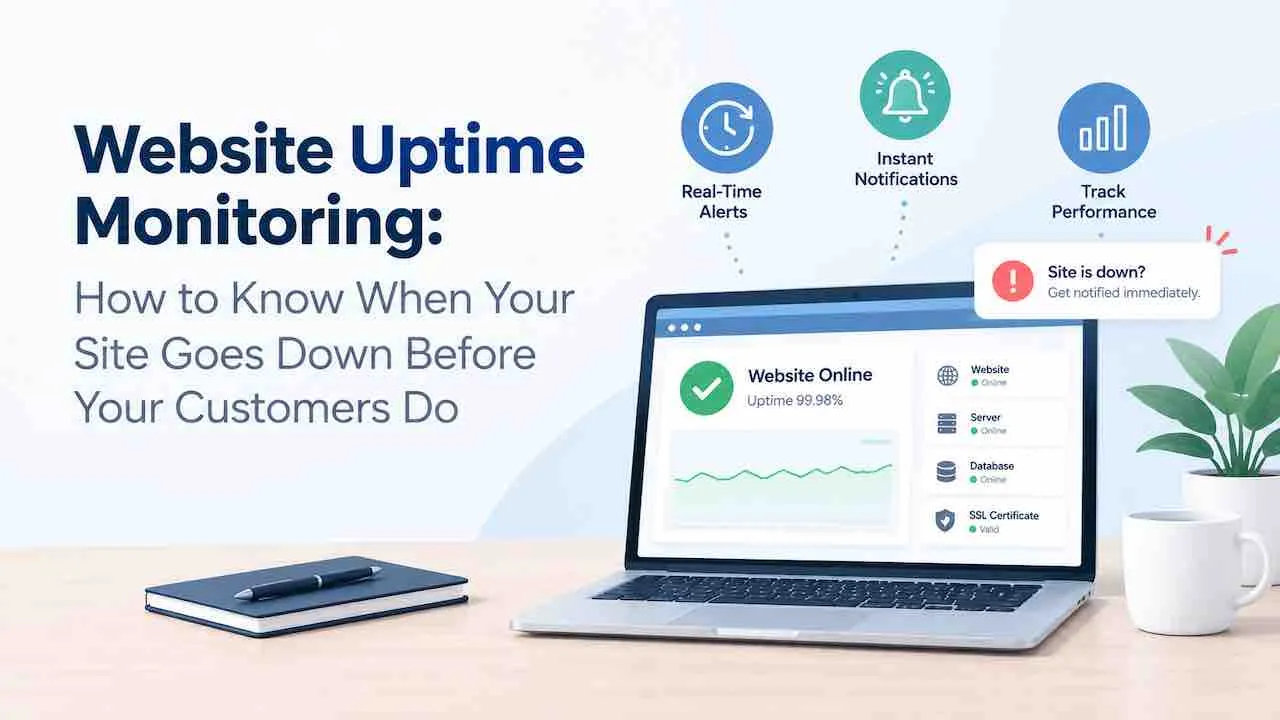
Website uptime monitoring checks your URL every 1 to 5 minutes from multiple global locations. An alert fires the moment a response fails. Without it, most site owners learn about an outage from a customer complaint. By that point, 20 to 40 minutes of lost bookings, sales, and crawl signals have already passed.
Unmonitored downtime costs more than the revenue lost during the outage. Search engines log repeated 5xx errors. Customer trust erodes. Form submissions disappear without a trace. The site appears up from the owner’s browser while a regional server failure blocks everyone else. This is a silent outage: invisible to you, visible to every visitor.
Businesses using professional website maintenance and monitoring services catch outages in under 3 minutes. Without a monitor, the average detection time exceeds 47 minutes.
How Does Website Uptime Monitoring Work?
Website uptime monitoring sends HTTP requests to your URL at set intervals and records the response. A 200 status code logs as up. A failed, timeout, or error response triggers a downtime alert. The service runs these checks 24/7 from 3 to 30 global server locations simultaneously.
Testing from a single location produces false alerts. A local network issue at the monitoring server marks your site as down. The site may be fully operational at that moment. Multi-location monitoring requires at least 2 locations to confirm failure before alerting. This check frequency eliminates false positives and runs without manual input around the clock.
What Types of Monitoring Does an Uptime Tool Perform?
A complete website availability monitoring tool performs 9 check types. HTTP availability alone misses most real-world outage scenarios.
- HTTP/HTTPS availability monitoring: checks whether your URL returns a 200 OK status code on every request.
- Ping monitoring: sends ICMP echo requests to verify the server is reachable at the network level.
- Keyword monitoring: confirms that expected content appears in the page body on every check.
- Port monitoring: verifies that TCP ports like 80, 443, and database ports remain open and responsive.
- SSL and domain expiry monitoring: sends alerts before certificates or domain registrations expire.
- Synthetic monitoring: simulates user actions such as logins, form submissions, and checkout flows on a set schedule.
- Real user monitoring (RUM): measures actual visitor performance by device, browser, and geographic location.
- Heartbeat monitoring and cron job monitoring: verify that scheduled background tasks complete within an expected time window.
- API monitoring: verifies that REST and GraphQL endpoints return correct status codes and response data.
Server uptime monitoring sits one layer below website monitoring. It checks CPU, memory, and disk usage at the infrastructure level. Website uptime monitoring checks what the visitor experiences. Both are needed for complete incident coverage on production sites.
What Does 99.9% Uptime Mean in Real Downtime Hours?
99.9% uptime allows 8.77 hours of downtime per year. Most shared hosting providers advertise this figure. Independent website uptime monitoring typically measures their actual delivery at 99.2 to 99.6%.
| Uptime SLA | Downtime Per Year | Downtime Per Month | Suitable For. |
|---|---|---|---|
| 99.0% | 87.6 hours | 7.3 hours | Low-traffic blogs only. |
| 99.9% | 8.77 hours | 43.8 minutes | Small to mid-size business sites. |
| 99.95% | 4.38 hours | 21.9 minutes | E-commerce and SaaS platforms. |
| 99.99% | 52.6 minutes | 4.4 minutes | Healthcare, fintech, and mission-critical apps. |
Check your hosting SLA before assuming 99.9% delivery. SLA figures set contractual credit thresholds. They do not guarantee actual uptime performance on shared infrastructure. An uptime checker running independent tests reveals the real figure.
Why Does a 1-Minute Check Interval Matter More Than 5 Minutes?
A 5-minute check interval means a site can be down for up to 9 minutes. No alert fires until the next check passes. A 1-minute interval cuts confirmed detection time to under 2 minutes. For a store generating $3,000 per hour, a 7-minute difference costs $350 per incident.
Free uptime monitoring plans use 5-minute intervals. Paid plans from Pingdom, Better Stack, and Site24x7 run 1-minute or even 30-second checks. Any site handling payments, bookings, or patient intake needs a 1-minute check interval as the baseline standard.
How Does Website Downtime Hurt Google Rankings?
Google’s crawler visits most sites every 3 to 7 days. A crawler finding a 5xx error logs the site as temporarily unavailable. Google does not drop rankings for a single short outage. Repeated or extended downtime above 24 hours creates crawl budget waste and ranking signal decay.
The behavioral damage hits faster. Core Web Vitals scores deteriorate when server response times spike during partial outages. Time to First Byte (TTFB) rises above 600ms. Google Search Console logs the degradation as a performance issue separate from the availability error.
Specific SEO impacts from unmonitored downtime.
- 5xx errors accumulate in Search Console as coverage gaps. These suppress indexing for affected URLs.
- Backlink traffic bouncing during an outage sends negative engagement signals to Google.
- TTFB above 1,500ms during partial server failures reduces Core Web Vitals scores directly.
- Googlebot reduces crawl frequency for sites with repeated availability failures over 30 days.
Which Website Uptime Monitoring Tools Work Best?
Ten tools cover the full range from free basic monitoring to enterprise-grade observability. The right choice depends on check interval, alert channels, and location coverage. The monitoring types your site requires narrow the list further.
| Tool | Free Plan | Min Interval | Locations | Key Strength. |
|---|---|---|---|---|
| Better Stack | Yes (10 monitors) | 30 seconds (paid) | 30+ regions | Best incident management with built-in status pages. |
| UptimeRobot | Yes (50 monitors) | 5 min free, 1 min paid | 7+ | Best free-tier basic HTTP monitor. |
| Pingdom | No ($10/month) | 1 minute | 100+ | Strongest response time and performance analytics. |
| StatusCake | Yes (10 monitors) | 5 min free | 43+ | Domain and SSL expiry alerts included on free tier. |
| Site24x7 | Yes (5 monitors) | 1 minute | 120+ | Best multi-service and server infrastructure monitoring. |
| Freshping | Yes (50 monitors) | 1 minute | 10+ | Best for Freshdesk-integrated support teams. |
| HetrixTools | Yes (15 monitors) | 1 minute | 18+ | Strong blacklist monitoring and IP reputation checks. |
| Oh Dear | 10-day trial | 1 minute | Multiple | Best for agencies needing cron and app health checks. |
| Uptrends | Credits only | 30 seconds | 230+ | Most check locations with low false positive rates. |
| Uptime Kuma | Self-hosted free | 1 minute | Self-hosted | Best open-source uptime checker with no subscription cost. |
New Relic and Datadog suit development teams that need website availability monitoring inside a broader observability stack. New Relic allows 100 checks per month on its free tier. Datadog charges per API test. Neither fits small to mid-size sites as a standalone uptime checker.
How Do Multi-Location Checks Prevent False Downtime Alerts?
A single-location check fires a false alert when the monitoring server has a local network issue. Multi-location monitoring requires at least 2 of 3 locations to confirm failure. This removes the false positive before the alert fires.
Require 2 consecutive failures from 2 or more locations before the tool classifies the site as down. This stops 3 AM false alarms from waking the team. Free plans with single-location checks generate 3 to 5 false alerts per month on average. Uptrends uses 230+ checkpoints specifically to reduce false positive rates.
Does Your Site Need Synthetic Monitoring?
Synthetic monitoring runs scripted simulations of user actions against your site on a fixed schedule. The script mimics a real visitor. It clicks buttons, fills forms, and submits checkout flows. Every step is checked for correct behavior and measured for response time.
Basic HTTP checks confirm the page loads. Synthetic monitoring confirms the page works. A booking form that loads but silently drops submissions passes an HTTP check. Synthetic monitoring catches the broken form by checking the confirmation page response after submission.
Sites that need synthetic monitoring.
- E-commerce stores: checkout flow, cart addition, and payment page loading.
- Healthcare sites: appointment booking form submission and confirmation delivery.
- SaaS platforms: login flow, dashboard load, and API response verification.
- Lead generation sites: contact form submission and thank-you page redirect.
Better Stack, Site24x7, and Oh Dear include synthetic transaction monitoring on their paid plans. Improving page load speed on synthetic script steps reduces false slowness alerts. Server lag causes most of these, not actual functional failures.
What Alert Channels Should a Monitoring Service Support?
A monitoring service must support at least 3 alert channels. Email alone leaves alerts unread during off-hours. Multi-channel alerting guarantees someone responds within minutes of any outage.
Required alert channels for a production website.
- Email: standard, but slow during off-hours. Use for low-priority alert copies only.
- SMS: fastest channel for critical outages. Most paid plans include 50 to 500 SMS messages per month.
- Slack or Microsoft Teams: best for teams where someone is always online during business hours.
- PagerDuty or OpsGenie: escalation tools for mission-critical sites. Routes alerts by on-call scheduling.
- Webhooks: custom integrations for in-house alerting, CRM systems, or ticketing platforms.
Configure escalation rules. Send the first alert to Slack. If no acknowledgment arrives within 5 minutes, escalate to SMS. This prevents alert fatigue. It drives a mean time to recovery (MTTR) and RTO under 30 minutes for most outage types.
Does Website Uptime Monitoring Cover SSL and Domain Expiry?
Most paid uptime monitoring tools include SSL and domain expiry checks. These two failures cause outages that standard HTTP checks miss entirely.
An expired SSL certificate causes browsers to display “Not Secure” and block page access. Google Chrome blocks the URL immediately. Traffic drops to near zero within hours of expiry. An SSL expiry alert at 30 days prevents this completely. StatusCake and Site24x7 include SSL expiry alerts on their free tiers.
Domain expiry works the same way. A lapsed domain registration takes the entire site offline. Registrar auto-renewal fails when payment cards expire or accounts go inactive. A domain expiry monitor alerts 60 days before the registration end date. That gives 2 full billing cycles to resolve the issue before any visitor impact.
How Do You Read an Uptime Monitoring Dashboard?
An uptime monitoring dashboard shows 4 core metrics. These are current status, average response time, uptime percentage, and incident log. Reading each correctly prevents misdiagnosis during a partial outage.
- Current status: green means all checks pass from all locations. Yellow means degraded response. Red means confirmed down from multiple locations.
- Average response time: under 300ms is healthy. Over 600ms signals server load issues. Over 1,500ms means users already experience severe delays.
- Uptime percentage: compare the 30-day and 90-day figures together. A declining trend across both signals infrastructure degradation rather than a one-off incident.
- Incident log: review incidents lasting over 5 minutes. Cluster them by day and time. Patterns identify shared hosting capacity limits hitting during peak hours.
Does Your Site Need a Public Status Page?
A public status page shows real-time availability and incident history to customers. It stops the flood of “is your site down?” support tickets during an outage. Customers see the issue acknowledged and a resolution time posted. This protects customer trust more than silence does.
Sites that need a public status page.
- SaaS platforms: users depend on the tool for their own workflows. Transparency protects the relationship during incidents.
- E-commerce stores with B2B accounts: procurement teams require uptime transparency before approving recurring orders.
- Healthcare patient portals: patients and clinical staff need advance notice of maintenance windows.
- Any site with a paid subscription model where service credits depend on documented uptime.
Better Stack, Freshstatus, and Atlassian Statuspage provide hosted public status pages. Better Stack includes a status page on its free plan. Atlassian Statuspage suits enterprise products with complex multi-component architectures.
What Causes Most Website Downtime?
5 causes account for over 85% of unplanned website outages across WordPress and hosted platforms.
- Shared hosting overload: too many sites on one server hit CPU or memory limits during traffic spikes. The server returns 503 errors to all visitors.
- Failed plugin or CMS update: an incompatible update breaks a PHP function. The site returns a white screen or 500 error until the update is reversed.
- Expired SSL certificate: the certificate lapses. Browsers block all traffic immediately and display security warnings.
- Database connection failure: WordPress exceeds its database connection limit. Every page returns a database error until connections reset.
- DDoS or bot traffic spike: a flood of requests exhausts server bandwidth. Legitimate visitors cannot reach the site.
Strong website security maintenance prevents the DDoS and bot traffic category with WAF rules and rate limiting. Per-minute revenue loss data is covered in the cost of website downtime analysis.
How Much Does Website Uptime Monitoring Cost?
Free website uptime monitoring covers most small sites with 5-minute checks and email alerts. Professional monitoring with 1-minute intervals, SMS, and multi-location checks costs $10 to $49 per month per site.
| Plan Type | Monthly Cost | Check Interval | Alert Channels | Best For. |
|---|---|---|---|---|
| Free tier (UptimeRobot, Freshping) | $0 | 5 minutes | Email only | Blogs and informational sites. |
| Basic paid (Pingdom, StatusCake) | $10 to $15 | 1 minute | Email and SMS | Small business and lead-gen sites. |
| Professional (Site24x7, Better Stack) | $20 to $49. | 30 sec to 1 min | SMS, Slack, PagerDuty | E-commerce and SaaS platforms. |
| Agency plans (HetrixTools, Oh Dear) | $15 to $99. | 1 minute | All channels plus client reporting | Multi-site agency management. |
| Enterprise (Datadog, New Relic) | Consumption-based | 1 minute | Full observability stack | Dev teams with existing monitoring stacks. |
How Do You Set Up Website Uptime Monitoring?
Setting up website uptime monitoring takes under 15 minutes on any paid or free plan. Follow these 8 steps for a production-ready monitoring configuration.
- Choose a monitoring tool and create an account. Start with UptimeRobot free or Better Stack free for testing.
- Add your homepage URL as the first monitor. Set the check type to HTTP/HTTPS.
- Set the check interval to 1 minute. Use 5 minutes only for low-traffic informational sites.
- Select at least 3 check locations covering your primary traffic regions. US, Europe, and Asia-Pacific cover most audiences.
- Configure alert escalation. Set Slack as the first channel. Add SMS escalation after 5 minutes without acknowledgment.
- Add your booking page, checkout URL, and contact form page as separate monitors.
- Enable SSL certificate expiry monitoring with a 30-day alert threshold.
- Add a domain expiry monitor with a 60-day alert threshold. This gives 2 billing cycles to renew before impact.
Block a test URL temporarily and confirm the alert fires within the expected check interval. Run this test before the first go-live to confirm the full alert chain works end to end.
Get 24/7 Website Uptime Monitoring With Instant Alerts
QuickDigital has monitored websites for clients since 2014. Our monitoring runs 1-minute check intervals with multi-location confirmation. SSL and domain expiry alerts and Slack plus SMS escalation are standard on all plans. Every plan includes a monthly uptime report with incident history and response times.
Get a Free Uptime Monitoring Quote
Free site audit included with every new monitoring plan.
Frequently Asked Questions
Use UptimeRobot or Freshping on their free tier. Both support up to 50 monitors with 5-minute check intervals and email alerts. Uptime Kuma is a free self-hosted option with 1-minute checks and no subscription cost.
99.9% is the minimum for any business site handling traffic or leads. That allows 8.77 hours of downtime per year. E-commerce and booking sites should target 99.95% or above to protect revenue and search rankings.
Detection speed matches the check interval. A 1-minute interval detects outages within 1 to 2 minutes. A 5-minute interval takes up to 9 minutes to confirm. Multi-location tools add a 1 to 2 minute confirmation delay to remove false alerts.
Short outages under 4 hours rarely affect rankings. Extended downtime above 24 hours causes Googlebot to log crawl errors. Repeated patterns over 30 days reduce crawl frequency and suppress indexed pages.
Yes. Most paid plans include SSL expiry alerts at 30 and 14 days before the renewal date. StatusCake and Site24x7 include SSL monitoring on their free tiers. Better Stack includes domain expiry alerts alongside SSL checks on all plans.