

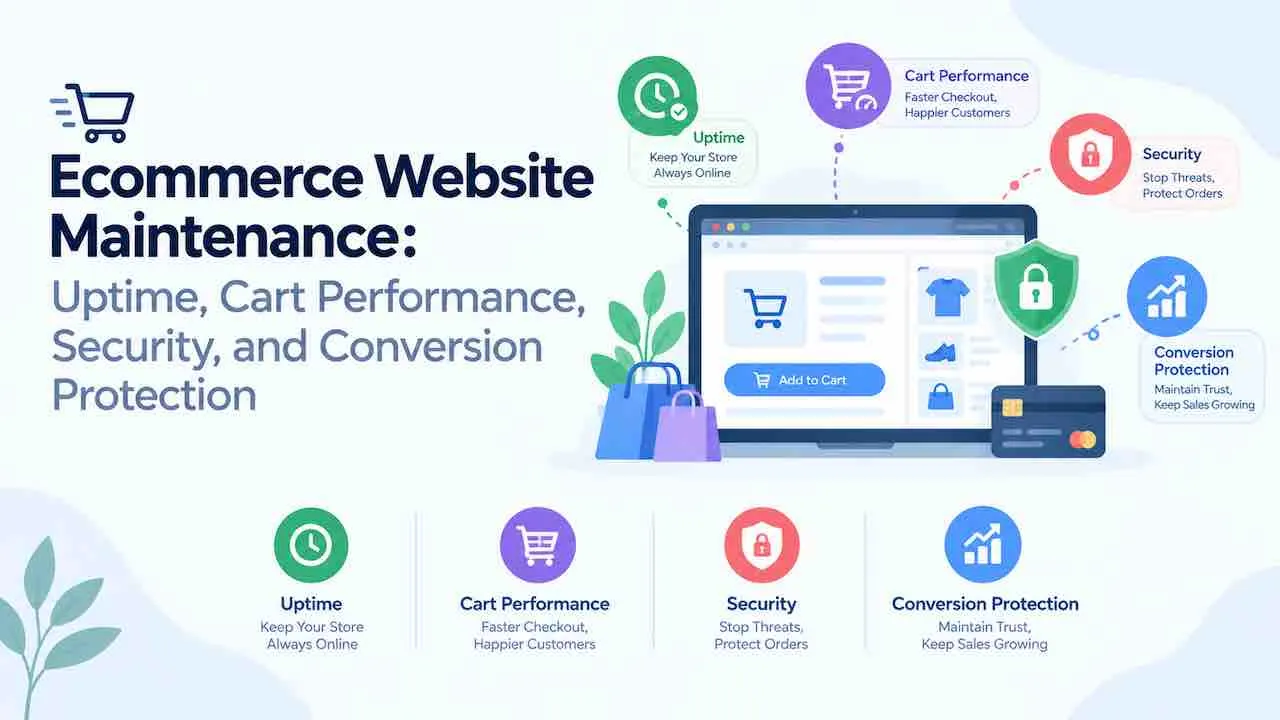
Ecommerce website maintenance keeps store uptime, security, and conversion paths fully operational. Without regular online store maintenance, a single plugin conflict costs thousands in lost revenue. A security breach triggers GDPR fines and customer churn within hours. Stores on WooCommerce, Shopify, Magento, or BigCommerce each need platform specific tasks. Daily, weekly, monthly, and quarterly schedules each target different failure types. This guide covers all four pillars through a structured website maintenance services plan built for revenue protection.
What Does Ecommerce Website Maintenance Cover?
Ecommerce site maintenance covers four pillars: uptime, cart performance, security, and conversion protection. Each pillar connects to a direct revenue risk. Uptime failures cost immediate sales. Cart bugs push the abandonment rate above the 70% industry average. Security gaps expose customer payment data. Post update regressions drop conversions without producing any visible error.
| Pillar | Core Revenue Risk | Primary Tasks |
|---|---|---|
| Uptime. | Direct lost sales during downtime. | Monitoring alerts, daily test orders, incident response. |
| Cart performance. | Abandoned checkouts from bugs and slowness. | Daily checkout tests, payment gateway monitoring. |
| Security and compliance. | Data breaches, GDPR fines, customer loss. | Plugin updates, malware scans, PCI DSS reviews. |
| Conversion protection. | Silent purchase rate drops after updates. | Staging tests, Core Web Vitals, analytics review. |
Ecommerce website management fails when teams treat these four pillars as one undifferentiated task. Each pillar needs its own schedule, tools, and owner to function reliably.
Why Does Ecommerce Website Maintenance Directly Protect Revenue?
Every revenue stream in an online store depends on at least one maintenance task. Baymard Institute research across 50 studies puts average cart abandonment at 70.19%. That rate climbs when checkout pages slow down or payment gateways fail. It also climbs when broken links appear in the purchase path.
Deloitte and Google data shows a 0.1 second mobile load time improvement lifts retail conversions by 8.4%. Average order value also rises by 9.2%. Patchstack disclosed 7,966 WordPress vulnerabilities in one year. Of those, 96% came from plugins and add ons, not core. Each figure points to a specific ecommerce performance optimization failure that routine maintenance prevents.
Poor ecommerce site maintenance compounds over time. A missed plugin update opens a security gap. That gap enables a data breach. GDPR mandates a 72 hour breach notification window to supervisory authorities. The resulting fine, customer loss, and reputational damage accumulate fast. Regular ecommerce maintenance tasks break that chain before it starts.
What Uptime Standard Should an Ecommerce Site Meet?
An ecommerce site needs at minimum 99.95% uptime to limit downtime to 4.38 hours per year. High revenue stores processing daily orders should target 99.99% uptime. That standard allows only 52 minutes of downtime per year.
| Uptime SLA | Downtime Per Year | Downtime Per Month | Best For |
|---|---|---|---|
| 99.9% | 8.76 hours. | 43.8 minutes. | Low volume informational stores. |
| 99.95% | 4.38 hours. | 21.9 minutes. | Mid volume ecommerce stores. |
| 99.99% | 52.6 minutes. | 4.4 minutes. | High revenue and peak season stores. |
How Do You Monitor and Protect Ecommerce Uptime?
Ecommerce uptime monitoring needs automated tools plus a daily test order to catch all failures. An uptime tool detects server level failures. A test order catches application level failures that server monitors miss entirely.
Structured website uptime monitoring for ecommerce stores uses tools like UptimeRobot, Pingdom, or Better Uptime. Set monitoring intervals at one minute. Monitor the homepage, the checkout page, and the payment confirmation URL as separate monitors. Each page in the purchase funnel can fail independently of the others.
Automated Tools vs Daily Test Orders for Uptime.
Automated monitors detect when a URL goes down. They do not detect a payment gateway rejecting every transaction. A 200 status page hides that failure from monitoring tools. Place a real test order each morning. Verify the order appears in your admin dashboard. Confirm the confirmation email arrives within two minutes. A daily test order is the lowest cost safeguard against silent checkout failures.
Peak Traffic Preparation as an Uptime Maintenance Task.
Black Friday and Cyber Monday can bring 10 times normal traffic volume. Stores that skip capacity tests before peak sales periods fail publicly during them. Run load tests four to six weeks before major sales events. Use k6 or Loader.io to simulate three times your projected peak traffic volume. Review server response times, database query load, and CDN cache hit ratios during each test run. Address capacity gaps before peak season begins, not after revenue is already lost.
How Does Cart Performance Maintenance Prevent Lost Sales?
Shopping cart maintenance reduces the 70.19% average abandonment rate by keeping checkout bug free and fast. Every broken step in the checkout path exits a buyer permanently. Cart maintenance prevents those exits through systematic daily testing rather than reactive incident response.
Daily Checkout Test Workflow for Cart Health.
A daily checkout test covers five steps: cart adds products, shipping calculates, payment processes without error, order records in the admin dashboard, and confirmation email delivers. Run this test on both desktop and mobile. 60% of online purchases happen on mobile. A mobile only checkout bug hides for days without daily testing. Add this test to your ecommerce maintenance checklist.
Abandoned cart recovery emails also require regular testing as part of shopping cart maintenance. Trigger conditions, delay timings, and personalization fields break after plugin or app updates. Test abandoned cart email delivery weekly. Confirm the email fires within the expected time window and contains correct product data and pricing.
Payment Gateway Health Monitoring.
Payment gateways fail independently of your store infrastructure. Stripe, PayPal, and Razorpay each publish real time status pages. Subscribe to status alerts for every gateway your store uses. When a gateway degrades, display an alternate payment method before buyers reach the checkout error screen. A 1 second checkout delay reduces conversions by 7%. A payment failure with no visible fallback loses the sale permanently.
Product Search as a Cart Path Dependency.
Site search is a direct cart path dependency for product discovery. Internal search buyers convert at 3 to 5 times the rate of category browsers. A broken or slow search bar sends high intent buyers to a competitor. Test search results weekly. Verify autocomplete, filtered results, and zero result pages all return relevant products. After any plugin update, run a search regression test against your top 10 product terms.
How Does Ecommerce Security Maintenance Protect Customer Data?
Ecommerce security maintenance protects payment data through updates, compliance reviews, and threat monitoring. A security failure at any layer triggers PCI DSS violations, GDPR breach notifications, and customer loss simultaneously.
Focused website security maintenance for online stores covers plugin updates, SSL renewal, malware scanning, access control audits, and compliance reviews. Each task runs on its own schedule with a dedicated owner.
Plugin and App Update Protocol.
Apply plugin and app updates in a staging environment before pushing to production. Never update plugins directly on a live store during trading hours. The protocol is five steps: back up, update staging, run a test order, review error logs, then push to production. Patchstack data shows 96% of WordPress vulnerabilities sit in plugins and add ons. WooCommerce stores with outdated plugins carry the highest ecommerce security exposure. Enable automatic security only updates for core. Review major plugin version changes manually before applying to production.
PCI DSS, GDPR, and CCPA Compliance as Maintenance Tasks.
PCI DSS compliance for ecommerce is not a one time certification. It requires quarterly network scans from an approved vendor, annual vulnerability assessments, and continuous cardholder data monitoring. A failed quarterly scan triggers another scan requirement and escalating daily fines.
GDPR compliance maintenance for ecommerce covers three recurring tasks. Review your privacy policy for accuracy after any new third party integration. Audit cookie consent banners after every platform or theme update. Confirm that data subject request workflows function correctly. GDPR requires a 72 hour breach notification window. An untested incident response workflow will not meet that deadline. CCPA compliance adds a functional “do not sell my personal information” mechanism. Test this mechanism after every CMS update and verify it after each theme release.
Bot Traffic Detection and Fraud Order Prevention.
Bot traffic and fraud orders are ecommerce specific security maintenance tasks. Bots place fake orders to drain inventory, probe stolen credit cards, or exploit promotional discounts fraudulently. Scan for suspicious order patterns daily. Flag multiple orders from one IP, high volumes from new accounts, and repeated coupon abuse. Use tools like Cloudflare Bot Fight Mode or SEON for automated fraud scoring on new orders.
An ecommerce firewall protects the store against SQL injection, cross site scripting, and credential stuffing attacks. Configure Web Application Firewall rules after every major platform update. DDoS protection at the CDN layer keeps the store accessible during volumetric attacks. This prevents origin server overload during peak sales periods.
How Do 404 Errors and Broken Links Damage Ecommerce Revenue?
A 404 error on a product page ends the purchase path and signals an unreliable catalog to search engines. Ecommerce sites accumulate 404 errors faster than static sites. Products go out of stock, SKUs change, seasonal pages expire, and old URLs stay indexed. Each dead URL in the purchase funnel costs a direct conversion.
Audit broken links ecommerce stores accumulate weekly using Screaming Frog, Ahrefs Site Audit, or Google Search Console. Set 301 redirects for every discontinued product page. Point each redirect to the nearest category or a replacement product. A product URL that previously ranked loses all equity permanently without a redirect.
Product catalog management maintenance includes verifying that every URL in your XML sitemap returns a 200 status. Run a full sitemap crawl monthly. Remove expired product URLs after catalog restructuring, seasonal campaign ends, or mass product discontinuation. Submit the updated file to Google Search Console immediately. A sitemap containing 404 URLs signals poor ecommerce site maintenance to crawlers and wastes crawl budget on dead pages.
Monitor ecommerce bounce rate in Google Analytics 4 after fixing 404 errors. High bounce rate on a category page often signals broken images, non functional filters, or missing product variants. These are 404 symptoms that standard link audits miss but bounce rate data surfaces quickly.
How Do You Protect Conversion Rates After Site Updates?
Conversion rate protection after updates requires staging tests and analytics monitoring within 24 hours of each release. Updates that break conversion do not always produce error messages. They produce silent drops in cart rate, checkout start rate, and purchase completion rate. Only analytics data surfaces these drops.
Post Update Conversion Monitoring Through Staging.
A staging environment runs a full copy of the store before any update goes live. The staging protocol for conversion protection runs in four steps. Deploy the update to staging. Run a complete test order. Compare page load times against the pre update baseline. Then review conversion metrics in analytics 24 hours after production deployment. Any regression in cart rate above 5% warrants immediate rollback. Track your checkout abandonment rate before each major update cycle. That baseline becomes the alert threshold for post update monitoring.
After each update, test all payment methods, promo code fields, address autocomplete, and order summary accuracy. Any layout shift in the checkout form causes direct entry errors and immediate abandonment. A rotating A/B test schedule for trust badges, call to action labels, and shipping cost display also requires a maintenance cadence. This prevents stale tests from skewing conversion data over time.
Core Web Vitals and Mobile Performance for Ecommerce.
Core Web Vitals affect Google search rankings and conversion rates on ecommerce product pages directly. Largest Contentful Paint measures how fast the main product image loads. Interaction to Next Paint measures responsiveness when buyers add items to cart. Cumulative Layout Shift catches layout instability during checkout form entry. Each metric maps to a specific ecommerce conversion failure mode.
Ecommerce performance optimization starts with measuring all three Core Web Vitals on real device data, not just lab scores. Improving mobile load time by 0.1 seconds lifts conversions by 8.4%. Test Core Web Vitals monthly using Google PageSpeed Insights on your top 10 product pages. Follow the guide to improve page load speed for product image compression, server side caching, and lazy loading on product grids and category pages.
Product Page SEO Maintenance as a Conversion Lever.
Ecommerce SEO maintenance keeps product pages visible in organic search and ready to convert buyers. Review product page title tags and meta descriptions monthly. Update metadata when seasonal search intent shifts. Add structured data markup for product schema, review schema, and availability status. Verify your XML sitemap reflects only active product URLs and excludes discontinued pages. Crawl errors in Google Search Console reduce organic traffic to product pages and reduce organic revenue and drain non paid traffic. A full ecommerce site audit monthly using Screaming Frog or SEMrush catches metadata decay, duplicate content, and orphaned product pages.
What Ecommerce Website Maintenance Checklist Covers All Four Pillars?
A complete ecommerce maintenance checklist breaks tasks into daily, weekly, monthly, and quarterly schedules. Daily tasks catch active failures before buyers reach them. Weekly tasks prevent technical drift. Monthly tasks confirm compliance and performance baselines. Quarterly tasks align the store with platform changes, legal updates, and competitive benchmarks.
Consistent website performance monitoring across all four task frequencies prevents the revenue losses that purely reactive maintenance always misses.
| Frequency | Task | Tool or Method | Pillar |
|---|---|---|---|
| Daily. | Confirm site uptime status. | UptimeRobot or Pingdom. | Uptime. |
| Daily. | Place a test order end to end. | Staging payment method. | Cart performance. |
| Daily. | Review payment gateway status pages. | Stripe and PayPal status pages. | Cart performance. |
| Daily. | Scan for fraud and spam orders. | SEON or Cloudflare Bot Fight Mode. | Security. |
| Daily. | Verify backup completion status. | Backup plugin or hosting dashboard. | Security. |
| Weekly. | Apply plugin and app security updates via staging. | Staging environment, then production. | Security. |
| Weekly. | Audit broken links and 404 errors across all pages. | Screaming Frog or Ahrefs Site Audit. | Conversion. |
| Weekly. | Test mobile checkout on a real device. | Physical device or BrowserStack. | Cart performance. |
| Weekly. | Test abandoned cart email delivery and triggers. | Email platform or Klaviyo. | Conversion. |
| Weekly. | Reconcile inventory sync and product stock levels. | Inventory management system. | Cart performance. |
| Monthly. | Run a full malware and security scan. | Wordfence, Sucuri, or Malcare. | Security. |
| Monthly. | Test a full backup restoration in staging. | Staging restore test. | Security. |
| Monthly. | Audit Core Web Vitals across top product pages. | Google PageSpeed Insights. | Conversion. |
| Monthly. | Review product page metadata and schema markup. | Screaming Frog or Search Console. | Conversion. |
| Monthly. | Submit updated XML sitemap to search engines. | Google Search Console. | Conversion. |
| Monthly. | Run a full ecommerce site audit for crawl errors. | Screaming Frog or SEMrush. | Conversion. |
| Monthly. | Audit conversion funnel exit points in analytics. | Google Analytics 4 funnel reports. | Conversion. |
| Quarterly. | Run PCI DSS compliance network scan. | Approved scanning vendor. | Security. |
| Quarterly. | Audit GDPR and CCPA consent workflows. | Cookie consent platform audit. | Security. |
| Quarterly. | Renew SSL certificate and domain registration. | Hosting or SSL provider. | Security. |
What Are Ecommerce Maintenance Tasks by Platform?
WooCommerce, Shopify, Magento, and BigCommerce each need platform specific tasks alongside the universal checklist. Platform specific tasks address the unique plugin architecture, app ecosystem, database structure, and compliance requirements of each platform. Skipping them creates failure modes the universal checklist alone will not catch.
| Platform | Unique Weekly Tasks | Unique Monthly Tasks | Primary Maintenance Risk |
|---|---|---|---|
| WooCommerce maintenance. | Update plugins via staging; review PHP version compatibility. | Run database cleanup removing post revisions and transients; run Wordfence scan. | Plugin conflicts causing checkout failures on shared hosting. |
| Shopify maintenance. | Review app store subscriptions and permissions; run a full checkout test. | Audit installed apps for unused billing; test theme updates in preview environment. | App conflicts after Shopify platform version updates. |
| Magento maintenance. | Apply Magento security patches; review extension compatibility logs. | Run index reindexing and cache flush; audit admin user roles and permissions. | Security patch delays and catalog indexing failures on large product catalogs. |
| BigCommerce maintenance. | Review channel integrations and API connection health status. | Test storefront theme across browsers and devices; audit webhook delivery logs. | Channel sync failures affecting multichannel selling operations. |
How Much Does Ecommerce Website Maintenance Cost?
Ecommerce maintenance costs $50 to $300 monthly for DIY tools or up to $5,000 for managed service. The right ecommerce website maintenance plan depends on platform complexity, monthly revenue volume, and internal technical skill level. Ecommerce maintenance cost increases with the number of integrations, custom code, and compliance requirements the store carries.
| Model | Monthly Cost | Time Required | Best For |
|---|---|---|---|
| DIY maintenance. | $50 to $300 in tool subscriptions. | 5 to 15 staff hours per month. | Founders with technical skills and low order volume. |
| Fractional agency retainer. | $500 to $1,500 per month. | Monthly review and execution cadence. | Growing stores replacing manual founder maintenance hours. |
| Full managed service. | $1,500 to $5,000 per month. | Daily monitoring with on call coverage. | High revenue and enterprise ecommerce stores. |
DIY maintenance covers tool costs alone. It does not factor in the cost of downtime, a missed compliance deadline, or a security incident. A store generating $10,000 per day loses $417 for every hour of unplanned downtime. A PCI DSS non compliance fine starts at $5,000 per month. A managed ecommerce website maintenance plan prevents one incident per year to break even financially.
Get a Professional Ecommerce Website Maintenance Plan.
Quick Digital has managed ecommerce site maintenance for online stores since 2014. Our structured website maintenance services cover uptime monitoring, cart performance, security compliance, and conversion protection on a dedicated task schedule. Request a free quote for a maintenance plan built around your platform and revenue goals.
Frequently Asked Questions
An ecommerce site needs daily uptime monitors and test orders, weekly plugin updates and 404 audits, and monthly security scans and Core Web Vitals reviews. Quarterly tasks cover PCI DSS network scans, GDPR consent audits, and SSL renewals. Each frequency addresses a different failure type.
Outdated plugins carry the highest security risk for ecommerce sites. Patchstack data shows 96% of WordPress vulnerabilities come from plugins and add ons. A single unpatched plugin can expose customer payment data and trigger a PCI DSS violation. Apply updates weekly through a staging environment before pushing to production.
GDPR applies directly to ecommerce maintenance through three recurring tasks: privacy policy reviews, cookie consent audits, and data subject request testing. GDPR also mandates a 72 hour breach notification window. A tested incident response plan must be part of your regular maintenance schedule to meet that legal deadline.
A broken link or 404 error in the purchase path exits the buyer immediately. Product pages returning 404 status lose their accumulated SEO ranking equity without a 301 redirect. Audit broken links weekly and set 301 redirects for all discontinued product URLs pointing to the nearest category or replacement.
Professional ecommerce website maintenance costs $500 to $5,000 per month depending on platform complexity and service scope. DIY maintenance requires $50 to $300 in tool subscriptions plus 5 to 15 internal hours per month. Managed services prevent the missed tasks that cause downtime incidents and compliance failures.