



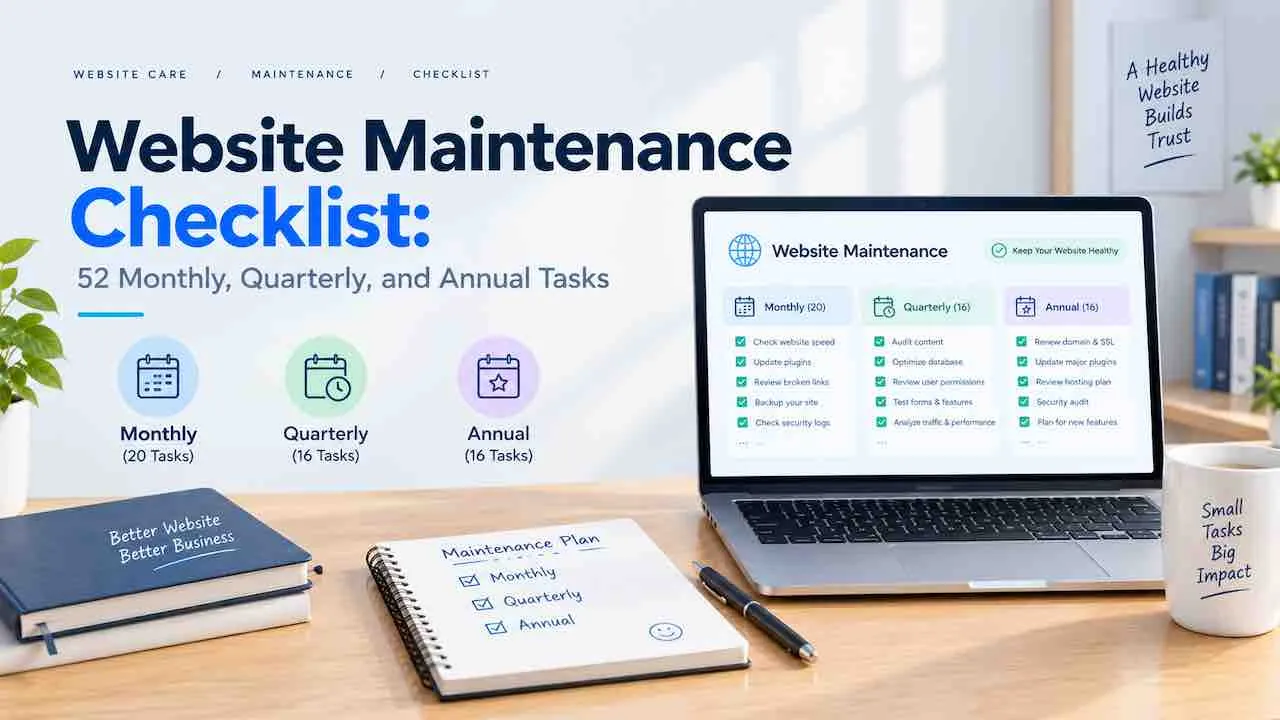
A website maintenance checklist keeps your site secure, fast, and search-visible without missing critical tasks. This website upkeep checklist covers 52 actionable tasks across monthly, quarterly, and annual schedules. Each task targets one specific failure point: security gaps, broken links, stale content, or expiring certificates. Run it as written and your site stays healthy. One missed plugin update or expired SSL certificate can cost traffic, trust, and revenue overnight. Skip the website maintenance plan and that cost arrives without warning. QuickDigital has delivered professional website maintenance services since 2014. These 52 tasks come directly from that operational experience.
Why a Website Maintenance Checklist Matters
Sites without a website maintenance schedule lose 40% more organic traffic on average from security and speed issues. Search engines demote slow pages. Browsers warn users about expired SSL certificates. Broken links frustrate visitors and damage rankings. A structured website maintenance task list removes guesswork. It assigns every critical website health check to a specific frequency. Nothing falls through the cracks. Nothing waits until a problem is visible.
This website audit checklist follows website maintenance best practices used by agencies managing over 200 client sites. Each website maintenance step maps to a known failure pattern. These website maintenance steps are ordered by impact, not alphabetically. Following these website maintenance tips saves hours of reactive debugging each month. This single document replaces five separate checklists: a website performance checklist, website security checklist, website backup checklist, website SEO checklist, and website content checklist.
This website maintenance guide follows a 3-tier frequency model:
- Monthly: 24 tasks covering security, performance, SEO, content, and backups
- Quarterly: 16 tasks covering technical audits, SEO audits, content audits, and UX
- Annual: 12 tasks covering infrastructure, strategy, and technology review
Monthly Website Maintenance Checklist (24 Tasks)
Monthly website maintenance tasks prevent the most common causes of site failure and traffic drops. Run these 24 checks every 30 days without exception. Mark each complete in your website maintenance schedule before moving to the next month.
Monthly Security Checks (Tasks 1 to 6)
Website security maintenance is the highest-priority monthly category. One compromised plugin or weak password can take down your entire site. These 6 tasks protect against the most common attack vectors.
- Run a full malware scan. Use Wordfence, Sucuri, or your hosting provider’s scanner. Flag and remove infected files immediately.
- Check your SSL certificate expiry date and schedule SSL certificate renewal. An expired SSL certificate triggers browser warnings that block visitors instantly. Set a calendar reminder 30 days before expiry. Multi-domain setups need separate tracking; SSL certificate management for multiple domains requires one reminder per certificate, not one per domain.
- Review all user accounts and access permissions. Remove any inactive users. Downgrade permissions for accounts that no longer need admin access.
- Update all plugins, themes, and extensions. Outdated plugins are the top entry point for WordPress security breaches. Theme updates patch vulnerabilities just as critical as plugin patches. Update each one individually and test after.
- Update your CMS core software. WordPress, Drupal, and Joomla release security patches regularly. Apply them within 48 hours of release.
- Review failed login attempt logs. More than 5 failed attempts from one IP signals a brute force attack. Block the IP immediately using your firewall or security plugin WAF settings. A properly configured firewall stops most automated attacks before they reach your login page.
Monthly Performance Checks (Tasks 7 to 11)
Website performance maintenance directly affects search rankings and conversion rates. A 1-second website speed delay reduces conversions by 7%. Page load time above 3 seconds loses over half of mobile visitors before the page renders. These 5 monthly checks keep your site fast.
- Run a page speed test on your homepage and top 5 pages. Use Google PageSpeed Insights or GTmetrix for each page speed test. Target a score above 85 on mobile and desktop. When scores drop below 80, improving page load speed starts with image optimization before touching scripts or fonts. Compressing images typically cuts 30 to 60% of page weight instantly.
- Check Core Web Vitals scores in Google Search Console. Monitor LCP, INP, and CLS. Any page flagged as Poor needs immediate attention before it affects rankings. LCP failures usually trace to unoptimised hero images; INP failures trace to heavy JavaScript. Core web vitals website maintenance follows a different fix sequence for each metric.
- Test mobile responsiveness on 3 different screen sizes. Use Chrome DevTools or BrowserStack. Check navigation menus, forms, and CTAs on mobile specifically.
- Review uptime monitoring logs for the past 30 days. Any downtime event lasting more than 5 minutes needs a root cause identified. Your hosting provider’s status page confirms server-side issues. Website uptime monitoring with instant alerts means you learn about downtime from a notification, not a customer complaint.
- Clear website cache and test page loading. Stale cache can serve outdated content or broken layouts. Purge cache from your caching plugin and CDN monthly.
Monthly SEO Checks (Tasks 12 to 16)
Monthly SEO maintenance stops small ranking drops before they compound. These 5 tasks use data already available in Google Search Console and Analytics.
- Check Google Search Console for crawl errors and coverage issues. Filter by Error status. Submit a fix request for each resolved issue so Google recrawls the corrected URL.
- Run a broken links check and fix all 404 errors. Use Screaming Frog or Ahrefs Site Audit for the broken links check. Redirect 404s to the closest live page with a 301 redirect.
- Update your XML sitemap and verify your robots.txt file. Your XML sitemap should exclude noindex pages. Resubmit to Google Search Console after adding new pages or changing URL structure. Check your robots.txt file blocks no pages you need indexed, particularly after any CMS update.
- Review Google Analytics traffic for month-over-month changes. A 15% month-over-month drop on a key page signals a content, speed, or ranking problem. Investigate the cause before next month. A simultaneous spike in bounce rate in Google Analytics confirms the page has a content or experience problem, not just a ranking one.
- Check for manual actions in Google Search Console. Manual penalties appear under the Security and Manual Actions section. Address each one using the provided documentation and submit a reconsideration request.
Monthly Content Checks (Tasks 17 to 20)
Stale content costs rankings. Content freshness is a confirmed ranking signal. These 4 monthly content maintenance tasks keep your pages accurate and converting.
- Scan your top 10 traffic pages for outdated statistics or broken examples. Replace any data point older than 18 months with a current figure. Add a visible last-updated timestamp after each refresh.
- Test all website forms including contact, newsletter, and lead generation forms. Submit a test entry and confirm it reaches the correct email or CRM. Form failures are invisible to site owners but cost leads daily.
- Test all CTA buttons and purchase flows end-to-end. Click every primary CTA on your homepage and product pages. Confirm each one completes correctly. A broken CTA is a direct revenue leak that conversion rate optimization testing will reveal before your customers find it first.
- Verify all images load and display at the correct size. Broken images reduce trust and page experience scores. Run a quick visual scan of your homepage, about page, and top service pages. Website downtime caused by broken assets is avoidable with monthly image checks.
Monthly Backup Verification (Tasks 21 to 24)
A backup that fails silently is worse than no backup at all. These 4 checks confirm your recovery option actually works.
- Confirm the last automated website backup completed without errors. Check your hosting dashboard or backup plugin log. A failed website backup with no alert is a silent liability. A solid website backup strategy stores copies in at least 3 locations: hosting, offsite, and cloud storage.
- Spot-test your backup restore process quarterly, not just annually. Restore one backup to a staging environment. Confirm the site loads correctly and all data is intact.
- Check backup storage capacity. Full storage stops new backups from completing. Keep at least 30% of your backup storage free at all times.
- Confirm your offsite backup copy is current. Store a copy outside your hosting server. If your host suffers a catastrophic failure, your offsite copy is your only recovery option.
Quarterly Website Maintenance Checklist (16 Tasks)
Quarterly website maintenance tasks run deeper audits that monthly checks cannot catch. Run these 16 tasks every 3 months. Block 4 to 6 hours for each quarterly session. Use a staging environment for any structural changes before pushing to production.
Quarterly Technical Audit (Tasks 25 to 28)
Technical issues compound silently. A 2-hop redirect chain becomes 5 hops over a year without a quarterly audit.
- Run a full broken link audit across every page. Use Screaming Frog or Semrush Site Audit. Export the full list of 404 errors, redirect chains, and external broken links. Fix or redirect each one.
- Test cross-browser compatibility on Chrome, Firefox, Safari, and Edge. Pay attention to CSS rendering and JavaScript execution across browsers. Fix any layout breaks in your staging environment first.
- Check database size and run database optimization. For WordPress sites, use WP-Optimize or phpMyAdmin. Remove post revisions, spam comments, and transient options. A lean database improves query speed measurably.
- Run a redirect audit on all active redirects. A redirect audit finds chains longer than 2 hops, which waste crawl budget. Consolidate any redirect chains to a single direct 301. Log the full redirect map in a spreadsheet so quarterly comparisons take minutes.
Quarterly SEO Audit (Tasks 29 to 32)
Quarterly SEO maintenance catches ranking drops before they become traffic crises. These 4 tasks review the signals that monthly checks do not go deep enough to catch.
- Run a page speed audit across your top 20 pages, not just the homepage. Interior pages frequently score lower than the homepage. Fix image compression, minification of CSS and JavaScript, and lazy loading of below-the-fold images on each flagged page. Minification alone cuts script payload by 20 to 40% on most sites. Lazy loading images reduces initial page load time by up to 50% on image-heavy pages.
- Audit all meta tags including meta titles, meta descriptions, and canonical tags. Meta title tags over 60 characters get cut in search results. Meta description tags over 160 characters get trimmed. Canonical tags that point to the wrong URL split ranking signals. Update any meta tags that exceed limits, point to outdated information, or carry incorrect canonical tag values.
- Review your internal linking structure for orphaned pages. An orphaned page receives no internal links and ranks poorly. Add links to each orphaned page from at least 2 relevant existing pages, following the website architecture SEO best practices for distributing PageRank across your full page set.
- Check your keyword rankings for all primary target pages. Compare to the previous quarter. Pages losing more than 5 positions need a content refresh, backlink review, or schema markup update. Running a full SEO checklist on each dropping page identifies whether the problem is on-page, technical, or a link building gap. Schema markup errors and missing structured data frequently explain drops that look like content problems.
Quarterly Content Audit (Tasks 33 to 36)
Content audits prevent your site from accumulating thin, outdated, or duplicate pages that dilute overall site authority.
- Audit all published blog posts for freshness and accuracy. Flag posts where the primary data point or tool recommendation is outdated. Prioritize the top 20 traffic-driving posts for updates first.
- Update statistics and data points across all audited pages. Replace generic or dated figures with specific, sourced, current numbers. Perplexity AI, ChatGPT, and Google all favour pages with verifiable factual density.
- Run a duplicate content check across your full domain. Use Siteliner or Copyscape. Duplicate content across your own pages splits ranking signals and confuses search engines. Canonicalize or consolidate duplicates; duplicate content split across two URLs sends half the ranking signal to each, so Google picks one and ignores the other.
- Refresh your top 5 landing pages with new sections or updated proof. Add recent case study results, updated testimonials, or new FAQ answers. Refreshed landing pages recover ranking positions faster than new pages. Prioritise the sections with the highest exit rates first using landing page optimization data to decide what changes.
Quarterly UX and Design Review (Tasks 37 to 40)
User experience quality directly affects dwell time, bounce rate, and conversion rate. These 4 quarterly checks align your site with current visitor expectations.
- Run end-to-end tests on all forms including multi-step forms. Test on mobile and desktop. Confirm field validation works, error messages display clearly, and submissions reach the correct destination.
- Review your navigation menu structure for clarity and depth. A navigation menu deeper than 3 levels creates friction. Simplify any dropdown menus with more than 7 items per category.
- Run a website accessibility check using WAVE or Axe. Website accessibility errors include missing alt text, low color contrast, and keyboard navigation gaps. WCAG 2.1 AA compliance is a baseline standard for all public-facing websites.
- Review mobile UX across iOS and Android on real devices. Browser testing tools simulate screens. They miss real-world issues like tap target size and font readability on actual devices.
Annual Website Maintenance Checklist (12 Tasks)
Annual website maintenance tasks cover infrastructure, strategy, and technology decisions. They set the foundation for the next 12 months. Schedule a dedicated day for your annual website maintenance review. These 12 tasks require access to hosting accounts, domain registrars, and analytics platforms simultaneously.
Annual Security and Infrastructure Review (Tasks 41 to 43)
- Domain renewal: renew domain registration for a minimum of 2 years in advance. An expired domain goes to auction within days. Google treats longer domain renewal periods as a minor trust signal. Audit all domains your brand owns and confirm auto-renewal is active.
- Hosting renewal: review your hosting plan capacity and performance benchmarks. Compare your current traffic volume to your plan limits. Shared hosting plans cap concurrent connections. Switch to VPS or managed hosting when traffic consistently exceeds your threshold.
- Conduct a full website security audit with an outside tool or service. Use Sucuri SiteCheck, Qualys SSL Labs, or a penetration testing service. A site that gets website hacked without a recent clean backup loses data permanently. Document all findings. Resolve critical and high-severity issues before the next quarter begins. If your site was website hacked previously, add a post-incident hardening checklist as a permanent annual task.
Annual SEO and Analytics Review (Tasks 44 to 46)
- Set 12-month traffic and conversion benchmarks from current verified data. Use the past year’s Google Analytics data as your baseline. Set realistic growth targets by channel and by landing page. Vague goals produce vague results.
- Review and update your Google Business Profile completely. Confirm business hours, services, photos, and contact details are current. Outdated Google Business Profile data affects local search rankings directly. Google My Business optimization covers photos, services, attributes, and Q&A, each one a local ranking factor in its own right.
- Clean up Google Analytics data by removing spam referrals and internal traffic. Add your office IP addresses to exclusion filters. Remove bot and spam referrals from historic reports. Clean data produces accurate decisions. Accurate traffic data is the foundation of every annual SEO decision you make.
Annual Content Strategy Review (Tasks 47 to 49)
- Archive or delete pages with zero traffic, zero backlinks, and no strategic purpose. Thin pages drag down overall domain quality scores. 301-redirect archived URLs to the closest live equivalent before removing them.
- Review and update your site architecture and navigation structure. Add new service or product pages that your topic clusters need. Remove navigation links to deprecated pages. A well-structured site architecture distributes PageRank efficiently across all pages. Every orphaned or dead-end page you find here directly weakens the authority flow across your site.
- Conduct a full content gap analysis against your top 3 competitors. Find queries competitors rank for that your site does not. Build a content production plan to close the gaps. A structured content marketing gap analysis maps each missing query to a specific page type and funnel stage.
Annual Technology Stack Review (Tasks 50 to 52)
- Review your CMS version, hosting stack, and PHP version against current standards. Running PHP below the current stable version is a security and performance risk. Confirm your hosting supports the latest stable PHP release for your CMS.
- Audit all third-party integrations, scripts, and plugins for necessity. Every active plugin or external script adds load time and potential security exposure. Remove any integration you no longer actively use. Fewer active plugins means fewer attack surfaces.
- Plan any website redesign, feature additions, or platform migrations for the next 12 months. A planned website redesign has a clear scope, timeline, and budget before work begins. Unplanned migrations cause more downtime than scheduled ones. A scoped WordPress development migration plan sets timeline, rollback steps, and testing requirements before any file is touched.
Website Maintenance Checklist by Category
Use this summary table to assign tasks to team members or external vendors by skill area. Each category maps to the frequency at which those tasks run most effectively.
| Category | Monthly Tasks | Quarterly Tasks | Annual Tasks | Total |
|---|---|---|---|---|
| Security | Tasks 1 to 6 | Task 25 (links audit) | Task 43 (full audit) | 8 |
| Performance | Tasks 7 to 11 | Tasks 25, 29 | Task 50 (stack review) | 8 |
| SEO | Tasks 12 to 16 | Tasks 29 to 32 | Tasks 44, 45, 46 | 12 |
| Content | Tasks 17 to 20 | Tasks 33 to 36 | Tasks 47, 48, 49 | 12 |
| Backup | Tasks 21 to 24 | Task 27 (database) | Task 42 (hosting) | 6 |
| UX and Design | Task 19 (CTAs) | Tasks 37 to 40 | Tasks 51, 52 | 6 |
Website Maintenance Checklist for Small Business Owners
A website maintenance checklist for small business owners works best as a simplified monthly and quarterly structure. Website maintenance for small business sites focuses on the 8 tasks with the highest failure risk per hour spent. You likely handle maintenance without a dedicated developer. Prioritize these 8 tasks if your time is limited to 2 hours per month:
- Update plugins and CMS software (Task 4 and 5)
- Check SSL certificate expiry (Task 2)
- Run a malware scan (Task 1)
- Verify last backup completed (Task 21)
- Fix any 404 errors found in Search Console (Task 13)
- Test your contact form (Task 18)
- Check your homepage load speed (Task 7)
- Review your Google Analytics traffic for drops (Task 15)
These 8 tasks cover the most common failure points for a small business website each month. A managed maintenance plan handles all 52 tasks when time is the constraint.
Stop Chasing Website Problems. Let Experts Run Your Checklist.
QuickDigital manages security, performance, SEO, backups, and content freshness every month. You focus on your business.
Get a Free Maintenance QuoteWordPress and CMS Maintenance Checklist: Additional Steps
A WordPress maintenance checklist differs from a generic CMS maintenance checklist because of WordPress-specific attack surfaces. The CMS maintenance checklist steps below apply to WordPress specifically. For the full WordPress-specific process, see the WordPress website maintenance guide. Add these 5 steps to your monthly website maintenance schedule if your site runs on WordPress:
- Disable XML-RPC if you do not use it. XML-RPC is a common brute force attack vector on WordPress sites. Block it via your .htaccess file or a security plugin.
- Check for nulled themes or plugins on the site. Nulled plugins contain backdoors. Audit your plugin directory against the official WordPress plugin repository monthly.
- Review your WordPress user roles against the principle of least privilege. Contributors should not have Editor access. Editors should not have Administrator access.
- Run a database repair and optimization via WP-CLI or a plugin. WordPress databases accumulate orphaned postmeta, expired transients, and spam comments. Clean monthly for best query performance.
- Confirm your staging environment mirrors your live site. All plugin updates should be tested on staging before applying to production. A broken update on a live site causes immediate downtime.
Website Maintenance Schedule Template
Use this website maintenance template to assign each task type to a specific week of the month. Copy this website maintenance schedule template into a spreadsheet or project management tool. Spreading tasks across weeks prevents any single maintenance session from becoming unmanageable. This website maintenance template works for solo operators and agency teams alike.
| Week | Focus Area | Tasks |
|---|---|---|
| Week 1 | Security and Backups | Tasks 1, 2, 3, 21, 22, 23, 24 |
| Week 2 | Software Updates and Performance | Tasks 4, 5, 6, 7, 8, 9, 10, 11 |
| Week 3 | SEO and Technical Checks | Tasks 12, 13, 14, 15, 16 |
| Week 4 | Content and UX | Tasks 17, 18, 19, 20 |
| Q1, Q2, Q3, Q4 | Deep Audit Session | Tasks 25 to 40 |
| Annual Review | Infrastructure and Strategy | Tasks 41 to 52 |
Who Should Handle Your Website Maintenance Checklist
The right person to run your website maintenance checklist depends on your site’s revenue dependency and your team’s technical depth. Most businesses fall into one of 3 categories:
Handle It In-House
In-house maintenance works when your developer can dedicate 2 to 6 hours monthly without interrupting product work. Assign one owner to the full checklist. Shared ownership leads to skipped tasks. Use this template as your monthly site health check document. Set a recurring block the first week of each month for monthly tasks. Block the first week of each quarter for quarterly sessions.
Hire a Freelancer or Agency
Outsourcing your website maintenance plan makes sense when tasks are consistently skipped, your site directly generates revenue, or fixing a maintenance issue requires skills your team does not have. A managed service runs all 52 tasks on schedule. It provides a monthly website health report with proof each task was completed. You get proof each task was completed rather than a best-guess status.
Split the Responsibility
Many businesses keep content updates in-house and outsource technical tasks: plugin updates, security scanning, malware removal, database optimization, and backup verification. This hybrid model keeps content strategy with brand owners. Server-level tasks go to technical staff. The DIY vs professional website maintenance split depends on which tasks your team consistently skips and at what cost.
Website Maintenance Cost: What to Expect
Website maintenance cost varies by site complexity, CMS platform, and task scope. Freelancer-managed maintenance runs $50 to $150 per month for most small business sites. Agency-managed maintenance covering all 52 tasks runs $200 to $600 per month. Cost varies by site size and monthly traffic. DIY website maintenance costs time rather than money: 2 to 4 hours per month for a small site, 6 to 10 hours for a large one. The full website maintenance cost breakdown by site type and task scope helps set an accurate annual budget. Skipping maintenance costs far more. A single security breach, missed domain renewal, or expired SSL certificate can cost thousands. The actual cost of website downtime per hour varies significantly by industry and revenue model.
What Happens Without a Website Maintenance Checklist
Sites without a routine website maintenance process fail in predictable patterns. Each failure follows the same sequence: a skipped task, a compounding problem, a visible damage event.
- Skipped plugin update leads to a known vulnerability being exploited. Site gets infected. Google flags it as dangerous. Rankings drop within 72 hours.
- No SSL renewal monitoring leads to certificate expiry. Browsers show “Not Secure” warning. Bounce rate spikes. Conversions stop. Recovery takes 24 to 48 hours after renewal.
- No backup verification leads to a failed restore during a server crash. Data from the past 30 days is gone. Rebuilding costs more than a year of maintenance would have.
- No broken link audit leads to 50+ 404 errors accumulating. Internal links to deleted pages bleed PageRank. Rankings on those linked pages decline slowly over 3 to 6 months.
- No content freshness review leads to outdated statistics and dead tool links. AI engines stop citing the page. Organic traffic declines as fresher competitor pages overtake stale rankings.
Each item on this website maintenance checklist maps to one of these failure patterns. The checklist is the prevention system. Running it consistently is the only way to keep failure predictable and preventable.
FAQs: Website Maintenance Checklist
Run your website maintenance checklist monthly for security, performance, SEO, content, and backups. Run quarterly for technical and content audits. Run annually for infrastructure and strategy. A monthly schedule catches problems before they compound. Quarterly and annual sessions address structural issues monthly checks cannot reach.
The 5 most critical website maintenance tasks are malware scanning, SSL certificate renewal checks, plugin and CMS updates, website backup verification, and fixing 404 errors in Google Search Console. These 5 tasks prevent the most common causes of security breaches, downtime, and ranking drops.
A WordPress maintenance checklist includes plugin updates, core CMS updates, database optimization, malware scanning, XML-RPC blocking, and user account review. Add staging environment testing and website backup verification each month. WordPress requires more frequent security checks than other CMS platforms due to plugin vulnerability disclosures.
A monthly website maintenance checklist takes 2 to 4 hours for a site with 10 to 50 pages. Larger sites need 4 to 6 hours monthly. Quarterly sessions take 4 to 6 hours. Annual reviews take a full day. A website maintenance template cuts time by 30% versus checking without a system.
Outsourcing your website maintenance checklist makes sense when tasks are skipped regularly, your site generates direct revenue, or your team cannot fix what maintenance reveals. A professional service runs all 52 tasks on schedule. It resolves issues without pulling your team away from core work.