

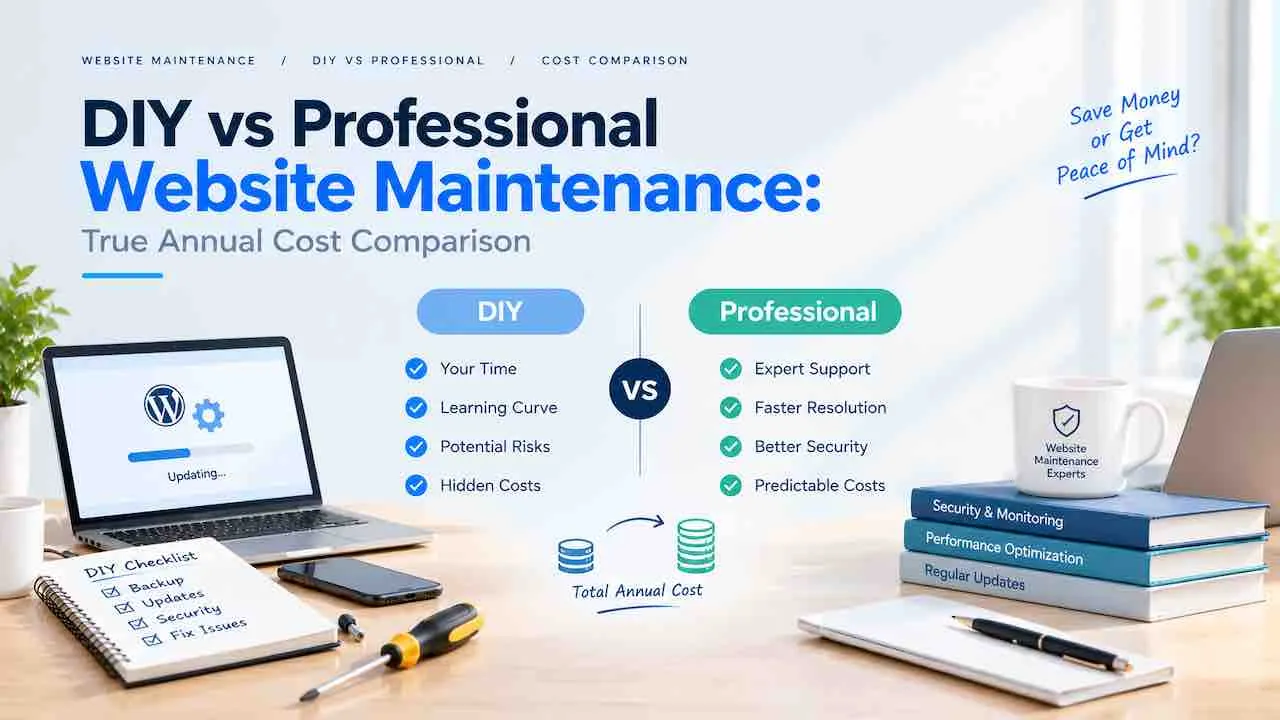
DIY vs professional website maintenance comes down to one honest number. That number is the true annual cost of each path, including your time. DIY runs $480 to $1,200 per year in direct tool costs. Professional maintenance runs $1,800 to $9,600 per year. But DIY owners spend 48 to 96 hours per year on maintenance tasks. At $75 per hour, that erases most of the price gap before a single incident occurs.
This comparison covers every real cost for DIY, freelancer, and agency maintenance. It includes direct fees, time costs, emergency recovery, and the break-even calculation. Use it to decide what makes financial sense for your business.
Step 1: What Website Maintenance Actually Involves
Website maintenance is a recurring operational workload. It is not a one-time task. A properly maintained WordPress or CMS-based site requires active attention every month across six task categories.
- Core and plugin updates: WordPress core, plugins, and themes release updates constantly. Each update carries a conflict risk with other active plugins.
- Security monitoring: Malware scans, firewall rule updates, login attempt reviews, and file integrity checks.
- Backup management: Automated daily backups stored offsite, with regular restore tests to confirm the backup actually works.
- Performance maintenance: Database cleanup, image optimization, Core Web Vitals monitoring (LCP, CLS, INP), and cache management.
- Uptime and availability monitoring: Alert systems that notify you within minutes of downtime, not hours.
- Content and technical SEO upkeep: Broken link fixes, sitemap updates, structured data validation, and crawl error resolution.
Most DIY site owners handle the first two categories. The last four are where the hidden cost and risk accumulate. The complete website maintenance task guide details every recurring task by category and frequency.
DIY vs Professional Website Maintenance: Direct Annual DIY Costs
DIY website maintenance costs less in monthly fees. It carries time and risk costs most site owners do not account for until an incident forces the issue.
Direct DIY Tool Costs Per Year
| Task | DIY Annual Cost | Notes |
|---|---|---|
| Web hosting | $240 to $1,200 | Shared to managed cloud; managed costs more but reduces maintenance load |
| Domain renewal | $10 to $60 | Renewal pricing runs higher than first-year promotional rates |
| SSL certificate | $0 to $200 | Free via Let’s Encrypt; paid premium certs add warranty and support |
| Security plugin (e.g. Wordfence Premium) | $99 to $500 | Free tiers leave real-time firewall and IP blocking disabled |
| Backup tool (e.g. BlogVault) | $89 to $249 | Offsite cloud backups required; local backups fail when the server fails |
| Uptime monitoring (e.g. Better Stack) | $0 to $216 | Free tier checks every 3 minutes; paid checks every 30 seconds |
| Premium plugins and themes | $100 to $600 | Page builders, forms, SEO tools, security scanners |
| Performance monitoring (e.g. Pingdom) | $0 to $480 | Paid monitoring adds alerting, history, and real user metrics |
Total direct DIY cost: $480 to $1,200 per year for a small business site. WooCommerce stores add payment gateway plugins, inventory tools, and PCI compliance tooling. Direct costs reach $1,200 to $3,600 per year before time investment.
The True Time Cost of DIY Website Maintenance
DIY website maintenance takes 4 to 8 hours per month for a standard WordPress site. That is 48 to 96 hours per year. This covers routine tasks only.
| Monthly Task | Time Per Month | Annual Hours |
|---|---|---|
| Plugin, theme, and core updates | 1 to 2 hours | 12 to 24 hours |
| Security scanning and log review | 1 hour | 12 hours |
| Backup verification and restore tests | 30 minutes | 6 hours |
| Performance and Core Web Vitals checks | 30 minutes | 6 hours |
| Content updates and broken link fixes | 1 to 2 hours | 12 to 24 hours |
| Emergency troubleshooting (average) | 1 to 3 hours | 12 to 36 hours |
At $75 per hour opportunity cost, 48 hours equals $3,600 per year in lost productive time. At 96 hours, that reaches $7,200. This opportunity cost alone makes DIY more expensive than professional Essentials plans for most business owners.
What Happens When DIY Website Maintenance Gets Skipped
Deferred maintenance follows a predictable failure pattern. Most WordPress compromises exploit known plugin vulnerabilities that already have patches available. The site owner simply never applied the update.
- Plugin conflict after skipped update: $800 to $5,000 in emergency developer fees
- Malware removal and full site cleanup: $200 to $2,000 per incident
- SSL lapse and browser security warning: 20 to 40% conversion drop during the warning period
- Hacked site full recovery: $1,000 to $10,000 depending on breach extent
- Data loss from backup failure: $1,500 to $15,000 for data reconstruction
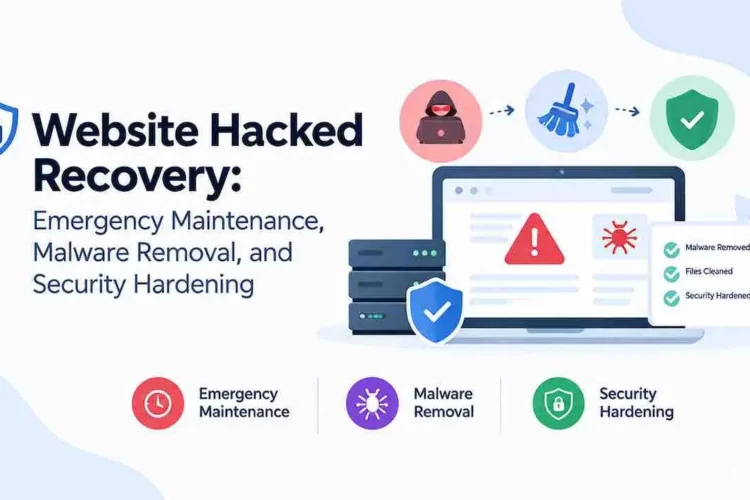
A single malware incident on a $5,000 per month revenue site costs more in downtime than a full year of professional fees. The hacked site recovery guide details what the cleanup process actually costs at each severity level.
Site downtime carries its own revenue cost. The full model is in the website downtime cost guide.
DIY vs Professional Website Maintenance: Three Options, Not Two
Most comparisons present a binary choice. The real diy vs professional website maintenance decision includes three options. Each carries a different cost profile and risk level.
Option 1: Self-Managed DIY vs Professional Website Maintenance
You handle all updates, security, backups, monitoring, and troubleshooting yourself. Direct costs run $480 to $1,200 per year. True cost with time runs $4,480 to $10,400 per year.
Best for: Technical site owners, personal blogs, pre-revenue sites, static sites with fewer than 5 plugins.
Risk: High. Consistency is the main failure mode, not technical skill. Busy weeks lead to deferred updates, and deferred updates lead to incidents.
Option 2: Freelancer Website Maintenance
A freelancer handles recurring maintenance tasks on a monthly retainer or hourly basis. Freelancers cost 40 to 60% less than agencies for equivalent work.
| Freelancer Arrangement | Monthly Cost | Annual Cost |
|---|---|---|
| Hourly retainer (3 to 5 hrs/month) | $90 to $300 | $1,080 to $3,600 |
| Fixed monthly package | $100 to $400 | $1,200 to $4,800 |
| Emergency-only (no retainer) | $0 to $500+ | $0 to $6,000+ |
Best for: Small business sites on tight budgets, simple WordPress builds, owners who want professional handling at lower cost.
Risk: Single point of failure. A freelancer going on holiday, getting sick, or dropping your account leaves you without support. No SLA guarantees. Response times depend entirely on the individual.
Option 3: Professional Agency Website Maintenance Plans
An agency team handles all maintenance under a formal service agreement with defined SLAs. Higher monthly cost but with redundancy, process discipline, and contractual accountability.
| Plan Tier | Monthly Cost | Annual Cost | Coverage |
|---|---|---|---|
| Essentials | $150 to $300 | $1,800 to $3,600 | Updates, backups, uptime monitoring, security scans |
| Growth | $300 to $600 | $3,600 to $7,200 | Essentials plus performance, reporting, minor content edits |
| Pro | $600 to $1,500 | $7,200 to $18,000 | Full technical SEO maintenance, staging, priority response |
| Enterprise | $1,500 and above | $18,000 and above | Custom SLA, dedicated developer, advanced security |
Best for: Revenue-generating sites, eCommerce, high-traffic sites, businesses in regulated sectors.
Risk: Higher monthly cost. Some agencies use generic checklists that do not account for your specific plugins or platform. Get the SLA in writing before signing.
True Annual Cost: DIY vs Professional Website Maintenance Side by Side
This comparison adds direct costs, time costs, and emergency recovery costs together. It uses $75 per hour opportunity cost, which is conservative for most business owners.
| Cost Category | DIY | Freelancer | Agency Essentials | Agency Growth |
|---|---|---|---|---|
| Direct tool and service costs | $480 to $1,200/yr | $1,080 to $4,800/yr | $1,800 to $3,600/yr | $3,600 to $7,200/yr |
| Owner time cost (at $75/hr) | $3,600 to $7,200/yr | $300 to $600/yr | $300 to $450/yr | $300 to $450/yr |
| Emergency recovery (annualized) | $400 to $2,000/yr | $200 to $1,000/yr | Covered in plan | Covered in plan |
| True annual total | $4,480 to $10,400 | $1,580 to $6,400 | $2,100 to $4,050 | $3,900 to $7,650 |
DIY website maintenance appears cheapest at the line-item level. It costs more in total for most business owners when time and risk are counted. The freelancer option delivers the best cost efficiency for simple sites on tight budgets. It lacks the SLA protection that agency plans provide.
The full website maintenance cost breakdown covers what each line includes by site type.
The Break-Even Calculation
Run this calculation before making the diy vs professional website maintenance decision for your site:
- Multiply your DIY monthly hours by your hourly rate (your opportunity cost, not a developer’s rate)
- Add your direct monthly DIY tool costs
- Add a monthly emergency risk reserve of $33 to $167 (annualized $400 to $2,000 for small business sites)
- Compare the total against your target professional plan’s monthly fee
For owners charging $50 per hour or more for their own work, this calculation resolves in favor of professional maintenance at the Essentials tier. The break-even hourly rate against Essentials pricing is $37.50 per hour.
What Professional Maintenance Includes That DIY Consistently Misses
Professional website care plans cover tasks that self-managed site owners regularly skip. Time pressure, complexity, and simply not knowing a task exists all drive those gaps.
- Staged update testing: Updates applied to a staging environment before the live site catches plugin conflicts before visitors see them
- Database optimization: Monthly cleanup of post revisions, transients, and orphaned data that bloat the database and slow query times
- Core Web Vitals monitoring: Ongoing LCP, CLS, and INP tracking with proactive fixes before Google demotes the page in search results
- Security hardening: File permission audits, XML-RPC disabling, admin account review, and PHP version management
- Uptime SLA: Contractual response time guarantees, typically 4 to 24 hours for critical failures
- Change documentation: Written records of every update, configuration change, and security event, useful for future developers or a business sale
What to Watch for Before Signing a Maintenance Contract
- Recurring fees continue even in months with minimal maintenance activity
- Some providers use the same checklist for every client regardless of platform or plugin stack
- Get the SLA response time in writing. A verbal promise is not enforceable.
- Providers who originally built your site may hold admin credentials as an advantage. Confirm you retain full access and ownership from day one.
- Content update hours are often capped in lower-tier plans. Know the cap before you sign.
The guide to choosing a website maintenance company covers vetting criteria, SLA benchmarks, and contract red flags.
Managed Hosting vs. DIY vs Professional Website Maintenance: Not the Same Choice
Managed WordPress hosting handles server-level performance, automatic core WordPress updates, and server security. It does not replace a maintenance plan. Managed hosting and website maintenance address different layers.
| What Managed Hosting Handles | What Maintenance Plans Handle |
|---|---|
| Server uptime and infrastructure | Plugin and theme updates (including conflict testing) |
| Server-level security patching | Application-level security: malware scans, hardening, user audits |
| WordPress core auto-updates | Content, SEO, and performance maintenance |
| Server caching and CDN | Database optimization and broken link fixes |
| Daily backups (server level) | Verified, tested, offsite backups with restore confirmation |
Running managed hosting without a maintenance plan leaves plugin updates, security hardening, and SEO upkeep unmanaged. Many site owners assume managed hosting covers everything. It covers the server. The application layer is still yours.
DIY vs Professional Website Maintenance by Platform
Platform choice sharply changes the maintenance workload and cost calculation. WordPress and WooCommerce carry the highest DIY maintenance burden of any major CMS.
WordPress Site Maintenance Costs
WordPress requires the most active maintenance of any major CMS platform. Core, plugin, and theme updates operate on separate release cycles. Each update carries a conflict risk with others. A site with 15 or more active plugins takes 5 to 8 hours of DIY maintenance per month. Professional WordPress maintenance runs $150 to $600 per month by site complexity.
The full breakdown is in the WordPress website maintenance guide.
WooCommerce Store Maintenance Costs
WooCommerce adds payment gateways, inventory tools, and checkout features. Each requires its own update and conflict testing cycle. DIY WooCommerce maintenance runs 6 to 10 hours per month for a mid-size store. Professional WooCommerce management runs $300 to $900 per month. A checkout-breaking update erases more in lost sales within 24 hours than 3 months of professional fees.
The WooCommerce maintenance guide covers payment gateway upkeep, PCI compliance, and store-specific security tasks.
Annual Cost by Site Type
| Site Type | DIY True Cost (inc. time) | Freelancer Annual Cost | Agency Annual Cost |
|---|---|---|---|
| Small business site (5 to 15 pages) | $4,480 to $10,400 | $1,200 to $3,600 | $1,800 to $4,800 |
| WooCommerce store (small) | $6,600 to $14,000 | $2,400 to $6,000 | $4,800 to $12,000 |
| eCommerce (mid-size) | $12,000 to $22,000 | $4,800 to $9,600 | $9,600 to $24,000 |
Technical SEO: The Cost Gap Competitors Do Not Show
Technical SEO upkeep is the most commonly ignored cost in the diy vs professional website maintenance debate. Most site owners think of maintenance as uptime and plugin updates. Google’s ranking systems also evaluate crawlability, speed, and structural health.
Technical SEO tasks that degrade without monthly attention:
- Core Web Vitals scores drift down after plugin updates or new page content
- Internal links break when pages are moved, deleted, or given new URL slugs
- Crawl budget gets wasted on parameter URLs, paginated pages, and duplicate content
- XML sitemaps become stale with deleted pages and missing new ones
- Structured data markup breaks or turns invalid after theme or plugin changes
A 20% drop in organic traffic from ignored technical SEO tasks is a real revenue loss. It compounds every month without intervention. Professional plans that include technical SEO maintenance prevent this erosion with monthly audits and same-month fixes.
Score drift after updates is covered in the Core Web Vitals maintenance guide.
Security: Where the DIY vs Professional Cost Gap Is Largest
Website security maintenance is where the diy vs professional website maintenance cost difference is most stark. In most cases, a single breach costs more than the annual gap between DIY and professional fees.
What DIY Security Setups Typically Miss
- File integrity monitoring that catches injected code before it executes
- Server-level firewall rules that block attack patterns before they reach WordPress
- Login attempt throttling and geographic IP blocking
- Regular user account audits to remove dormant admin accounts
- PHP version monitoring and deprecation management
Most DIY security relies on Wordfence or Sucuri free tiers. These tools catch known threats. They miss novel attack vectors and server-level vulnerabilities that agency-grade monitoring actively watches. The website security maintenance guide maps each security layer and its standalone cost.
Breach Prevention vs. Recovery Cost Table
| Security Event | Prevention Cost | Recovery Cost |
|---|---|---|
| Malware injection | Included in professional plan | $200 to $2,000 |
| Site defacement | Included in professional plan | $500 to $3,000 |
| Data breach (customer records) | Included in professional plan | $3,000 to $50,000+ |
| Ransomware infection | Included in professional plan | $5,000 to $25,000 |
| Plugin vulnerability exploit | Included in professional plan | $800 to $5,000 |
Low-end breach recovery costs already exceed a full year of Essentials-tier professional maintenance fees. A data breach at the high end exceeds 10 years of fees.
SSL certificate management as a security maintenance layer is covered in the SSL certificate management guide.
How to Make the DIY vs Professional Website Maintenance Decision
The diy vs professional website maintenance answer depends on three things: your site’s revenue role, your technical capacity, and your real hourly rate. Use this framework to reach a clear decision.
Choose DIY if All of These Are True
- Your site generates no revenue or direct leads
- You have hands-on technical experience with your CMS
- Your site has fewer than 10 plugins and no e-commerce functionality
- You already have a tested, automated offsite backup running daily
Choose a Freelancer if These Fit Your Situation
- Your budget does not stretch to agency pricing but DIY is not realistic
- Your site is a standard WordPress build without complex plugin dependencies
- You can tolerate a slower emergency response time (24 to 72 hours)
- You have vetted the freelancer’s process for backups, updates, and testing
Choose Professional Agency Maintenance if Any of These Apply
- Your site generates revenue, leads, or bookings
- You run WooCommerce or any on-site payment processing
- Your site drives organic search traffic you depend on
- You have deferred maintenance tasks for more than 30 days
- A prior security or performance incident has already cost you money
- Your sector has compliance requirements (healthcare, legal, finance, education)
Healthcare, legal, and financial businesses need professional website maintenance services. Only professional management reliably meets their compliance and liability requirements.
The Hybrid Option
A hybrid approach resolves the diy vs professional website maintenance question for many small businesses. Handle content updates yourself. Outsource plugin updates, security audits, and emergency response to a professional. Some agencies offer task-based billing for owners who want partial coverage.
The website maintenance checklist shows which tasks you can self-manage safely.
Frequently Asked Questions
DIY costs less in direct fees but more in total for most owners. Direct DIY costs run $480 to $1,200 per year. Add 48 to 96 hours at $75 per hour and the true annual cost reaches $4,480 to $10,400. Professional Essentials plans run $2,100 to $4,050 all-in. DIY wins only for technical owners with no revenue tied to uptime.
Freelancers cost 40 to 60% less than agencies and suit simple WordPress sites well. The main risk is a single point of failure. If that person becomes unavailable, your site has no cover. Agencies provide redundancy, documented SLAs, and a team behind the account. For revenue-generating sites, the SLA protection justifies the higher fee.
Stop DIY when your site earns revenue, when you defer tasks regularly, or after an incident has cost money. Sites with 10 or more plugins and any payment processing carry high incident risk. One plugin exploit recovery costs $800 to $5,000, which is more than several months of professional fees.
Website Maintenance Services
Stop Paying More for DIY Than Professional Care Costs
Quick Digital manages updates, security, backups, performance, and technical SEO for sites of every size. Flat monthly plans from $150. No long-term contracts. Serving clients since our founding.
No commitment. Audit delivered within 48 hours.