

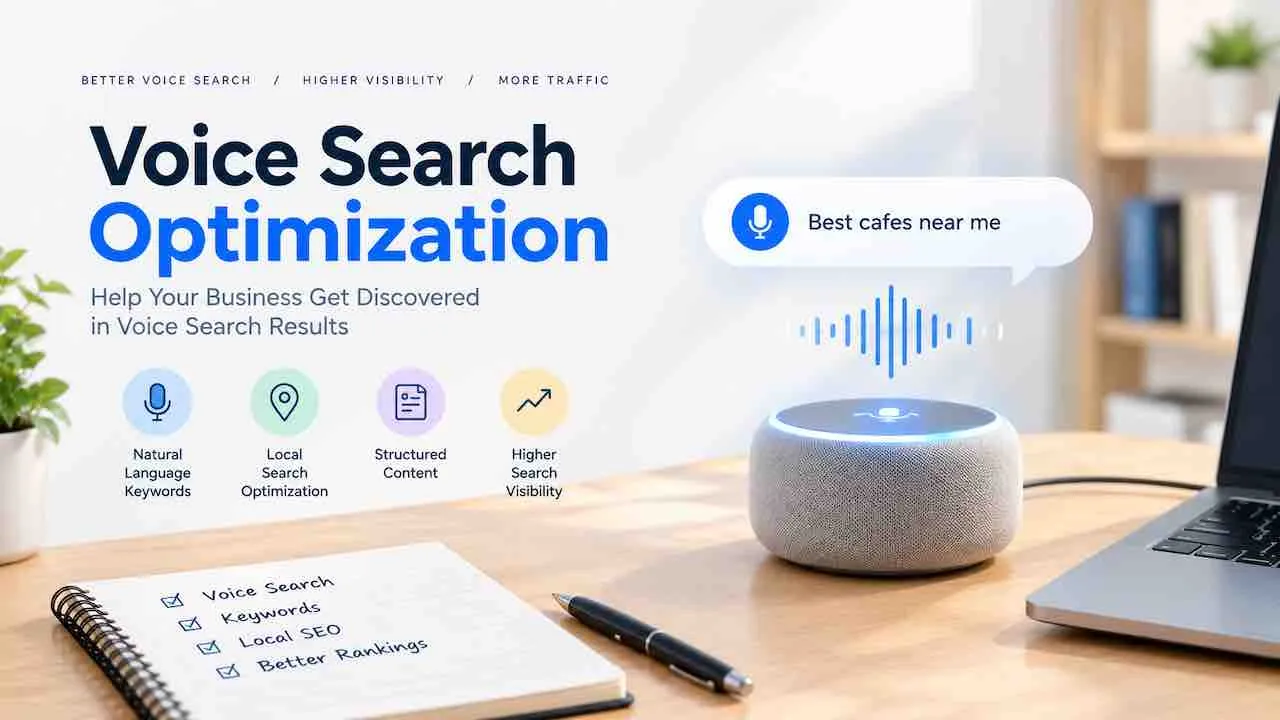
Voice search optimization structures your content, technical setup, and local signals. The goal is for Google, Siri, Alexa, and AI assistants to read your page aloud. They select it as the answer to a spoken query. Over 8.4 billion voice-enabled devices are active worldwide. Each device pulls its answer from a single source. Google selects the most direct, trustworthy, and readable page as that source. This guide covers every step to become that source.
The core difference between voice and typed search is query structure. A person typing searches “best plumber London.” Speaking, that person asks “Who is the best plumber near me?” Voice queries are longer and use full questions. They carry immediate intent. Ranking for them requires a different content structure. Short keyword SEO alone does not earn voice answers.
How Voice Search Actually Works
Voice assistants follow a three-step process when a user speaks a query. Google Assistant, Siri, and Alexa each execute this sequence the same way.
- Speech recognition: The device converts spoken audio to text using natural language processing.
- Intent classification: The assistant identifies query type: informational, local, navigational, or transactional.
- Answer retrieval: The assistant pulls a single result. For Google Assistant, this comes from the featured snippet or top-ranked page. For Alexa, it comes from Bing. For Siri, it comes from Apple Maps for local queries and Bing for general ones.
Voice results average 29 words in length. Pages earning voice answers average 2,312 total words. Short, direct answer blocks within complete pages outperform standalone short articles.
About 40.7% of voice answers come directly from featured snippets, per Backlinko research. Winning the featured snippet is the most effective tactic for informational voice queries.
Voice Search Ranking Factors
Six factors determine whether your page gets selected as a voice answer. Each factor can be controlled through deliberate on-page and technical decisions.
| Ranking Factor | What Google Looks For | Weight |
|---|---|---|
| Featured Snippet Position | Direct answer block at the top of a section | Highest |
| Page Speed | Voice result pages load 52% faster than average; target under 4.6 seconds | High |
| HTTPS | 70.4% of voice result pages use HTTPS | High |
| Schema Markup | FAQPage, Speakable, HowTo, and LocalBusiness JSON-LD | High |
| Reading Level | Grade 8 to 9 reading level; short sentences, plain language | Medium |
| Domain Authority | Average domain rating of 76 for pages that earn voice answers | Medium |
Page speed is a gate, not a boost. Pages that load slowly do not earn voice answers regardless of content quality. Voice result pages load in about 4.6 seconds on average, roughly 52% faster than typical web pages.
Conversational Keyword Research for Voice Search
Voice search keyword research targets question-based, long-tail queries rather than short head terms. Each voice query follows a predictable question structure. Build your content around these patterns.
Voice Query Patterns to Target
- How-to queries: “How do I [task] without [obstacle]?”
- Best-for queries: “What is the best [product] for [specific use case]?”
- Near-me queries: “Where is the nearest [business type] open now?”
- Cost queries: “How much does [service] cost in [location]?”
- Comparison queries: “What is the difference between [A] and [B]?”
- Definition queries: “What is [term] and how does it work?”
Use Google’s People Also Ask boxes and AnswerThePublic to find exact spoken query patterns for your industry. Filter Search Console by “how,” “what,” “where,” and “why” to identify your current voice-eligible keyword opportunities.
For a deeper look at question-based query targeting, see the guide on conversational keywords and question-based queries.
LSI and Semantic Terms to Integrate
Voice search content performs best when it covers the full semantic field of its topic. These related terms signal topical completeness to Google’s natural language processing layer.
- Voice assistant optimization, smart speaker SEO, virtual assistant ranking
- Natural language processing, spoken query, long-tail voice keywords
- Featured snippet optimization, position zero, direct answer box
- Conversational search, question-based content, FAQ schema
- Local voice search, near me optimization, voice commerce
- Speakable schema, HowTo schema, FAQPage schema markup
- Google Assistant, Siri optimization, Alexa skill, Cortana
- Mobile voice search, hands-free search, voice query intent
Content Structure for Voice Search Optimization
Voice search content structure follows one rule: put the direct answer before the explanation. Every voice-targeted section should open with a 40 to 50 word answer. Then expand with supporting detail.
The Answer-First Format
Google reads the most concise, direct answer on the page. Structure each section this way:
- Use the target question as an H2 or H3 heading
- Write a 40 to 50 word direct answer in the first paragraph
- Follow with 2 to 4 paragraphs of supporting detail, examples, and context
- Use a bulleted list or table for multi-part answers
This structure serves both featured snippet extraction and voice answer selection. Google pulls the first complete, self-contained answer it finds below a relevant heading.
Readability Standards for Voice Content
Voice assistants convert text to speech. Complex sentences, jargon, and passive constructions sound unnatural when read aloud. Write for a grade 8 to 9 reading level across all voice-targeted pages.
- Keep sentences under 17 words
- Use active voice in over 90% of sentences
- Avoid technical abbreviations without spelling them out
- Write numbers as words for spoken clarity: “three steps” not “3 steps” in answer blocks
- Use shift words to create natural spoken flow
Pages with a Flesch Reading Ease score above 60 rank in voice results at higher rates. Pages with complex readability score lower.
Featured Snippet Optimization for Voice Answers
Winning the featured snippet means winning the voice answer for that query. Featured snippets appear in three formats: paragraph, list, and table. Each format requires a different optimization approach.
Paragraph Snippets
Paragraph snippets answer single questions directly. Write a self-contained answer of 40 to 50 words that makes sense without any surrounding context. Place it in the first paragraph under the question heading. Do not start with “I” or with the phrase “In this article.”
List Snippets
List snippets appear for how-to, step-by-step, and ranked queries. Use numbered lists for sequences and bulleted lists for unordered sets. Keep each list item under 10 words. Add one sentence before the list that frames what it covers.
Table Snippets
Table snippets appear for comparison, pricing, and specification queries. Use clear column headers. Keep cell content under 8 words. Tables with two to four columns perform better in snippet selection than wider tables.
The complete guide to ranking for featured snippets covers the exact formatting patterns Google selects for each snippet type.
Schema Markup for Voice Search
Schema markup tells Google what type of answer your content contains. Four schema types directly improve voice search eligibility: FAQPage, Speakable, HowTo, and LocalBusiness.
FAQPage Schema
FAQPage schema marks up question-and-answer pairs so Google can extract them directly. Add it to any page with a clear Q&A section. Use JSON-LD format and include the exact question text and answer text from the page.
{
  "@context": "https://schema.org",
  "@type": "FAQPage",
  "mainEntity": [{
    "@type": "Question",
    "name": "How does voice search optimization work?",
    "acceptedAnswer": {
      "@type": "Answer",
      "text": "Voice search optimization structures content with direct answers, conversational language, schema markup, and fast page speed so assistants select your page as the spoken answer to a query."
    }
  }]
}
Speakable Schema
Speakable schema marks specific sections of a page as suitable for text-to-speech audio output. It signals which paragraphs contain the most concise, relevant answers. Apply it to the 1 to 3 most direct answer paragraphs on each page.
HowTo Schema
HowTo schema marks up step-by-step content. Voice assistants use it to read individual steps in response to “how to” queries. Add it to any page with numbered step content. Include a step name and description for each step.
The full implementation instructions are in the schema markup for AEO implementation guide.
Local Voice Search Optimization
Over 58% of voice searches carry local intent. Seventy-six percent of smart speaker users search locally at least once per week. Local voice search optimization targets “near me” and location-specific spoken queries.
Google Business Profile for Voice
Voice assistants pull local answers directly from Google Business Profile data. A complete, verified GBP profile is the foundation of local voice search visibility.
- Complete every GBP section: name, address, phone, category, hours, services, and description
- Use your primary service category, not a broad category like “Local Business”
- Keep hours accurate and update them for holidays
- Respond to every review within 48 hours
- Upload at least 2 to 4 new photos per month
- Use your exact business name, address, and phone on your website and all directories
See the full Google My Business optimization guide for the complete GBP ranking factor breakdown.
Local Voice Content Structure
Create location-specific pages that answer the exact questions local voice users ask. Each page targets one city or service area. It should answer the most common local queries for that location.
- “What time does [business name] open in [city]?”
- “Is [business type] open near me right now?”
- “How much does [service] cost in [city]?”
- “Where is the best [business type] in [neighborhood]?”
Add LocalBusiness schema to every location page with complete NAP data, opening hours, and service area information. NAP consistency across your website, GBP, and directories is a direct local voice ranking signal.
The local AEO and near me voice search guide covers the full strategy for location-based spoken query ranking.
Technical Voice Search Optimization
Technical performance determines whether voice assistants can access and render your content. Four technical factors directly impact voice search eligibility.
Page Speed
Voice result pages load in about 4.6 seconds on average, roughly 52% faster than typical pages. Target a Largest Contentful Paint under 3 seconds and a Time to First Byte under 1.3 seconds.
- Enable GZIP or Brotli compression on all text assets
- Use a content delivery network for static assets
- Compress images to under 100KB using WebP format
- Defer non-critical JavaScript
- Eliminate render-blocking resources in the above-the-fold section
The page speed improvement guide covers Core Web performance benchmarks and the specific fixes that reduce load time fastest.
Mobile Optimization
Over 56% of voice assistant usage happens on smartphones. Google’s mobile-first indexing means your mobile version drives your voice search eligibility. Test every voice-targeted page using Google’s Mobile-Friendly Test and PageSpeed Insights before publishing.
HTTPS
About 70.4% of pages that rank in voice results use HTTPS. An HTTP page does not rank for voice answers. Verify your SSL certificate is active, your site redirects HTTP to HTTPS, and no mixed-content errors exist.
Crawlability
Voice assistants cannot cite a page they cannot crawl. Check your robots.txt file to confirm it does not block your voice-targeted answer sections. Use Google Search Console to verify all target pages are indexed and showing as crawled.
Voice Search and AI Answer Engine Optimization
Voice search optimization and AI answer engine optimization now share the same content requirements. Google’s AI Overviews, Perplexity, and other AI search engines pull answers using the same signals that voice assistants use: direct answers, schema markup, authoritative sources, and readable structure.
A page optimized for voice answers is also optimized for AI citation. The two channels share the same ranking signals. Both channels favor content that opens with a direct answer, uses structured formatting, and loads fast on mobile.
The strategies for answer engine optimization and voice search overlap at every level. Building for one builds for both.
For coverage of how AI-generated answers are structured and cited, see the Google AI Overviews optimization guide.
Measuring Voice Search Performance
Voice search does not have a dedicated analytics channel. Measure it through proxy signals that reflect voice query performance.
| Metric | Where to Track | What It Indicates |
|---|---|---|
| Question query impressions | Google Search Console | Visibility for how/what/where/when/why queries |
| Featured snippet wins | Rank tracking tools | Pages selected as voice answer candidates |
| Position zero appearance rate | SEMrush, Ahrefs | Featured snippet ownership over time |
| Local pack position | Google Search Console, BrightLocal | Local voice answer eligibility |
| Page speed scores | PageSpeed Insights | Technical gate for voice result selection |
| Mobile usability errors | Google Search Console | Mobile indexing issues affecting voice |
Filter Search Console queries by “how,” “what,” “where,” “why,” and “best” monthly to track growth in voice-eligible query impressions. Compare featured snippet win rate against these filtered queries to measure voice content performance over time.
Voice Search Optimization for Different Platforms
Each voice assistant pulls answers from different sources. Optimizing for one does not automatically optimize for others. Target each platform with specific tactics.
Google Assistant
Google Assistant uses Google Search results. Featured snippet ownership, page speed, schema markup, and GBP completeness drive Google Assistant answers. Everything in this guide applies directly to Google Assistant optimization.
Amazon Alexa
Alexa uses Bing for general queries and Yelp for local business queries. Optimize your Bing Places for Business listing with complete NAP data, categories, and photos. Maintain a complete and reviewed Yelp profile for local Alexa visibility. Building an Alexa Skill gives brands a direct voice interaction channel. See how answer engine optimization extends beyond voice to all AI-driven answer formats.
Apple Siri
Siri uses Apple Maps for local queries and Bing for general queries. Claim and complete your Apple Maps Connect listing. Keep hours, phone, website, and category accurate. Siri reads Apple Maps data for local intent queries on iPhone and iPad.
Microsoft Cortana
Cortana uses Bing Search and the Microsoft ecosystem. Optimize your Bing Places for Business listing and follow Bing Webmaster Tools guidelines. Bing’s ranking factors closely mirror Google’s for voice content: direct answers, schema markup, and page speed.
Common Voice Search Optimization Mistakes
These mistakes block voice search visibility regardless of how much content is published.
- Writing for typed queries only: Short-tail keyword optimization does not earn voice answers. Add question-format headings and direct answer paragraphs to every content page.
- Burying the answer: Google reads the first complete answer it finds. Long introductions before the answer prevent featured snippet selection.
- Slow page load: Pages over 6 seconds load time rarely appear in voice results. Fix Core Web performance scores before adding schema markup.
- Missing schema markup: FAQPage and Speakable schema tell Google which sections contain voice-eligible answers. Pages without schema miss these signals.
- Inconsistent NAP data: Local voice queries require matching name, address, and phone across GBP, your website, and directories. Any discrepancy reduces local voice visibility.
- No mobile optimization: Voice search is mobile-first. A poor mobile experience removes your pages from voice answer consideration.
Frequently Asked Questions
Voice search optimization is structuring content, schema markup, and technical performance so voice assistants select your page as the spoken answer to a query. It targets question-format content, fast page speed, featured snippet ownership, and local business data completeness.
Write a 40 to 50 word direct answer immediately after each question-format heading. Use conversational language at a grade 8 to 9 reading level. Add FAQPage, Speakable, or HowTo schema. Fix page speed to load under 4.6 seconds. Target featured snippets for informational queries.
Yes. FAQPage schema, Speakable schema, and HowTo schema directly signal to Google which sections contain voice-eligible answer content. Schema markup does not guarantee selection but removes a barrier that prevents many pages from earning voice answers.
About 20.5% of the global population uses voice search, and 21% use it at least weekly across devices. Over 58% of voice searches carry local intent. Smart speaker users account for roughly 35% of device-based voice queries.
Voice search targets spoken, question-format queries rather than short keyword phrases. Voice queries are 3 to 5 words longer than typed queries. Voice results return a single spoken answer, so ranking second has no value. Content structure, conversational language, and schema markup matter more than keyword density.
Voice Search Optimization Service
Rank in Spoken Answers and AI Overviews
Quick Digital builds voice-ready content, Speakable schema, and featured snippet strategies that put your business in the answer, not just the results. Serving clients since our founding.
Get a Free Voice SEO AuditNo commitment. Audit delivered within 48 hours.