


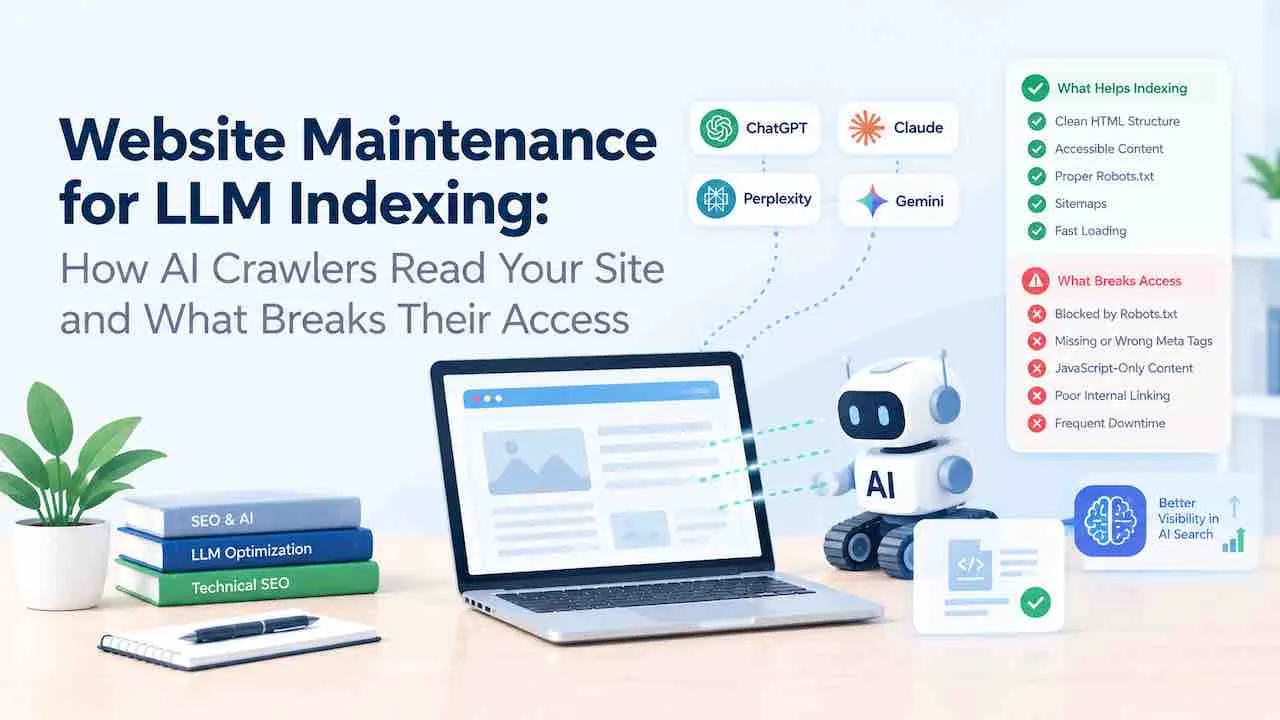
AI crawlers cannot index your site if your robots.txt blocks them, your content loads via JavaScript, or your server returns errors on their requests. Website maintenance for LLM indexing fixes these specific access barriers. Most sites block AI bots by accident. Common causes include outdated robots.txt files, aggressive security settings, and JavaScript rendered content. GPTBot, ClaudeBot, and PerplexityBot cannot read JavaScript rendered pages.
This guide covers every maintenance task that controls LLM crawl access, content extraction, and citation of your pages.
How LLM Crawlers Differ From Googlebot
LLM crawlers collect training data and build answer indexes. They do not send ranking signals back to your site. Googlebot renders JavaScript and crawls with a large budget. Most AI crawlers fetch raw HTML only. They do not execute JavaScript. If your content requires JavaScript to load, AI bots receive a blank page or a placeholder shell.
This is the single most common maintenance failure for LLM indexing.
AI crawler activity does not appear in Google Search Console. You must audit your server access logs directly to confirm their visits and catch access errors. Learn how LLM training data indexing works to understand why each maintenance task matters.
AI Crawler Bots: Names, Owners, and Purpose
Each major AI platform operates its own crawlers. Some bots collect training data. Others power live answer retrieval. Blocking a training bot and a retrieval bot produce different outcomes. A site that blocks GPTBot stays out of future training runs. A site that blocks ChatGPT-User gets removed from live browsing responses.
| Bot Name | Owner | Purpose | robots.txt User Agent |
|---|---|---|---|
| GPTBot | OpenAI | ChatGPT model training | GPTBot |
| ChatGPT-User | OpenAI | ChatGPT live browsing responses | ChatGPT-User |
| OAI-SearchBot | OpenAI | SearchGPT real time answer retrieval | OAI-SearchBot |
| ClaudeBot | Anthropic | Claude AI model training | ClaudeBot |
| Claude-SearchBot | Anthropic | Claude live answer retrieval | Claude-SearchBot |
| PerplexityBot | Perplexity AI | Real time AI search answer index | PerplexityBot |
| Google-Extended | Gemini AI model training | Google-Extended | |
| CCBot | Common Crawl | Open training datasets for many LLMs | CCBot |
| meta-externalagent | Meta | Meta AI model training | meta-externalagent |
| Applebot-Extended | Apple | Apple Intelligence model training | Applebot-Extended |
| Bytespider | ByteDance | TikTok and ByteDance AI systems | Bytespider |
| YouBot | You.com | You.com AI search answer index | YouBot |
| AmazonBot | Amazon | Alexa and Amazon AI features | AmazonBot |
Eight Maintenance Failures That Break LLM Crawler Access
Every failure below removes your content from AI indexing. Each one is preventable with regular maintenance.
1. Robots.txt Blocking AI Bots
A wildcard Disallow rule blocks every crawler that matches. WordPress security plugins and CDN security tools frequently inject User-agent: * with Disallow: / during maintenance mode and leave it live. AI crawlers respect robots.txt. A blocked bot never fetches your content.
A second common error is a blanket rule that catches unnamed agents. New AI crawlers with unfamiliar user agent strings fall into the wildcard and get blocked silently.
2. Cloudflare Bot Fight Mode
Cloudflare Bot Fight Mode blocks automated crawlers. It classifies GPTBot and ClaudeBot as suspicious traffic. Server logs show 403 or 1020 errors for these user agents when Bot Fight Mode is active. This is the most frequently reported LLM access failure on sites running Cloudflare WAF.
3. JavaScript Rendered Content
React, Vue, Angular, and SvelteKit sites deliver an empty HTML shell on the first HTTP response. Visible text loads only after JavaScript runs in the browser. AI crawlers fetch that initial HTML. They see nothing. Content inside JavaScript sliders, tabs, accordions, and sections loaded via API calls is invisible to LLM bots.
Disable JavaScript in your browser and reload your key pages. Any content that disappears is also invisible to AI crawlers.
4. Rate Limiting on Crawler IP Ranges
Server rate limiting blocks IP addresses that make many requests per minute. AI crawlers index large sites at high frequency. A misconfigured rate limit returns 429 errors. The bot logs the domain as inaccessible and reduces or stops its visits.
5. Recurring Server Errors
5xx errors during crawl sessions signal that your server cannot process the request. AI crawlers log these failures. They reduce visit frequency for domains with repeated errors. Monthly maintenance scans that catch recurring 5xx errors protect your LLM indexing continuity.
6. Expired SSL Certificates
An expired SSL certificate causes AI crawlers to abort the HTTPS connection. Bots do not follow insecure connections by default. SSL expiry monitoring is a required maintenance task for any site that depends on AI visibility. SSL certificate management prevents this silent access failure.
7. CAPTCHA on Crawlable Pages
CAPTCHA challenges stop automated crawlers. A security plugin that adds CAPTCHA to article pages or tag archives blocks AI bots completely. They receive the CAPTCHA prompt and abandon the request.
8. Noindex Tags on Indexable Content
Several AI crawlers respect noindex directives. Google-Extended follows the same noindex rules as Googlebot. A misconfigured SEO plugin that sets noindex on category or tag pages removes those URLs from AI indexes. Noindex tag audits belong in every monthly maintenance cycle.
Robots.txt Configuration for LLM Indexing
Your robots.txt file is the primary access control layer for AI crawlers. Audit it during every maintenance cycle. Security plugin updates, CDN configuration changes, and CMS migrations frequently overwrite custom robots.txt rules.
Allow All AI Crawlers
User-agent: GPTBot
Allow: /

User-agent: ChatGPT-User
Allow: /

User-agent: OAI-SearchBot
Allow: /

User-agent: ClaudeBot
Allow: /

User-agent: Claude-SearchBot
Allow: /

User-agent: PerplexityBot
Allow: /

User-agent: Google-Extended
Allow: /

User-agent: CCBot
Allow: /

User-agent: meta-externalagent
Allow: /

User-agent: Applebot-Extended
Allow: /

User-agent: Bytespider
Allow: /
Block Training Bots While Keeping Retrieval Bots Active
Training bots and retrieval bots produce different outcomes. Blocking GPTBot removes your site from future training data. Blocking ChatGPT-User and OAI-SearchBot removes you from live answers. You can block one without blocking the other.
User-agent: GPTBot
Disallow: /

User-agent: CCBot
Disallow: /

User-agent: ChatGPT-User
Allow: /

User-agent: OAI-SearchBot
Allow: /

User-agent: ClaudeBot
Allow: /

User-agent: Claude-SearchBot
Allow: /

User-agent: PerplexityBot
Allow: /
This configuration keeps your content available in live AI answers while preventing training data collection.
The llms.txt File
Place a Markdown file at /llms.txt in your site root. This file gives AI systems a structured directory of your key pages, content hierarchy, and preferred brand attribution. A 200 response helps AI crawlers map your site accurately. A 404 forces them to infer structure from links alone.
The format follows a standard structure:
# Your Brand Name

> One-sentence description of what your site covers and who it serves.

## Core Services

- [Service Page Title](https://example.com/service/): What this page covers in one line.
- [Another Page](https://example.com/page/): Brief description.

## Key Guides

- [Guide Title](https://example.com/guide/): What readers learn here.

## About

- [About Page](https://example.com/about/): Company background and expertise.
The companion file /llms-full.txt embeds full page content for AI systems that prefer it. The base /llms.txt stays as a small directory index. Maintain both files. Review and update them after every major site release, URL restructure, or sitemap change. Every URL listed must return a 200 with the correct canonical.
Fix JavaScript Rendering for AI Bot Access
JavaScript rendered content blocks AI indexing at the infrastructure level. Three maintenance approaches fix it.
Server Side Rendering
Server side rendering generates complete HTML on the server before sending it to the crawler. The bot receives fully populated text on the first HTTP response. No JavaScript execution needed. Next.js and Nuxt.js provide SSR for React and Vue applications. Remix and SvelteKit provide the same capability for their respective frameworks.
Apply SSR to public content pages: blog posts, service pages, landing pages, and author pages. Authenticated routes and admin panels can stay client rendered.
Static Site Generation
Static site generation builds every page as complete HTML at deploy time. AI crawlers receive finished pages with no rendering dependency. Astro, Next.js, and Gatsby support this approach. It produces the fastest crawl response times of any architecture.
Dynamic Rendering for Existing Sites
Sites that cannot migrate to SSR or SSG can use dynamic rendering. This approach serves prerendered HTML to known bots while delivering JavaScript to browsers. Detection happens at the server level based on user agent. Rendertron and Prerender.io implement this without changing your frontend code.
WordPress and JavaScript Content
WordPress core delivers standard HTML. The problem appears when page builders load content inside JavaScript widgets. Content inside Elementor sliders, Divi tabs, and WPBakery accordions does not appear in the raw HTML response. Move key content out of JavaScript containers and into native HTML elements. The Simply Static plugin is the solution for WordPress sites that cannot migrate to a modern framework. It converts your site to static HTML files. This removes JavaScript rendering dependency for AI crawlers without rebuilding the site.
Page Structure AI Crawlers Can Parse
AI crawlers extract meaning from your HTML structure. A well maintained semantic structure increases the probability that your content appears in LLM generated answers.
Heading Hierarchy
Use one H1 per page. Structure H2 through H4 headings as a logical topic outline. AI systems read heading structure to understand what a page covers and how topics relate. A flat structure with only H2 tags reduces topical clarity for machine readers.
Content Chunk Size
Organize content into sections of 200 to 400 words with clear headings. AI crawlers split content into passages for indexing. Long paragraphs mix multiple ideas in one passage. This reduces the precision of extracted chunks and lowers the chance of citation.
Clean HTML Structure
Excessive div nesting produces extraction noise. Content buried inside many wrapper divs makes it harder for AI parsers to find the main text block. Semantic HTML elements help AI parsers locate content faster. Tables formatted with proper thead and th elements are parsed accurately. Tables built with div layouts are often skipped by AI parsers.
Image Alt Text for AI Extraction
Images with no alt text contribute zero to AI content extraction. AI crawlers that process visual elements use alt text as the text signal for what an image contains. Descriptive alt text on every image keeps visual information accessible to AI parsers. AI crawlers reading your page cannot process an image with no alt text. That image contributes nothing to content extraction.
Crawl Depth and Discovery
Pages more than 3 clicks from the homepage get crawled less often by AI bots. Clean robots.txt access does not guarantee discovery. A page buried deep in site architecture gets missed even when fully allowed. Keep key content pages within 3 clicks of your homepage to stay within active crawl reach.
Canonical Tags for AI Indexing
AI crawlers without canonical guidance index all URL variants: product filter pages, UTM parameter versions, and pagination duplicates. This splits indexing signal across many near identical pages. Add <link rel="canonical"> on every page with expected duplicates. The canonical target must return a 200 response. Submit only canonical URLs in your XML sitemap.
FAQ Sections
FAQ sections map directly to how AI engines generate answers for conversational and high intent queries. AI systems extract this format most reliably: a clear question heading with a direct short answer below it. Answer engine optimization builds on this structure at the content level.
Structured Data for LLM Indexing
Structured data gives AI crawlers machine readable context without requiring them to infer meaning from prose. Four schema types have direct impact on LLM content extraction.
Article Schema
Article schema marks your content as a formal piece of writing. It signals author, datePublished, and headline to AI parsers. Include dateModified alongside datePublished. This signals content freshness to retrieval systems that prioritize recent sources.
FAQPage Schema
FAQPage schema presents question and answer pairs in a format built for AI answer extraction. Each question maps to a concise answer. AI engines pull these pairs into response generation at high reliability. Schema markup implementation is a core maintenance task for LLM ready sites.
Organization Schema
Organization schema establishes your brand as a named entity. Include name, URL, logo, description, and sameAs links to your social profiles. Keep entity details consistent across your site, LinkedIn, and external directories. Conflicting information across sources reduces citation likelihood in AI answers. This supports the EEAT trust signals AI systems use to evaluate source credibility.
HowTo Schema
HowTo schema marks numbered step sequences with names and descriptions. AI systems trained on instructional content prioritize this format for procedural queries. Apply it to any page that walks through a process in steps.
Content Freshness Signals for AI Training Data
AI training crawlers prioritize fresh content. Pages with no update signal get crawled less often and scored lower in training data selection.
Update dateModified in Schema
When you revise a page, update the dateModified field in your Article schema. This tells AI retrieval systems the content reflects current information. A static date that never changes signals stale content.
XML Sitemap Maintenance
Include lastmod values in your XML sitemap. A lastmod date that matches recent edits tells crawlers which pages to prioritize on the next visit. Sitemaps with no lastmod data or dates from old CMS migrations do not help AI indexing.
Regular Content Maintenance Passes
Pages with no edits over a long period attract fewer AI crawl visits. Quarterly maintenance passes that update data and remove outdated claims keep pages active in AI training datasets.
Page Speed Requirements for AI Crawler Access
AI crawlers operate under tight timeout budgets. A page that does not respond within 10 to 15 seconds gets abandoned. The crawler logs a timeout failure and reduces future visit frequency for that domain.
Time to First Byte
AI bots evaluate time to first byte (TTFB) rather than waiting for Largest Contentful Paint. A TTFB above 800 milliseconds puts pages at risk during crawl sessions under server load. Database query optimization, object caching, and PHP opcode caching reduce TTFB at the server level.
Core Web Vitals and Crawlability
LCP above 4 seconds signals slow server response. Treat pages with LCP above 4 seconds as LLM indexing risks alongside their SEO ranking penalty. Core Web Vitals maintenance directly improves crawl reliability for both Googlebot and AI bots.
CDN and Image Optimization
A CDN reduces geographic latency for crawlers hitting your origin server from distant locations. Unoptimized images slow page load without adding textual value to AI crawl sessions. These are standard tasks that protect LLM indexing performance alongside user experience. Page load speed improvements lower crawler abandonment rates across all bot types.
Cloudflare and CDN Configuration for AI Crawlers
CDN and security layer misconfigurations block AI crawlers before requests reach your server. Review these settings after every CDN configuration update.
Disable Bot Fight Mode for Known AI Crawlers
Cloudflare Bot Fight Mode treats GPTBot, ClaudeBot, and PerplexityBot as suspicious automated traffic. Create a custom WAF bypass rule for known AI crawler user agents to pass Bot Fight Mode.
Cloudflare WAF custom rule to allow AI crawlers:
(http.user_agent contains "GPTBot") or
(http.user_agent contains "OAI-SearchBot") or
(http.user_agent contains "ChatGPT-User") or
(http.user_agent contains "ClaudeBot") or
(http.user_agent contains "PerplexityBot") or
(http.user_agent contains "Google-Extended")
Action: Skip > Bot Fight Mode
WAF Rules and IP Allowlists
OpenAI publishes its GPTBot IP range at openai.com/gptbot. Anthropic publishes ClaudeBot IP ranges in its usage policy documentation. Adding these IP ranges to your WAF allowlist prevents false positive blocks from rate limiters. Verify these IP lists during quarterly maintenance reviews. AI platforms expand their IP ranges as they scale.
Rate Limiting Thresholds
Set rate limiting thresholds above the crawl frequency of major AI bots. GPTBot and CCBot can make many requests per hour on large sites. A threshold below their crawl rate returns 429 errors and triggers access backoff. Review rate limit configurations during every WAF audit.
Server Log Auditing for AI Crawler Activity
Google Search Console does not report AI crawler visits. Your raw server access logs are the only source of truth. Monthly log audits confirm which AI bots visited, which pages they fetched, and whether they received errors.
User Agent Strings to Filter
Filter your access logs for these user agent strings:
- GPTBot
- ChatGPT-User
- OAI-SearchBot
- ClaudeBot
- Claude-SearchBot
- PerplexityBot
- Google-Extended
- CCBot
- meta-externalagent
Note the HTTP status code for each request. A healthy crawl session shows mostly 200 responses. Recurring 403, 429, or 5xx errors point to access problems. No AI crawler entries in your logs means your robots.txt blocks them or your CDN filters them. Both cause the same result: zero AI indexing.
Tools to Test AI Crawler Access
Four tools confirm AI crawler access without requiring manual log parsing:
- Cloudflare Bot Analytics: The Cloudflare dashboard shows AI bot traffic broken down by user agent. No log parsing needed. View GPTBot, ClaudeBot, and PerplexityBot visit counts directly.
- Browser JavaScript disabled test: Disable JavaScript in Chrome DevTools and reload your pages. Any content that disappears is invisible to AI crawlers. This is the fastest way to audit JS rendering issues.
- Screaming Frog: Crawl your entire site to audit structured data coverage. Identify pages missing Article, FAQPage, or Organization schema at scale without reviewing pages one by one.
- Prerender.io dashboard: If you use dynamic rendering, the Prerender.io dashboard logs every AI crawler visit and shows which pages were served prerendered HTML.
Automated Log Monitoring
AI powered website monitoring tools parse server logs and alert you when known crawler activity drops. This replaces manual monthly audits with automated detection.
Bing Webmaster Tools and IndexNow for Copilot Visibility
Bing’s index feeds Microsoft Copilot. A site absent from Bing is absent from Copilot answers. Submit your site to Bing Webmaster Tools and verify ownership. This gives Bing direct confirmation of your site structure and content.
Implement IndexNow to push updated URLs to Bing in real time. After each publish or update, IndexNow sends the URL directly to Bing. Your page does not wait for the next scheduled crawl. Pages appear in Copilot answers faster after content updates. IndexNow is a single API call. Most major CMS platforms support it through plugins or native integration.
Bing Webmaster Tools also shows if any of your pages return crawl errors for Bingbot. Fix these errors before expecting Copilot visibility. A page Bingbot cannot read does not appear in Copilot answers regardless of your robots.txt configuration.
Measure AI Referral Traffic in GA4
Confirming that AI crawlers can access your site is step one. Measuring whether that access translates into referral traffic is step two.
Create a custom channel group in Google Analytics 4 that segments referral traffic from these domains:
- chatgpt.com
- chat.openai.com
- perplexity.ai
- claude.ai
- bing.com/chat (Copilot)
- gemini.google.com
- you.com
This custom segment shows the actual traffic impact of your LLM indexing maintenance work. A rise in this segment after a maintenance fix confirms your access improvements are producing real citations and clicks. Track this metric monthly alongside your server log audits.
Website Maintenance Checklist for LLM Indexing
| Maintenance Task | Frequency | LLM Indexing Impact |
|---|---|---|
| Robots.txt AI crawler audit | Monthly | Prevents accidental blanket blocks |
| SSL certificate renewal | Before expiry | Prevents connection rejection by crawlers |
| Server log analysis for AI bots | Monthly | Confirms crawler access and surfaces errors |
| JavaScript rendering audit | On each deployment | Confirms content visible in raw HTML |
| XML sitemap lastmod update | On content update | Signals fresh content to training crawlers |
| Structured data validation | Monthly | Confirms schema intact after CMS updates |
| CDN and WAF bot rule review | After each CDN change | Prevents AI bots blocked by security rules |
| Page speed and TTFB audit | Monthly | Reduces crawler timeout and abandonment |
| Rate limiting threshold review | Quarterly | Prevents 429 errors for legitimate crawlers |
| Content freshness pass | Quarterly | Keeps pages active in AI training selection |
| Noindex tag audit | Monthly | Prevents accidental removal from AI indexes |
| CAPTCHA placement review | On plugin update | Prevents challenge pages blocking AI bots |
| llms.txt file review | Quarterly and after URL changes | Keeps AI site map accurate and accessible |
| Canonical tag audit | On deployment | Prevents duplicate URL indexing by AI bots |
| Image alt text audit | On content update | Keeps visual content extractable by AI crawlers |
| IndexNow submission setup | One time setup, then verify monthly | Pushes updates to Bing and Copilot in real time |
| GA4 AI referral traffic review | Monthly | Measures actual LLM traffic impact of maintenance |
| Crawl depth audit | Quarterly | Confirms key pages within 3 clicks of homepage |
LLM Indexing Maintenance vs. Traditional SEO Maintenance
Traditional SEO maintenance focuses on Googlebot access and SERP ranking signals. LLM indexing maintenance focuses on raw HTML text accessibility, structured data precision, and content clarity for machine extraction. These goals overlap but require different audit tasks.
| Maintenance Area | Traditional SEO Focus | LLM Indexing Focus |
|---|---|---|
| Robots.txt | Manage Googlebot crawl budget | Allow each named AI crawler individually |
| JavaScript | Googlebot renders JS in most cases | AI bots need complete HTML on first response |
| Structured data | Rich snippet eligibility in SERPs | AI answer extraction accuracy |
| Page speed | Core Web Vitals ranking factor | Crawler timeout prevention |
| Content updates | Freshness signals for rankings | Training data selection priority |
| Security settings | Protect users and maintain Google trust | Avoid blocking AI crawler IP ranges |
| Server logs | Monitored through Search Console | Raw log analysis only source of truth |
Technical SEO maintenance handles the Googlebot side of your site health. LLM indexing maintenance adds a parallel audit track for AI crawlers and their specific extraction requirements.
GEO Optimization and Your Maintenance Workflow
Generative engine optimization aligns your content with how AI engines build answers. Website maintenance creates the technical foundation that GEO strategies require. Your content must be accessible before it can be cited.
A well structured, fast, and unblocked page earns inclusion in AI generated answers. A technically broken page does not earn citations regardless of content quality. Generative engine optimization depends on clean maintenance fundamentals. Accessible HTML, valid schema, functioning crawl access, and consistent server uptime are the baseline requirements.
Semantic entity optimization reinforces this foundation. AI systems build answers from named entities: brands, people, tools, and organizations. Structured data and consistent entity mentions across your site and external sources strengthen your citation probability. Semantic SEO and entity optimization extends this work at the content strategy level.
Frequently Asked Questions
Yes. All major AI crawlers respect robots.txt directives. GPTBot, ClaudeBot, PerplexityBot, Google-Extended, and CCBot follow Disallow rules. A blanket User-agent: * Disallow: / blocks every bot including all AI crawlers. Audit your robots.txt file monthly to prevent accidental blocks from plugin or CDN updates.
No. Most AI crawlers fetch raw HTML only. They do not execute JavaScript. Content that loads via React, Vue, Angular, or JavaScript page builders is invisible to these bots. Server side rendering or static site generation delivers complete HTML on the first response and fixes this problem.
Audit your server access logs. Filter for user agent strings: GPTBot, ChatGPT-User, ClaudeBot, PerplexityBot, and Google-Extended. Google Search Console does not report AI crawler activity. Raw server logs are the only reliable source of this data.
Yes. Cloudflare Bot Fight Mode classifies GPTBot and ClaudeBot as suspicious automated traffic. Create custom WAF bypass rules so AI crawler user agents pass Bot Fight Mode without a challenge. Review these rules after every Cloudflare configuration update.
Monthly for most tasks. Audit robots.txt, server logs, structured data validation, and noindex tags monthly. Review CDN and WAF bot rules after every configuration change. Update XML sitemap lastmod values with every content update. Run full content freshness audits quarterly.
Get Your Site Indexed by AI Search Engines
Most sites block AI crawlers without knowing it. A single security plugin update or CDN rule change can remove your site from LLM indexing overnight. Regular maintenance prevents this.
Is your site visible to GPTBot, ClaudeBot, and PerplexityBot?
Quick Digital has delivered website maintenance services since 2014. We audit robots.txt, fix JavaScript rendering barriers, validate structured data, and analyse server logs for AI crawler access errors.
Get a Free LLM Indexing Audit