




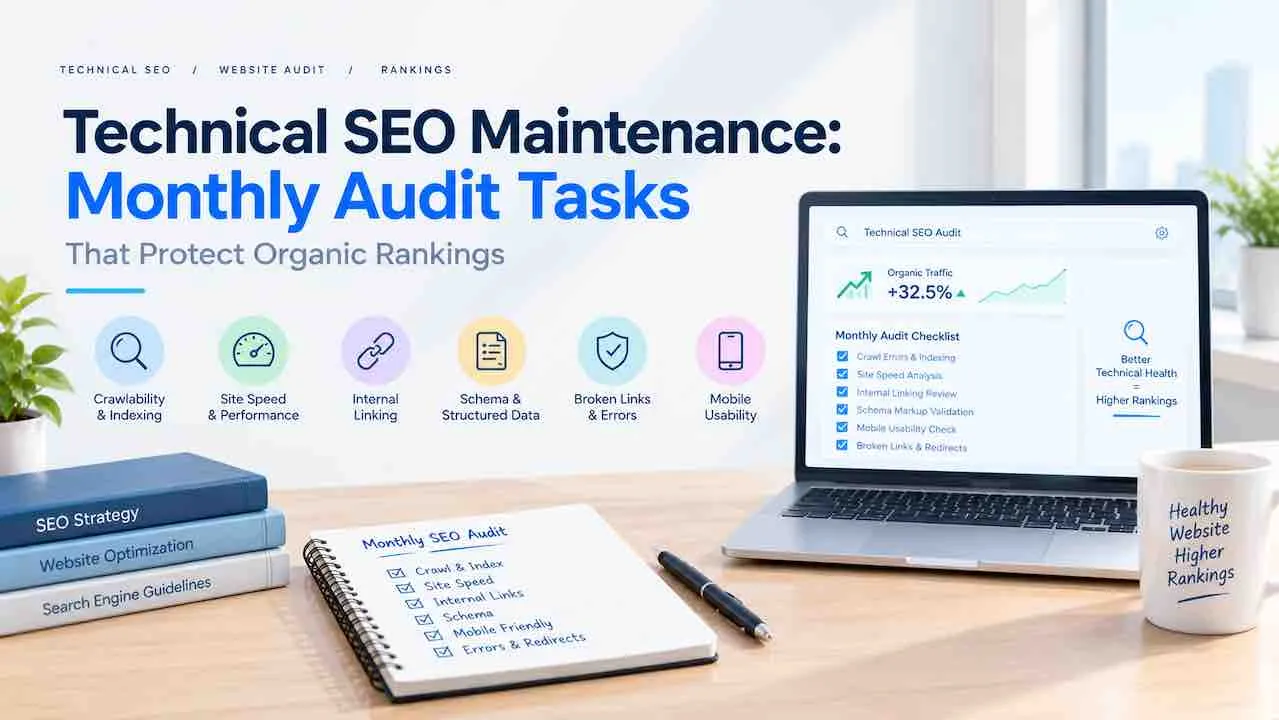
Technical SEO maintenance is the monthly process of fixing crawl errors, reviewing Core Web Vitals, and validating structured data. The goal is stopping ranking drops before they appear. Sites that skip this lose positions quietly over weeks. Sites on a consistent monthly routine hold rankings through algorithm updates and CMS changes.
This guide covers every monthly technical SEO audit task and the right tool for each job. A time-per-task breakdown is included so any team can run this without guessing.
Why Technical SEO Maintenance Protects Organic Rankings
Ranking losses from technical problems are slow and silent. A broken canonical from a CMS update strips a page from the index. This happens within 3 to 4 crawl cycles. A redirect loop blocks Googlebot from reaching category pages entirely. Monthly technical SEO maintenance catches these before they become traffic losses.
Three signals show when technical health is slipping:
- Organic clicks drop with no content change on the page
- Google Search Console crawl stats show a Googlebot activity drop
- Core Web Vitals shift from Good to Needs Improvement on key templates
Professional website maintenance services run these checks on a fixed monthly schedule. Technical website maintenance covers the full crawl-to-render health stack, not just plugin updates.
Monthly Technical SEO Maintenance: Priority Framework
High-impact tasks belong in the first week of each month. Lower-frequency tasks run in the second week. This order stops small problems from stacking into ranking losses.
| Priority | Task | Time | Tool |
|---|---|---|---|
| 1 | GSC crawl errors and coverage report | 20 min | Google Search Console |
| 2 | Core Web Vitals by template type | 20 min | GSC CWV report, PageSpeed Insights |
| 3 | Broken internal and external links | 20 min | Screaming Frog, Ahrefs |
| 4 | XML sitemap and robots.txt review | 10 min | GSC, browser check |
| 5 | Structured data validation | 15 min | Google Rich Results Test, GSC |
| 6 | Canonical tags and duplicate content check | 15 min | Screaming Frog |
| 7 | Mobile usability and HTTPS status | 10 min | GSC, SSL Labs |
Total time for a site under 500 pages: 1.5 to 2 hours per month.
Core Web Vitals Monthly Check
Core Web Vitals have three passing thresholds. Check each one monthly against your top-traffic page templates, not just the homepage.
- LCP (Largest Contentful Paint): must load in under 2.5 seconds
- INP (Interaction to Next Paint): must respond under 200 milliseconds
- CLS (Cumulative Layout Shift): must stay below 0.1
Note: Google replaced FID with INP. Many SEO tools still report FID. Use GSC’s Core Web Vitals report, which pulls INP data from the Chrome User Experience Report (CrUX).
LCP failures have 3 common fixes: switch to WebP images, remove render-blocking scripts, and add a CDN. CLS failures come from images missing width and height attributes. Also check for ads loading without reserved space.
Run website performance monitoring on product pages, category pages, and blog post templates separately. Each template often has a different bottleneck.
Crawl and Indexation Audit Tasks
The GSC Pages report is the starting point for every monthly technical SEO maintenance cycle. Review three buckets each time.
Errors must be fixed immediately. These include server errors (5xx), not found errors (404 on pages with backlinks), and redirect errors.
Valid with Warning pages are indexed but flagged. The most common warning is “Indexed, though blocked by robots.txt.” Fix it before Googlebot acts on the block.
Excluded pages need manual review. Confirm that every excluded URL was intentionally excluded. Post-update site changes sometimes add accidental noindex tags to category pages.
Use GSC URL Inspection on pages that lost over 20% of clicks in the past 28 days. Check the rendered HTML, not just raw HTML. This catches JavaScript issues that hide content from Googlebot.
Broken Links and Redirect Chain Review
Broken internal links waste crawl budget and pass no link equity. A monthly broken link scan takes under 20 minutes with Screaming Frog (free up to 500 URLs).
Fix these four link issues every month:
- Internal 404s: Update the link to the correct live URL
- Redirect chains (3+ hops): Point the source directly to the final destination URL
- Orphan pages: Pages with zero internal links get no crawl signal; add at least one contextual internal link
- External links returning 404: Replace with a current equivalent or remove the link
Add 5 to 10 new internal links each month. Pull them from existing high-traffic pages to newer pages. This pushes crawl budget toward content that needs it and spreads link equity across the site.
See the full website maintenance checklist for the complete link audit steps inside a broader monthly workflow.
XML Sitemap and Robots.txt Monthly Review
The XML sitemap tells search engines which URLs to prioritize. The robots.txt file tells them which to skip. Both require a monthly check after CMS updates, new page types, or URL structure changes.
Monthly sitemap checks:
- Sitemap is submitted in Google Search Console and Bing Webmaster Tools
- Sitemap contains only indexable URLs (no noindex pages, no 301 redirects)
- New pages added in the past month appear in the sitemap
- Sitemap last-modified dates reflect actual content updates
Monthly robots.txt checks:
- No accidental disallow rules blocking key page templates
- Crawl-delay directive is not set (this slows Googlebot)
- Sitemap URL is referenced in the robots.txt file
CMS plugin updates frequently overwrite robots.txt. Always verify after a major plugin or theme update.
Canonical Tags and Duplicate Content Check
Canonical tag errors are among the most common technical SEO maintenance issues on e-commerce and WordPress sites. A wrong canonical tells Google to index a different page than the one you want ranked.
Run a monthly Screaming Frog crawl filtered to canonical tags. Look for these four problems:
- Self-referencing canonicals on pages that should point elsewhere
- Canonicals pointing to 404 or redirected URLs
- Pagination pages with canonicals pointing to page 1 (blocks page 2+ from indexing)
- Duplicate title tags across more than 3 pages (signals thin or duplicate content)
Around 35% of sites have duplicate title tags and 30% have duplicate meta descriptions. This is from Semrush crawl data. Both signals mean pages are competing against each other for the same query.
Structured Data and Schema Validation
Schema markup errors remove pages from rich result eligibility. Google Search Console’s Enhancements tab shows schema errors by type. Check it monthly alongside the Google Rich Results Test on your 5 highest-traffic templates.
Monthly schema checks by page type:
- Articles and blog posts: Validate Article schema, check author entity markup
- Product pages: Validate Product schema including price, availability, and review count
- FAQs: Validate FAQPage schema and confirm question-answer pairs match on-page content
- Local business pages: Validate LocalBusiness schema with current NAP data
Schema errors marked “Invalid” in GSC Enhancements must be fixed within 30 days. Google removes rich result eligibility for pages with persistent schema errors.
Structured data also feeds AI answer engines. Pages with valid schema get cited more often in Google AI Overviews, Perplexity, and ChatGPT. See Google AI Overviews optimization for the full citation signal breakdown.
Mobile Usability and HTTPS Security Checks
Google indexes the mobile version of your site first. A mobile usability error on a key template affects all pages using that template, not just the flagged page.
Monthly mobile checks in GSC under Enhancements > Mobile Usability:
- Text too small to read (fix: set base font to at least 16px)
- Clickable elements too close together (fix: increase tap target size to 48px minimum)
- Content wider than screen (fix: audit any fixed-width containers)
HTTPS and SSL certificate management require a monthly check on three items:
- SSL certificate expiry date (set a calendar alert 30 days before expiry)
- Mixed content warnings (HTTP assets loading on HTTPS pages)
- HTTP-to-HTTPS redirect chain (should be a direct 301, not a chain)
Full website security maintenance covers additional HTTPS hardening beyond the monthly SEO check.
Google Search Console Monthly Reporting Workflow
A monthly GSC workflow takes 45 to 60 minutes. It answers three questions: what changed, why it changed, and what to fix first.
Step 1. Compare the last 28 days against the previous 28 days. Track total clicks, impressions, average CTR, and average position. Flag any page losing more than 20% of clicks.
Step 2. Open the Pages report. Sort by clicks descending. Run URL Inspection on the top 10 pages to confirm they are indexed, canonical, and rendering correctly.
Step 3. Open Performance filtered by “Pages” for the previous 28-day period. Find pages ranking between positions 8 and 20. These are the highest-return optimization targets for the coming month.
Step 4. Check the Coverage report for new errors. Log the count of errors, warnings, and excluded pages. Track this number monthly to catch a growing crawl problem early.
Step 5. Export the data to a monthly tracking sheet. Share the summary in one short report. Cover traffic change, errors fixed, and next month priorities.
Pair GSC data with website maintenance reporting to build a full monthly health picture beyond organic search.
Bing Webmaster Tools Monthly Check
Bing drives 6 to 9% of search traffic in most English-language markets. Most teams skip Bing Webmaster Tools entirely, which means missing a separate crawl health signal.
Monthly Bing checks take under 15 minutes:
- Review the Site Scan report for crawl errors Googlebot may not surface
- Confirm the sitemap is submitted and fetching without errors
- Check the Index Explorer for pages Bing cannot index
- Review the SEO Reports tab for meta, link, and content issues specific to Bing
Bing indexes pages independently from Google. A page blocked in Bing Webmaster Tools can still rank in Google. Fix both separately.
Technical SEO Maintenance for AI Search Visibility
AI engines like ChatGPT, Perplexity, and Google AI Overviews pull answers from pages with clean technical structure. Monthly technical SEO maintenance now includes AI indexing signal checks.
Monthly AI visibility checks:
- Confirm your site is not blocked in GPTBot and Google-Extended user-agent rules in robots.txt
- Search your brand name and top 3 keywords in Perplexity and ChatGPT monthly
- Check whether your pages appear as cited sources in AI-generated answers
- Validate that FAQ schema and structured data return no errors in GSC
Pages cited in AI answers have valid schema, clean canonical tags, and fast LCP scores. These are the same signals your monthly technical SEO maintenance already targets.
For deeper AI citation guidance, see semantic SEO and entity optimization for generative engines and website maintenance for AI search.
Tools for Technical SEO Maintenance
The right tools reduce monthly technical SEO maintenance time by 40 to 60%. A free stack covers most tasks for sites under 500 pages.
| Task | Free Tool | Paid Alternative |
|---|---|---|
| Crawl errors and indexation | Google Search Console | Screaming Frog, Sitebulb |
| Core Web Vitals | PageSpeed Insights, GSC CWV | GTmetrix Pro, WebPageTest |
| Broken links and redirects | Screaming Frog (500 URL limit) | Ahrefs Site Audit, SEMrush |
| Schema validation | Google Rich Results Test | Semrush Schema Checker |
| SSL and HTTPS check | SSL Labs (ssllabs.com) | Sucuri SiteCheck |
| Mobile usability | GSC Mobile Usability report | BrowserStack |
| Rank tracking | GSC Performance report | Ahrefs Rank Tracker, SEMrush |
See the full list of free SEO tools used in a standard technical audit workflow.
How Long Monthly Technical SEO Maintenance Takes
Time varies by site size and the number of templates. Larger sites have more template types, each with separate Core Web Vitals data and schema markup requirements.
| Site Size | Pages | Monthly Time | Suggested Approach |
|---|---|---|---|
| Small | Under 50 | 1 to 2 hours | DIY with free tools |
| Medium | 50 to 500 | 3 to 5 hours | In-house or freelancer |
| Large | 500 to 5,000 | 8 to 15 hours | Agency or dedicated specialist |
| Enterprise | 5,000+ | 20 to 40 hours | In-house team plus audit software |
Sites running WooCommerce or large product catalogs sit at the higher end of each range. Product template issues affect thousands of pages at once, so each fix has a larger impact.
Technical SEO Maintenance for WordPress and WooCommerce Sites
WordPress and WooCommerce sites need 4 additional monthly checks that other platforms do not require.
Plugin update crawl check. After any plugin update, run a Screaming Frog crawl on your top 50 URLs. Plugin updates frequently break canonical tags, add accidental noindex tags, or change URL structures.
Tag and category page indexation. WordPress creates tag archives by default. Most tag pages have thin content and should carry a noindex tag. Check monthly that tag pages are excluded and category pages are indexed.
WooCommerce faceted search URLs. Filter combinations create thousands of unique URLs. Confirm that faceted URLs are blocked via robots.txt or noindexed to prevent index bloat.
Image alt text on new uploads. WooCommerce product images without alt text create accessibility and image search gaps. Run a monthly Screaming Frog filter on images with empty alt attributes.
See the dedicated guides for WordPress website maintenance and WooCommerce website maintenance for platform-specific task lists.
When to Run a Full Technical SEO Audit Instead
Monthly technical SEO maintenance catches ongoing issues. A full technical SEO audit goes deeper and is needed in 5 situations:
- After a site migration or URL structure change
- After a Google core update causes a traffic drop of 15% or more
- When a site has never had a formal technical audit run
- After a CMS platform change (WordPress to Webflow, Magento to Shopify)
- When adding a subdomain, subdirectory, or international hreflang structure
A full audit covers log files, crawl budget, JavaScript rendering depth, and international hreflang validation. It also includes page-level E-E-A-T signal review. These go beyond the monthly cycle.
After any CMS update, plugin change, or content migration, run an immediate crawl check. Do this regardless of your normal schedule.
The SEO checklist covers the pre-audit and post-audit tasks that sit outside the monthly maintenance window.
Frequently Asked Questions
Monthly is the standard for most sites. High-traffic sites publishing more than 20 new pages per week benefit from bi-weekly crawl checks. Small sites under 50 pages can run a lighter check every 6 weeks. After any CMS update or plugin change, run an immediate crawl check.
Accidental noindex tags are the most common issue found in monthly audits. CMS plugin updates add them during routine changes and block pages silently. Broken internal links rank second and canonical errors rank third across sites of all sizes.
Yes, fixing technical issues can recover rankings. This works when the cause was a technical error, not a content or backlink problem. Recovery typically takes 2 to 6 weeks after Googlebot recrawls the fix. Canonical errors and noindex tags return rankings fastest after correction.
Yes. Clean technical structure improves AI citation rates. AI engines favor pages with valid schema, fast LCP scores, and no crawl errors. Sites cited in AI Overviews and Perplexity consistently have fewer than 5 GSC errors per 1,000 pages.
Run Technical SEO Maintenance With a Team That Tracks Rankings Monthly
Quick Digital has run technical SEO maintenance for clients since its founding. Each monthly cycle includes a full crawl report, Core Web Vitals review, and schema validation. A written summary covers fixes completed and next month priorities.
View SEO Services Get a Free Quote