
Company name not appearing in search results, brand name not showing in Google search, website not ranking for company name, and business not found on Google all describe the same problem: your domain is not confirmed as the authoritative home of your brand in Google’s search index. My business name doesn’t show up in Google and business name not in Google search results are both fixable once the root cause is identified.
Fix business name not ranking, brand name not ranking, and company name not ranking Google situations start with identifying which of ten specific causes applies. Business name not ranking on Google and how to fix brand not ranking both have the same answer: a structured diagnostic followed by the matching fix in sequence.
Customers can’t find me online, business invisible on Google, and stop losing customers to competitors because of missing brand visibility are the most common brand problems business owners describe when they contact Quick Digital. Both have the same root cause: missing brand search visibility signals that Google needs to confirm your domain as the authoritative home for your brand name. This guide on how to fix brand not ranking, how to rank my business name on Google, and how to get my business name to rank on Google covers all ten causes with fixes in the order that produces the fastest results. Brand name not ranking and company name not ranking Google are solved by the same framework applied in sequence., plus a 30-day plan at the end.
Run This Diagnostic First
Run these three checks before you read the ten reasons. Each check takes under 90 seconds and identifies your exact cause so you go directly to the right fix.
- Check 1: Search site:yourdomain.com on Google. Zero results means your site is not indexed. Go to Reason 1 immediately.
- Check 2: Open Google Search Console and check Manual Actions. Any active manual action means a penalty. Go to Reason 9 first.
- Check 3: Search your exact business name in an incognito browser window and note what appears in position 1.
| What appears in position 1 | Root cause | Go to |
|---|---|---|
| Nothing at all | Site not indexed | Reason 1 |
| Your Facebook or LinkedIn page | No verified brand entity on your domain | Reason 2 |
| A Yelp or directory listing | Incomplete Google Business Profile | Reason 3 |
| Your GBP but no website result | GBP not linked to domain | Reasons 1 and 3 |
| A competitor or similar brand | Generic name or weak brand authority | Reason 8 |
| Your old domain or old business name | Rebrand not properly migrated | Reason 10 |
| Your site in position 3 or lower | Thin content, weak backlinks, or low domain authority | Reasons 5, 6, 7 |
Reason 1: Google Has Not Indexed Your Website
Google cannot rank a page it has never crawled and indexed. New websites, relaunched sites, and sites with blocking robots.txt rules all suffer from this problem. Business not indexed Google is the most urgent fix. Google index business name issues affect new sites, relaunched sites, and migrated sites equally. because without indexing, no other improvement has any effect.
How to Confirm and Fix the Indexing Problem
Search site:yourdomain.com on Google. Zero results confirms an indexing problem. Open Google Search Console under Coverage pages marked “Excluded” or “Crawled but not indexed” confirm the issue. To fix it:
- Open Google Search Console, go to URL Inspection, enter your homepage URL, and select “Request Indexing”
- Submit your XML sitemap under Sitemaps in Search Console
- Check robots.txt at yourdomain.com/robots.txt and remove any Disallow: / rules blocking Googlebot
- Confirm no pages carry a noindex meta tag placed by a plugin or developer
- Build 3 to 5 external links from any live indexed page to accelerate initial crawl discovery
Most sites that request indexing appear in Google results within 2 to 4 weeks. If 30 days pass with no change, check Search Console for crawl errors blocking Googlebot from accessing your pages.
Reason 2: Google Has Not Confirmed Your Brand as a Verified Entity
Google entity recognition is the mechanism by which Google confirms which domain represents a brand. Entity confirmation Google uses comes from schema markup, verified GBP, and cross-platform profile consistency. Google treats brands as entities in its Knowledge Graph, and when your business has not been confirmed as a distinct verified entity, Google ranks your social profiles or directory listings instead of your website. This is not a content problem it is an entity recognition and entity disambiguation problem. Brand queries are navigational searches where the user expects to reach your official site. When Google cannot confirm which domain represents your brand, it defaults to the platform with the strongest existing entity signal: usually Facebook, LinkedIn, or Yelp. Branded search visibility depends on how clearly your entity is defined across schema markup, your Google Business Profile, and external profiles.
How to Build Brand Entity Recognition
- Add Organization schema markup to your homepage in JSON-LD format with your exact business name, URL, logo, and social profile URLs in the sameAs array. See our schema markup implementation guide for ready-to-use code.
- Create a Wikidata entry for your company with verifiable founding details, location, and business type
- Create a Crunchbase profile with complete company data
- Verify your Google Business Profile so Google directly links your domain to a confirmed business entity
- Cross-link all your social profiles to each other and to your main website in their About sections
Knowledge Graph brand entity status and Google Knowledge Panel visibility both improve through the same entity verification steps. Build full entity authority through Knowledge Panel optimisation. Business name position 1 Google results require entity confirmation before any other signal takes full effect. Brands that complete entity verification see brand name ranking in position 1 within 4 to 8 weeks. Your EEAT and trust authority signals feed this entity confirmation directly.
Reason 3: Your Google Business Profile Is Incomplete or Missing
Google Business Profile ranking directly determines whether your brand appears in Google Maps, the local panel, and branded search results. An incomplete, unclaimed, or suspended Google Business Profile is the primary reason local businesses go invisible on Google. Google gives priority placement in branded search results to verified GBP profiles because they are a direct signal that your business is real and operational. A suspended profile removes your business from Google Maps and local search entirely. Yelp outranking my business name and business name outranked by directory situations are almost always caused by a missing or incomplete GBP. Google Business Profile not ranking is the direct cause of directory listings appearing above your website in branded search.
GBP Requirements for Brand Name Ranking
| GBP Element | Why It Matters | Fix |
|---|---|---|
| Verified business name (exact match) | Google cannot confirm which business owns the listing | Complete verification by postcard, phone, or email |
| Business description (200+ characters) | Google cannot categorise what your business does | Write a factual description using your business name and core services |
| Primary and secondary categories | Wrong categories cause your listing to miss brand searches | Select the most specific primary category matching your main service |
| Minimum 10 photos with branded file names | Inactive-looking profiles rank lower than active ones | Upload photos named companyname-team.jpg and companyname-office.jpg |
| Website URL pointing to homepage | Google cannot link your GBP entity to your domain | Add your exact homepage URL in the website field |
Respond to every Google review within 48 hours. GBP profiles with active owner responses and more than 20 verified reviews rank higher in branded search results. See the complete Google My Business optimisation guide for every field with character limits and examples.
Reason 4: NAP Inconsistency Is Splitting Your Brand Authority
NAP stands for Name, Address, Phone. When your business name appears differently across your website, Google Business Profile, Yelp, Facebook, and directories, Google treats each variation as a separate entity and splits your brand authority between them instead of concentrating it on your domain. NAP inconsistency affecting brand ranking is a confirmed local ranking signal problem. A single inconsistency across 4 or more platforms delays brand name ranking by 30 to 60 days on average.
Even small differences cause the problem. “Quick Digital,” “QuickDigital,” and “Quick Digital LLC” are three distinct entities in Google’s Knowledge Graph. Fixing NAP inconsistency after adding new citations compounds the problem rather than solving it. Always audit and correct existing citations before creating new ones.
How to Audit and Fix NAP Data
- List every platform where your business name appears: website, GBP, Facebook, LinkedIn, Instagram, Yelp, BBB, Apple Maps, Bing Places, and industry directories
- Pick exactly one business name format and treat it as your canonical business name
- Update every platform to match that format including exact punctuation and spacing
- Use tools like Moz Local, Whitespark, or BrightLocal to find hidden inconsistencies at scale
- Build 15 to 25 new consistent citations only after all existing ones are corrected
Reason 5: Your Homepage Does Not Confirm Your Brand Identity
Google reads your homepage content to confirm which brand the site represents. If your homepage has fewer than 400 words, lacks your business name in the first paragraph, or uses generic copy, Google defaults to ranking your social profiles or directories instead. A homepage with thin content signals to Google that the domain is not the authoritative brand home it needs to position in result 1. Business name not ranking despite having website and why is my website not ranking for my company name are both frequently answered by weak homepage content alone.
Homepage Brand Signals Checklist
- Business name appears in the H1 tag or within the first 100 words of visible content
- Page title tag includes your business name formatted as “Business Name | What You Do”
- Meta description includes your business name once naturally
- Logo file name contains your brand name such as businessname-logo.png
- Homepage has at least 600 words of substantive, brand-specific content
- About page exists with at least 800 words covering company history, team, and credentials
Build dedicated pages targeting branded search variations your customers use. An About page, a Reviews page, and a Services page each fill an additional position in the top 10 branded search results and block competitors or review sites from occupying those slots instead of your own content.
Reason 6: Technical SEO Problems Are Blocking Googlebot
Technical SEO problems prevent Google’s crawlers from properly reading, indexing, and ranking your pages even when your content and brand signals are strong. A single noindex tag on your homepage is enough to remove your site from Google results entirely while leaving it fully visible to human visitors. These issues are invisible to users but directly visible to Googlebot.
Technical Issues That Block Business Name Rankings
| Technical Issue | Why It Blocks Ranking | Fix |
|---|---|---|
| Noindex tag on homepage | Tells Google explicitly not to show this page in results | Remove noindex from the homepage meta robots tag immediately |
| Broken internal links | Crawlers hit dead ends, reducing crawl depth | Fix all 404s with 301 redirects |
| Missing or duplicate meta title | Google cannot determine which page represents your brand | Write a unique meta title on every page with your business name on the homepage |
| Slow page speed | Core Web Vitals failure suppresses brand name ranking | Compress images, enable caching, and minimise JavaScript render-blocking |
| No HTTPS | Google flags your site as unsafe and deprioritises it | Install an SSL certificate through your hosting provider |
| Not mobile responsive | Google uses mobile-first indexing | Switch to a responsive theme; test with Google’s Mobile-Friendly Test |
Run Google PageSpeed Insights on your homepage and fix every red or orange issue. A homepage loading in under 2.5 seconds passes Google’s Core Web Vitals threshold for Largest Contentful Paint.
Reason 7: Your Website Has No or Very Weak Backlinks
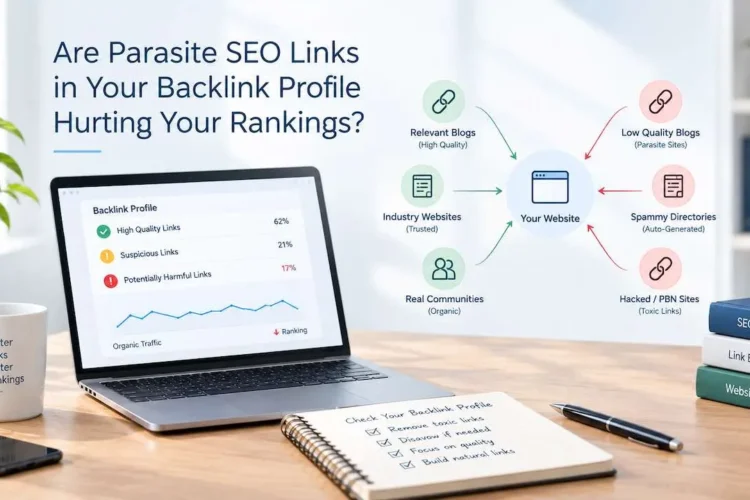
Backlinks are the strongest off-page signal Google uses to determine which brand is the authoritative source for a branded search query. If a Yelp listing outranking your business name has 30 or more backlinks and your site has fewer than 5, Google treats that directory as the more trustworthy source. Brand authority Google assigns to your domain depends on backlink quality and quantity. Weak backlinks are why a business website can be technically sound but still sit below a directory listing that has been live longer.
Three Ways to Build Brand Name Backlinks Fast
Press releases for company milestones. Submit a press release to PR Newswire or BusinessWire when you hit a milestone such as a service launch, partnership, or award. Brand anchor text where the link text is your exact business name carries stronger brand name ranking signals than generic anchors like “click here.” A single regional business publication feature produces a high-authority backlink and a brand mention simultaneously.
Industry directory and association memberships. Join your local chamber of commerce, trade association, or industry group. Member listing pages link to your website using your company name. These links come from niche-relevant, trusted domains and carry both entity confirmation signals and domain authority value simultaneously. Aim for 15 to 25 directory memberships on authoritative platforms rather than mass submissions to generic directories.
Guest posts on authority sites. Write practical, data-driven articles for authoritative sites in your industry. Author bios naturally include your business name linked to your homepage. A portfolio of 10 to 15 published guest posts builds branded anchor text diversity and domain authority simultaneously. See our full guide on ranking your company name on Google for the complete link-building approach.
Reason 8: Your Business Name Is Generic or Matches a Larger Brand
Google defaults to showing the most established entity when multiple businesses share a name or when a business name matches a generic search phrase. A local business named “Apex Consulting” competes with thousands of others using those same words. Competitor ranking for my business name and competitor stealing your brand traffic are both most damaging when the competing result is a review site or negative press page rather than a direct business competitor. If a competitor is ranking above your brand name right now, follow our competitor outranking your brand name guide for the specific strategy to reclaim position 1.
How to Fix a Generic or Shared Business Name
- Add a location or category modifier to your title tag: “Apex Consulting | B2B Strategy Firm in Mumbai”
- Use that modified format consistently across your GBP name, social profiles, and all directory listings
- Build local SEO signals: local backlinks, local citations, and Google reviews from verified customers
- Add your city or region to your About page, homepage H2 headings, and Organisation schema markup
Businesses that add a clear location modifier see brand name ranking results 40 to 60 days faster than those targeting the generic brand term alone. Our local SEO services cover the full process for ranking a brand name in a specific geographic market. For voice search and local AEO queries, see our local AEO and voice search guide.
Reason 9: A Google Penalty Is Suppressing Your Site
Google issues manual penalties for policy violations such as spammy backlinks, keyword stuffing, thin content, and cloaking. An algorithmic penalty fires automatically when your site violates quality guidelines without a formal notice. Both can remove your business name from position 1 entirely. The most telling sign of a penalty is an organic traffic drop on a specific date that aligns with a known Google core update.
How to Identify and Fix a Google Penalty
- Open Google Search Console and go to Security and Manual Actions. Any active manual action appears here with a specific reason.
- Check your organic traffic history in Google Analytics. A sudden drop on a specific date aligning with a Google update confirms an algorithmic issue.
- For spammy backlinks: export your full backlink profile from Ahrefs or Semrush, identify toxic links, and submit a disavow file through Google Search Console
- For thin content: rewrite every page under 600 words with substantive, factual, user-focused information
- For keyword stuffing: remove unnatural keyword repetition and replace it with natural, semantic language
- After fixing all violations: submit a reconsideration request through Search Console if a manual action is active
Penalty recovery typically takes 60 to 90 days after a reconsideration request is approved. Algorithmic recoveries depend on the next Google core update cycle, which Google releases 3 to 4 times per year.
Reason 10: A Rebrand or Domain Change Broke Your Ranking Signals
A domain change without proper 301 redirects causes your new domain to start from zero domain authority and zero entity recognition. Google treats the new domain as a completely separate website with no history, no backlinks, and no brand entity connection until you explicitly transfer those signals through redirects and entity updates. The old domain may continue ranking while the new one has no visibility a split-authority situation where neither domain ranks strongly.
How to Fix a Rebrand That Broke Your Rankings
- Set up 301 redirects from every URL on your old domain to the matching URL on your new domain before any public announcement
- Verify your new domain in Google Search Console and submit a Change of Address request
- Update your GBP, all social profiles, and every directory citation to show the new domain within 7 days of the switch
- Issue a press release about the rebrand so media sites link to your new domain using your new business name as anchor text
- Check your new domain in Ahrefs or Semrush for prior toxic backlink history if it was previously registered by someone else
301 redirects transfer approximately 90% of the link equity from your old domain to the new one. Most rebranded sites recover brand name ranking within 3 to 5 months when all redirects and entity signals are configured correctly before traffic is shifted.
The 30-Day Fix Plan for Business Name Rankings
Follow this week-by-week sequence for the fastest path to position 1 for your business name. Each week builds on the previous. Going straight to Week 4 before completing Weeks 1 through 3 produces slower results because later steps depend on the foundations the earlier steps build.
Week 1: Confirm Indexing and Fix Entity Signals
- Search site:yourdomain.com and confirm indexing status in Google Search Console
- Submit your sitemap and homepage URL via the URL Inspection Tool and request indexing
- Add Organisation schema to your homepage with the correct sameAs social URLs
- Check Google Search Console for manual actions and fix any active penalties
Week 2: Complete Google Business Profile and Fix NAP Data
- Verify or claim your Google Business Profile
- Complete every GBP field: description, categories, photos, hours, and website URL
- Audit your business name across all platforms and standardise to one exact format
- Correct citations on GBP, Facebook, LinkedIn, Apple Maps, and Bing Places
Week 3: Fix Technical Issues and Strengthen Homepage Content
- Run PageSpeed Insights on your homepage and fix all red-flag issues
- Test mobile responsiveness with Google’s Mobile-Friendly Test
- Add your business name to the homepage H1, first paragraph, and page title tag
- Fix all broken internal links shown in Google Search Console
- Remove any noindex tags from pages you want Google to rank
Week 4: Build Backlinks and Brand Supporting Pages
- Submit a press release about a company milestone or service launch
- Pitch 3 guest post articles to relevant industry websites
- Publish your About page with 800 or more words of brand-specific content
- Create a Reviews page and a Services page with your business name used 3 to 5 times each
- Ask 5 verified customers to leave a Google review on your GBP this week
Track your brand name position in Google Search Console every 14 days. Look at impressions, clicks, and average position for queries containing your business name. How to rank company name in Google search and move from business name not in position 1 Google to position 1 follows exactly this 4-week sequence. Most businesses see measurable movement within 6 to 10 weeks of completing the full sequence.
How Long Does It Take for a Business Name to Rank on Google: Timeline by Cause
How long does it take for business name to rank on Google is the most common question Quick Digital receives after the initial audit. The timeline to position 1 depends on which of the ten causes applied to your site and how long they had been in place before you fixed them.
| Situation | Expected Timeline to Position 1 |
|---|---|
| Site not indexed (new domain) | 2 to 4 weeks after requesting indexing and submitting sitemap |
| GBP incomplete or unverified (local business) | 2 to 6 weeks after completing GBP verification and optimisation |
| Entity not recognised (brand entity missing) | 4 to 8 weeks after completing schema, Wikidata, Crunchbase, and cross-linking |
| NAP inconsistency across 10+ platforms | 6 to 10 weeks after standardising all citations |
| Weak backlinks (fewer than 10 external links) | 3 to 6 months with consistent link building |
| Google manual penalty active | 60 to 90 days after reconsideration request approved |
| Domain rebrand with 301 redirects in place | 3 to 5 months for full entity transfer |
Brand dominance across the full top 10 results including your social profiles, review pages, and branded content pages takes 3 to 6 months of consistent work after the foundational fixes in this guide are complete. Brands that also optimise for Google AI Overviews and answer engine optimization appear in AI-generated brand answers across Google AI Overviews, Perplexity AI, ChatGPT, and Gemini alongside traditional search results.
Frequently Asked Questions About Business Name Not Ranking on Google
Your site is most likely not indexed. Search site:yourdomain.com on Google. Zero results means Google cannot see your site. Submit your sitemap and homepage URL to Google Search Console, request indexing, and check robots.txt for any Disallow rules blocking Googlebot from your pages. Most sites appear in Google results within 2 to 4 weeks of requesting indexing. If 30 days pass with no change, check Search Console Coverage for crawl errors blocking access to your pages.
A directory or social profile outranks your website when Google cannot confirm your domain as the verified entity for your brand. Fix this by adding Organisation schema to your homepage, completing and verifying your Google Business Profile, and cross-linking all social profiles to your website. Google uses these three signals together to confirm entity recognition. NAP inconsistency across platforms compounds this problem standardise your business name format across all platforms first, then complete the schema and GBP steps.
Most businesses see their brand name in position 1 within 6 to 12 weeks after completing indexing fixes, GBP verification, schema setup, and NAP standardisation. New domains with no backlinks take 3 to 6 months. Sites recovering from a Google penalty take 60 to 90 days after the penalty resolves. The timeline table above shows expected timeframes for each of the ten causes. The fastest results come from completing all four weeks of the 30-day fix plan in sequence rather than fixing causes in isolation.
Yes, for localised searches. Add a location or industry modifier to your business name across your title tag, Google Business Profile, and schema markup. Search your business name plus your city name to confirm your local entity appears in position 1 for the localised version. Build local citations, local backlinks, and Google reviews from verified customers in your area. Businesses with a clear location modifier reach the localised position 1 result 40 to 60 days faster than those targeting a generic brand term competing with larger national brands.
The same signals that confirm your brand entity on Google also feed AI citation visibility across Google AI Overviews, Perplexity AI, ChatGPT, and Gemini. Organisation schema, verified GBP, Wikidata entries, and Crunchbase profiles are all inside AI training datasets as trusted business entity references. A brand that completes entity verification for Google ranking simultaneously builds the entity signals that AI engines use to recommend and cite businesses in generated answers. Optimising for answer engine optimization and generative engine optimization alongside traditional brand ranking produces brand visibility across both search and AI results. Featured snippet eligibility for “how to rank business name on Google” queries follows the same entity and schema signals. Voice search queries for local businesses also benefit directly from GBP verification and NAP consistency.
Losing customers who can’t find your business because your brand name is not in position 1 Google is a preventable, fixable problem. Why does my company name not appear in Google search and fix brand name ranking issues both have the answers in this guide. Quick Digital has diagnosed and resolved business name ranking problems for clients across 15 or more industries since 2014. Fix it today: Request a free brand SEO audit to identify exactly which of the ten causes is blocking your domain and get a specific fix plan for your situation. See our full brand SEO services for the complete programme.
Brand Name Ranking Fix
Stop Losing Customers Who Search Your Business Name
Quick Digital audits your brand SERP, identifies every blocking factor across all 10 causes, and implements the fixes that move your business name to position 1 on Google.
Working with clients across 15 or more industries since 2014.
Brand SEO services · Rank your company name · Local SEO services · FAQs