
SEO 101 is the process of optimizing your website to rank higher on Google, Bing, and AI search platforms so customers find your business through free organic traffic. Position 1 on Google earns 28.5% of all clicks. Position 10 earns just 2.5%. Every business sitting below page 1 loses those customers to competitors every single day. This guide gives you the full SEO 101 framework to change that.
At Quick Digital, our team has built and ranked websites for businesses across multiple industries since 2014. This SEO 101 guide covers exactly what works: keyword research, on page SEO, technical SEO, content strategy, link building, local SEO, and AI search optimization. Every section is practical and built on real ranking data, not theory.
How Search Engines Work: Crawl, Index, and Rank
Search engines use 3 sequential steps to find, store, and rank web pages: crawling, indexing, and ranking. Understanding each step shows you exactly where to focus your SEO 101 efforts first. Skip this and you end up optimizing pages that search engines cannot even see.
Crawling is the discovery phase. Googlebot visits pages by following internal links, external links, and XML sitemaps. Pages with no internal links and pages blocked by a robots.txt directive get skipped entirely and never enter the index.
Indexing follows crawling. Google reads the page, evaluates its content quality, and stores it in the search index. Pages tagged with noindex, pages with thin content below 300 words, and pages flagged as duplicate content often get excluded from the index or de-prioritised.
Ranking is the final step. Google’s algorithm evaluates 200+ ranking signals across all indexed pages to decide which ones best satisfy a given search query. Those signals include content relevance, E-E-A-T, Core Web Vitals, backlinks, and mobile usability. Pages that satisfy all signals rise to page 1. Pages that fall short sit invisible below it.
| SEO 101 Step | What Happens | Most Common Blocker | Fix |
|---|---|---|---|
| Crawling | Googlebot discovers pages via links and sitemaps | Blocked robots.txt, no internal links, no sitemap | Submit XML sitemap to Search Console and add internal links |
| Indexing | Google stores page content and quality signals | Noindex tags, thin content, duplicate pages | Remove noindex tags, add original content, use canonical tags |
| Ranking | Algorithm orders pages by relevance and authority | Weak content, low E-E-A-T signals, no backlinks | Improve content depth, earn links from authoritative sites |
The 4 Pillars of SEO 101 Every Beginner Must Know
SEO 101 rests on 4 core pillars that must work together to produce rankings: on page SEO, off page SEO, technical SEO, and content. Neglecting any one of them limits your results, even when the other three are strong. Most beginners focus only on content and wonder why rankings stall.
| SEO 101 Pillar | Focus Area | Ranking Impact | Time to See Results |
|---|---|---|---|
| On Page SEO | Title tags, headings, keyword placement, internal links, URL structure | High | 4 to 8 weeks |
| Off Page SEO | Backlinks, brand mentions, digital PR, citations | Very High | 8 to 20 weeks |
| Technical SEO | Crawlability, page speed, Core Web Vitals, HTTPS, mobile usability | High | 2 to 6 weeks |
| Content | Search intent, E-E-A-T, topical authority, depth, entity coverage | Very High | 6 to 16 weeks |
Keyword Research in SEO 101
Keyword research identifies the exact search terms your ideal customers type into Google, Bing, and AI search tools like Perplexity and ChatGPT, so you know which pages to build and which terms to target. Get this step wrong and you spend months optimizing pages nobody searches for, or targeting keywords dominated by sites with years of authority you cannot overcome yet.
Start with seed keywords describing your business or service. Examples include “marketing agency,” “plumbing services,” or “accounting software.” Expand them using tools like Google Keyword Planner, Semrush, or Ahrefs. Each keyword shows 3 critical metrics: search volume (monthly searches), keyword difficulty (competition level from 0 to 100), and search intent (user goal behind the query).
Long tail keywords contain 3 to 6 words and capture specific, high-intent queries like “best SEO agency for e-commerce stores” or “how to rank a local business on Google Maps.” These keywords convert at higher rates than broad head terms because they match the exact need of the searcher. New sites should target keywords with difficulty scores below 30 before attacking competitive terms with difficulty above 50.
The 4 Types of Search Intent in SEO 101
Search intent is the reason a user runs a query, and Google’s algorithm rewards pages that match that reason precisely. Mismatching content type and intent is the single most common reason pages fail to rank, even with good backlinks and technically sound pages.
- Informational intent: Users want to learn something. Example: “how does search engine optimization work.” Build educational guides, tutorials, and explainers that answer the question fully and clearly.
- Navigational intent: Users look for a specific website or brand. Example: “Ahrefs login” or “Google Search Console.” Build branded landing pages with strong brand signals and fast load times.
- Commercial intent: Users compare options before buying. Example: “best SEO tools for small business.” Build comparison pages, ranked lists, and in-depth reviews that help users decide.
- Transactional intent: Users are ready to act right now. Example: “hire an SEO consultant” or “buy SEO services.” Build service pages and landing pages with clear calls to action, pricing, and social proof.
Finding Low Competition Keywords to Win First
New websites must target low competition keywords first because competing against established sites on high difficulty terms wastes months of effort with near-zero chance of ranking. A keyword with 400 monthly searches and a difficulty of 12 delivers real traffic. A keyword with 15,000 searches and a difficulty of 72 delivers nothing for a new site.
Use Google’s “People Also Ask” boxes to find question-based keywords with confirmed search demand. Each question in the PAA box is a real query users run. Answer those questions more completely than current results and you rank faster than targeting obvious keywords where competition is entrenched. Our guide on dominating People Also Ask boxes shows the exact approach we use for clients.
Also, analyze your 3 strongest competitors in search results. Enter their domains into Ahrefs or Semrush. Filter results to keywords where they rank in positions 5 to 15. Those positions signal vulnerability. Build a stronger, more thorough page on the same topic and earn faster rankings than starting with untested keyword ideas.
On Page SEO 101 Optimization
On page SEO controls every element within your own pages that signals to search engines what topic you cover and why your page deserves to rank above alternatives. This includes title tags, meta descriptions, heading structure, keyword placement, internal links, image alt text, and URL format. All of these are fully within your control and should be optimized before building backlinks.
Title Tags and Meta Descriptions
The title tag is the clickable headline shown in Google’s SERP (search engine results page) and carries the strongest on page ranking signal available. Place your primary keyword within the first 5 words of the title. Keep every title under 60 characters to prevent Google from truncating it in results. Write titles that match the searcher’s intent and give a compelling, specific reason to click your result over 9 others on the page.
Meta descriptions do not directly affect rankings, but they directly affect click through rate (CTR). A strong meta description is your first sales pitch to a searcher. Keep it under 160 characters. Include your keyword and state the exact benefit users get from clicking. Pages with compelling meta descriptions earn 5 to 30% more clicks than pages with generic or missing descriptions, which indirectly improves rankings through engagement signals.
Header Hierarchy: H1 to H5
HTML header tags (H1 through H5) create a hierarchy that both users and crawlers use to understand the structure and relevance of your content. Use exactly 1 H1 tag per page containing your primary keyword. Use H2 tags for major topic sections. Add H3 tags for subsections under each H2. Use H4 and H5 tags for deeper breakdowns where needed. Never skip heading levels or use headings purely for visual styling.
Each heading must answer the question it implies in the very first sentence below it. Do not make users hunt through paragraphs to find the point. This format wins featured snippets and Google AI Overview citations because it makes answers easy for algorithms to extract and attribute to your page.
Internal Linking Strategy in SEO 101
Internal links distribute PageRank across your site, signal topical relationships to Google, and guide users to more of your content. Add 3 to 5 contextual internal links per 1,000 words using descriptive anchor text that describes the linked page’s specific topic, not generic phrases like “click here” or “read more.”
Link from your highest authority pages (those with the most external backlinks) to newer pages you want to rank. This transfers ranking power and accelerates results for new content. Our complete SEO checklist covers every on page element in order of priority so you address the highest impact items first.
| On Page Element | SEO 101 Best Practice | Common Beginner Mistake | Time to Fix |
|---|---|---|---|
| Title tag | Keyword in first 5 words, under 60 chars, clear value | Generic titles, keyword stuffed, over 60 characters | 15 to 30 minutes |
| Meta description | Compelling hook, keyword included, under 160 chars | Duplicate descriptions, no benefit stated, auto-generated | 10 to 20 minutes |
| URL structure | Short, descriptive, primary keyword included, lowercase | Long numeric strings, random characters, no keywords | 5 minutes per URL |
| Internal links | Descriptive anchors, 3 to 5 per 1,000 words, relevant context | Generic anchors, orphan pages with zero internal links | 1 to 2 hours per page |
| Image alt text | Descriptive text, keyword where naturally fit, every image | Missing alt text entirely, keyword stuffed alt attributes | 3 to 5 minutes per image |
Technical SEO 101 Foundations
Technical SEO makes your site accessible to search engine crawlers by fixing speed issues, crawlability problems, and structural errors that prevent pages from ranking even with strong content. Always audit technical foundations before creating new content or building backlinks. A technically broken site wastes every other SEO investment.
Core Web Vitals and Page Speed
Core Web Vitals are Google’s 3 measurable performance signals that directly affect rankings: Largest Contentful Paint (LCP), Interaction to Next Paint (INP), and Cumulative Layout Shift (CLS). Google confirmed Core Web Vitals as ranking factors. Sites failing these metrics lose rankings to technically faster competitors with comparable content quality.
LCP measures page load speed and must score under 2.5 seconds. INP measures responsiveness to user interaction and must stay under 200 milliseconds. CLS measures visual stability during loading and must stay below 0.1. Test your site at Google PageSpeed Insights. Fix the highest impact issues first: unoptimized images, render blocking JavaScript, unused CSS, and slow server response times. Our detailed guide on improving page load speed covers every fix with step-by-step instructions.
Compress all images before uploading to your site. Convert images to WebP format for 25 to 35% smaller file sizes compared to JPEG or PNG. Apply lazy loading to images below the fold. Each 0.1-second improvement in load time increases conversions by 8.4% according to Portent research. Speed improvements affect both rankings and revenue simultaneously.
Mobile First Indexing in SEO 101
Google evaluates your mobile site version to determine rankings for all devices because more than 63% of Google searches happen on mobile. A site performing poorly on mobile loses rankings on desktop and mobile at the same time. Mobile optimization is not optional in SEO 101.
Test mobile usability with Google’s Mobile Friendly Test tool. Fix text smaller than 16px, buttons spaced fewer than 48px apart, and content overflowing the screen viewport. Mobile pages must fully load under 3 seconds. 53% of mobile visitors abandon pages taking longer than that, sending a direct negative signal to Google about your page quality. Combine strong mobile SEO with mobile marketing tactics to capture and convert mobile traffic at every touchpoint.
Site Architecture and Crawlability
Site architecture determines how efficiently Googlebot crawls your pages and how PageRank flows through your entire domain. Keep every important page within 3 clicks of your homepage. Use a flat, logical hierarchy: the homepage links to category pages, category pages link to subcategory pages, and subcategory pages link to individual content pages.
Create and submit an XML sitemap through Google Search Console. Your sitemap tells crawlers which pages to prioritize, especially on large sites with deep page hierarchies. Also review your robots.txt file at yourdomain.com/robots.txt to confirm you are not accidentally blocking key sections. Follow the 15 SEO best practices for website architecture to build a crawl-friendly structure from the start.
HTTPS, SSL, and Trust Signals
HTTPS is a confirmed Google ranking signal and shows visitors the padlock icon in their browser, signaling that your site is secure and trustworthy. Chrome marks all HTTP pages as “Not Secure,” which pushes visitors away before they read a single word of your content. Get a free SSL certificate through Let’s Encrypt or through your hosting provider, which often includes one at no extra cost.
After switching to HTTPS, set up 301 redirects from every HTTP URL to its HTTPS version. Update internal links, canonical tags, and your XML sitemap to use HTTPS. Submit the HTTPS version as a new property in Google Search Console. Pair HTTPS with strong E-E-A-T trust signals like author credentials, business contact information, and privacy policies to build the full trust profile Google rewards with rankings.
SEO Content That Ranks and Converts
Content is the single most important ranking factor in SEO 101 because search engines rank pages based purely on how well they satisfy the user’s exact search intent. Strong content answers the searcher’s question better than every competing result. It is specific, factually accurate, structured for scanning, and updated when new information becomes available.
E-E-A-T: Google’s Quality Framework for SEO 101
E-E-A-T stands for Experience, Expertise, Authoritativeness, and Trustworthiness, and it is the quality framework Google’s human raters use to evaluate page quality before algorithm updates roll out. Pages with strong E-E-A-T signals consistently outperform thin, unverified content, especially on topics touching health, money, legal matters, or major life decisions.
- Experience: Show direct, first hand knowledge through specific case studies, real client results, personal testing data, and outcome-based examples. Generic advice with no real-world context signals zero authentic experience.
- Expertise: Demonstrate deep subject matter knowledge through technical accuracy, proper industry terminology, and references to authoritative sources like Google Search Central documentation and Search Engine Journal research.
- Authoritativeness: Build recognition as a trusted source through backlinks and mentions from respected industry publications, news outlets, and educational institutions in your specific niche.
- Trustworthiness: Provide accurate, verifiable information on every page. Display clear contact details, show author credentials, link to original data sources, maintain a privacy policy, and respond professionally to customer reviews.
Content Depth vs Word Count in SEO 101
Content depth matters far more than word count in SEO 101 because Google rewards pages that fully satisfy a query, not pages that hit an arbitrary number of words. A 600 word page that completely answers a simple question outranks a 3,500 word page padded with filler for that same query. Always match content length to what the top ranking results already provide, then improve on it.
Before writing any page, analyze the top 5 results for your target keyword. Note their word count, heading structure, topics covered, and questions they failed to answer. Build content that covers all of their ground plus the gaps they left open. Pair this with a strong content marketing strategy to amplify what you publish and build authority over time.
Semantic SEO and Topical Authority
Semantic SEO establishes your site as the most thorough, trusted source on a topic by covering related subtopics, entities, and concepts that surround your main keyword. Google’s NLP (Natural Language Processing) systems understand relationships between topics, entities, and concepts at a sophisticated level. Pages that cover a topic fully and connect related subtopics with internal links rank for more keywords than narrow pages targeting a single term.
Build topic clusters to signal topical authority. Create 1 pillar page covering a broad topic at 2,500 to 4,000 words, then support it with cluster pages covering specific subtopics at 1,000 to 1,500 words each. Link all cluster pages back to the pillar and to each other. This structure signals semantic depth and entity coverage to Google’s algorithms. Our guide on semantic SEO and entity optimization for generative engines covers this framework in practical detail with real examples.
Off Page SEO and Link Building in SEO 101
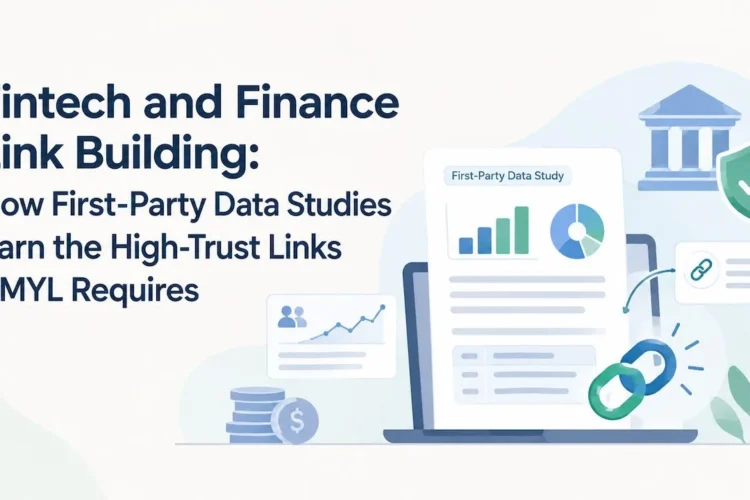
Off page SEO builds your domain’s authority through backlinks, brand mentions, and digital PR so Google trusts your content enough to rank it above competitors with similar on page quality. Backlinko’s analysis of 11.8 million search results confirmed backlinks remain the strongest correlation with higher Google rankings. Quality always matters more than quantity in link building.
Focus on earning links from sites with domain authority above 40 in your industry or related niches. 1 link from a respected industry publication like Search Engine Journal or Moz Blog beats 100 links from low-quality random blogs. Relevance and authority are the 2 factors that determine how much ranking power a backlink transfers.
Link Building Strategies That Work in SEO 101
The 4 most effective link building strategies for SEO 101 beginners are content-based earning, guest posting, broken link building, and digital PR. All 4 build links that help rankings without violating Google’s Webmaster Guidelines.
- Content based earning: Original research studies, data-driven industry reports, comprehensive free tools, and in-depth guides over 2,500 words attract natural backlinks without outreach. These assets earn links passively once they rank and get shared.
- Guest posting: Write valuable, practical articles for authoritative sites in your niche. Include 1 to 2 contextual links to relevant pages on your domain. Focus on sites with domain authority above 40 and real organic traffic to maximize the link’s value.
- Broken link building: Find dead outbound links on relevant sites using Ahrefs or Semrush. Create a page covering the same topic the dead link pointed to. Reach out to site owners and suggest your page as the updated replacement. Our backlink outreach service handles prospect research, content creation, and outreach end to end.
- Digital PR: Publish original research, industry surveys with surprising findings, or expert commentary on trending topics. Pitch your data to journalists covering your niche. Links from news outlets and high-authority publications carry very high domain authority and improve brand visibility alongside rankings.
Anchor Text Distribution in SEO 101
A natural anchor text distribution prevents Google from flagging your link profile as manipulative and protects against over-optimization penalties. Most SEO beginners use too many exact match anchors. This triggers algorithmic filters that suppress rather than boost rankings.
- Branded anchors (40 to 50%): Your company name, like “Quick Digital” or “QuickDigital.org.” These form the largest share of any natural link profile.
- Naked URL anchors (20 to 25%): The raw domain URL like “quickdigital.org.” These appear naturally when people copy and paste your link.
- Generic anchors (10 to 15%): Phrases like “read more,” “this guide,” or “this resource.” Natural content references often use these.
- Partial match anchors (10 to 15%): Variations like “SEO guide” or “search optimization tips” that relate to your keyword without matching it exactly.
- Exact match anchors (5% maximum): Your precise target keyword phrase. Exceeding 5% on this anchor type is a strong over-optimization signal that can suppress rankings.
Links That Damage SEO 101 Rankings
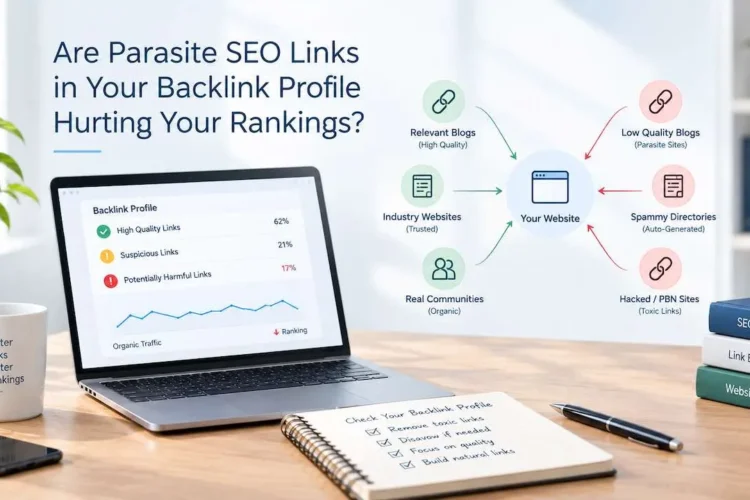
Buying links from private blog networks, link farms, or bulk link sellers triggers Google penalties that drop rankings overnight and take months to recover from. Never purchase links from services promising 500 or 1,000 backlinks for a flat fee. Google detects these patterns through link graph analysis and issues both manual and algorithmic penalties. Build links the right way or don’t build them at all.
Local SEO 101 for Location Based Businesses
Local SEO 101 makes your business appear in Google Maps, the local 3 pack, and “near me” searches when nearby customers look for your services. 46% of all Google searches have local intent. Missing from local results means missing buyers who are already in your area and ready to spend money.
Claim and fully complete your Google Business Profile. Fill in every available field: business name consistent across all platforms, physical address, local phone number, website URL, business hours including holidays, primary and secondary business categories, and a 150 to 300 word description that includes your main keywords naturally. Follow our detailed Google Business Profile optimization guide for the exact steps that consistently move local pack rankings.
Build NAP (name, address, phone) consistency across all platforms like Yelp, Bing Places, Apple Maps, industry directories, and local chamber of commerce listings. Inconsistent NAP data across platforms confuses search engines and directly hurts local rankings. Generate genuine customer reviews by following up after positive interactions and providing a direct review link. Never purchase fake reviews. Google’s detection systems are advanced, and account suspensions are permanent with no appeal path. Our local SEO services cover citation building, profile management, and review strategy for businesses in competitive local markets.
SEO 101 for AI Search Engines
Ranking on AI platforms like ChatGPT, Perplexity, Google AI Overviews, and Bing Copilot requires Answer Engine Optimization (AEO) and Generative Engine Optimization (GEO) applied on top of traditional SEO 101 fundamentals. AI search engines pull direct answers from pages that are well structured, clearly authoritative, and factually accurate. Being cited in AI answers drives referral traffic even on queries that produce zero traditional clicks.
AEO and GEO Applied to SEO 101
Answer Engine Optimization (AEO) restructures your content so AI engines can extract clear, concise answers from your pages and cite them in AI-generated responses. Use question and answer formatted headings, add FAQ schema markup, write short declarative sentences under each heading, and include verified data points that AI engines can attribute. Read our full guide on answer engine optimization for the exact markup patterns that generate AI citations consistently.
Generative Engine Optimization (GEO) positions your brand as a trusted source that AI models reference when generating responses to questions in your niche. AI models cite pages with strong E-E-A-T signals, accurate entity data, factual sourcing, and authoritative inbound links. Our generative engine optimization guide explains how to adapt your content strategy for citation on Perplexity, Google Gemini, and Claude AI. Also see our specific guide on how to rank your content in ChatGPT for platform-specific tactics.
AI Overviews, Featured Snippets, and Voice Search
Google AI Overviews appear for roughly 15 to 20% of queries and pull content from pages that rank in positions 1 to 5 or that provide the clearest structured answer for the query. Put a concise 1 to 2 sentence direct answer in the first sentences under each H2 heading. Follow that with supporting detail. This format simultaneously wins featured snippet positions and AI Overview citations for the same page.
Voice search queries are longer and more conversational than typed queries. Optimize for voice by writing question and answer content, targeting conversational long tail queries like “how do I get my website on page 1 of Google,” and adding FAQ schema to eligible pages. Our voice search optimization guide and Google AI Overviews optimization guide give step-by-step frameworks for ranking across all AI search surfaces.
Add schema markup to your pages using Schema.org vocabulary. Use FAQ schema for question and answer sections, Article schema for blog posts and guides, HowTo schema for step-by-step processes, and LocalBusiness schema for location-based pages. Schema is a direct signal that both traditional search engines and AI engines use to verify a page as a reliable, structured source on a topic. Pages with proper schema markup get cited in AI-generated answers at much higher rates than pages without it.
Not Ranking on Google or AI Search Yet?
Our AI SEO services and GEO services are built for businesses that want visibility across Google, ChatGPT, Perplexity, and Bing Copilot.
Request a Free Strategy CallEssential SEO 101 Tools
The right SEO 101 tools replace guesswork with data so every optimization you make is backed by evidence, not assumptions. Start with the free tier of essential tools and invest in paid tools once your SEO strategy scales beyond basic optimization.
Free SEO 101 Tools to Start With Today
- Google Search Console (free): Shows which keywords drive traffic, impressions, click through rates, average positions, indexing status, and technical errors blocking pages. Install on every site you manage before any other tool.
- Google Analytics 4 (free): Measures organic traffic volume, user behavior, engagement rate, dwell time, and conversion events from search. Ties SEO results to business revenue rather than just traffic numbers.
- Google PageSpeed Insights (free): Tests Core Web Vitals scores on mobile and desktop. Provides specific, ranked recommendations for speed improvements with estimated impact.
- Google Keyword Planner (free with Google Ads account): Provides keyword search volume data, competition levels for paid search, and related keyword suggestions sourced directly from Google’s own data.
- Ahrefs Webmaster Tools (free plan): Audits your site for 100+ technical SEO issues and shows all external sites currently linking to your domain, including broken link opportunities.
Our curated list of 5 best free SEO tools for small businesses and the full free SEO tools directory cover additional no-cost options for every stage of SEO 101.
Paid SEO 101 Tools Worth the Investment
| Tool | Best For | Starting Price | Top Feature |
|---|---|---|---|
| Semrush | Keyword research and competitor traffic analysis | $139 per month | Keyword difficulty scores and organic traffic estimates by domain |
| Ahrefs | Backlink analysis and content gap research | $129 per month | World’s largest backlink database and site explorer |
| Screaming Frog SEO Spider | Full technical site audits | $259 per year | Complete crawl identifying broken links, duplicate content, missing tags |
| Moz Pro | Domain authority tracking and rank monitoring | $99 per month | Domain Authority (DA) score and weekly rank tracking across keywords |
| Surfer SEO | On page content optimization against top competitors | $89 per month | Real-time content editor with NLP term and keyword density guidance |
Measuring SEO 101 Results That Actually Matter
Track these 5 key performance indicators consistently to separate SEO changes that move rankings from changes that waste time. Without measurement, you cannot know if your strategy is working or whether you are repeating the same mistakes with different tactics.
| SEO 101 Metric | What It Shows | How to Improve It | Best Tracking Tool |
|---|---|---|---|
| Organic traffic | Total visitors arriving from search engines | Rank for more keywords and improve click through rate | Google Analytics 4 |
| Keyword rankings | Position in search results for target terms | Improve content depth and earn authoritative backlinks | Semrush, Ahrefs, Google Search Console |
| Click through rate (CTR) | Percentage of impressions that result in clicks | Rewrite title tags and meta descriptions to match intent better | Google Search Console |
| Bounce rate | Visitors who leave without any on-site engagement | Match content format to search intent and improve page speed | Google Analytics 4 |
| Organic conversions | Leads, calls, or sales attributed to search traffic | Optimize landing pages, improve calls to action | Google Analytics 4 |
Our guide on bounce rate in Google Analytics explains exactly what your engagement data reveals about content quality and how to act on it. Apply conversion rate optimization tactics alongside SEO 101 to turn more organic visitors into paying customers, not just raw traffic numbers. Also use landing page optimization to maximize the value of every visitor search delivers.
SEO 101 vs Paid Advertising: Choosing the Right Strategy
SEO 101 builds compounding, long term organic traffic that does not stop when you stop spending, while paid advertising through PPC management delivers instant visibility that disappears the moment your budget runs out. Most businesses need both channels, with SEO as the durable foundation and paid ads filling gaps while organic authority builds.
SEO takes 4 to 6 months to show meaningful results, but a page that ranks today can keep driving traffic for months or years without additional investment. Paid search delivers traffic on day one but requires continuous spend to maintain. Stop the ads and the traffic stops immediately. Use remarketing to capture and convert visitors from both organic and paid search across multiple touchpoints before they buy from a competitor.
Also pair SEO with social media marketing and Facebook marketing to distribute content, build brand signals, and drive referral traffic that strengthens your organic authority over time. Strong organic rankings supported by social traffic signals create a compounding growth cycle that paid advertising alone cannot replicate.
7 SEO 101 Mistakes That Destroy Rankings
These 7 mistakes are responsible for most SEO failures, and all 7 are fully preventable once you know what to look for. Fix them before creating new content or investing in backlinks.
- Keyword stuffing: Repeating a keyword unnaturally throughout a page triggers Google’s spam detection systems. Write naturally for people. Maintain keyword density between 0.5% and 3% and let semantically related terms appear organically throughout the text.
- Mismatching search intent: Publishing a blog post for a keyword where Google shows product pages, or a product page for a keyword where Google shows tutorials, produces zero rankings. Always match your content format and type to what Google’s current page 1 shows for that exact keyword.
- No internal links: Isolated pages receive no PageRank from the rest of your domain. Every new page you publish needs at least 3 contextual internal links from existing, related pages to connect it to your site’s authority.
- Duplicate content: Two pages covering the same topic split ranking potential and confuse Google about which version to rank. Use canonical tags to designate the preferred version or merge duplicate pages into a single, stronger page. Read more on how duplicate content damages your rankings and how to fix it.
- Missing image alt text: Images without alt text are invisible to search engines and inaccessible to screen readers. Write a descriptive alt text for every image. Include your primary keyword in the alt text where it fits the image description naturally.
- Slow page speed: Pages loading over 3 seconds lose 53% of mobile visitors before they read a single word. Core Web Vitals failures cut rankings on both mobile and desktop search. Speed fixes deliver results faster than almost any other SEO change.
- Missing E-E-A-T signals: Anonymous content with no author information, no credentials, and no real-world examples fails Google’s quality evaluation. Show who wrote the content, what qualifies them, and provide specific, verifiable evidence behind every claim.
Frequently Asked Questions About SEO 101
SEO 101 typically produces measurable ranking improvements in 4 to 6 months for low to moderate competition keywords. Technical fixes and on page optimizations can shift rankings in 2 to 4 weeks. Competitive keywords requiring strong backlink profiles take 8 to 12 months or longer. New domains with zero authority take longer than established sites making improvements to existing rankings. Consistency throughout that period separates sites that reach page 1 from sites that stagnate permanently on page 2.
Yes, beginners can handle keyword research, on page SEO, content creation, and basic technical audits without professional support. Free tools like Google Search Console, Google Analytics 4, and Ahrefs Webmaster Tools give you enough data to start and track progress. Competitive industries, advanced technical architectures, and large scale link building programs benefit from professional expertise. Most businesses start with SEO 101 fundamentals themselves and bring in a professional search engine optimization agency once they need faster, scalable results than solo effort can produce.
Target 1 primary keyword and 2 to 4 semantically related secondary keywords per page. Secondary keywords must share the same search intent as the primary keyword to avoid confusing Google about the page’s purpose. For “SEO 101,” strong secondary keywords include “search engine optimization basics,” “beginner SEO guide,” “SEO fundamentals for beginners,” and “how to start doing SEO.” Place the primary keyword in the title tag, H1, first paragraph, and 2 to 3 subheadings. Integrate secondary keywords naturally throughout the body text where they fit contextually.
Yes, the core SEO 101 signals including strong E-E-A-T, quality backlinks, clear content structure, schema markup, and factual accuracy all drive visibility in AI search engines alongside traditional Google rankings. AI models specifically cite pages that demonstrate clear subject expertise, include verifiable data, organize content with structured headings, and hold authoritative inbound links. Apply AEO and GEO frameworks alongside SEO 101 basics to rank across Google, ChatGPT, Perplexity, Google Gemini, and Bing Copilot simultaneously.
On page SEO establishes your relevance for a keyword. Off page SEO builds the authority that makes Google rank you above equally relevant competitors. For low competition keywords with difficulty scores under 30, strong on page optimization and a solid internal linking structure often rank without significant backlinks. For competitive terms with difficulty above 50, a backlink profile with links from domains having authority above 40 is non-negotiable. Analyze the top 3 ranking pages for your target keyword to see exactly how many backlinks and what domain authority they carry. That analysis tells you precisely what you need to compete.
Ready to Rank Higher on Google and AI Search?
Quick Digital has ranked websites for businesses across multiple industries since 2014. Get a free SEO audit, a keyword gap analysis, and a custom ranking plan built around your goals and market.
Get My Free SEO Audit View SEO Services Talk to an Expert